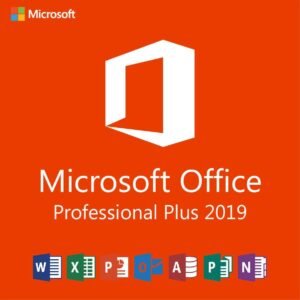
Microsoft Office 2019 Professional Plus – License Key for 5 PCs
$64.00Original price was: $64.00.$29.49Current price is: $29.49.
-54%
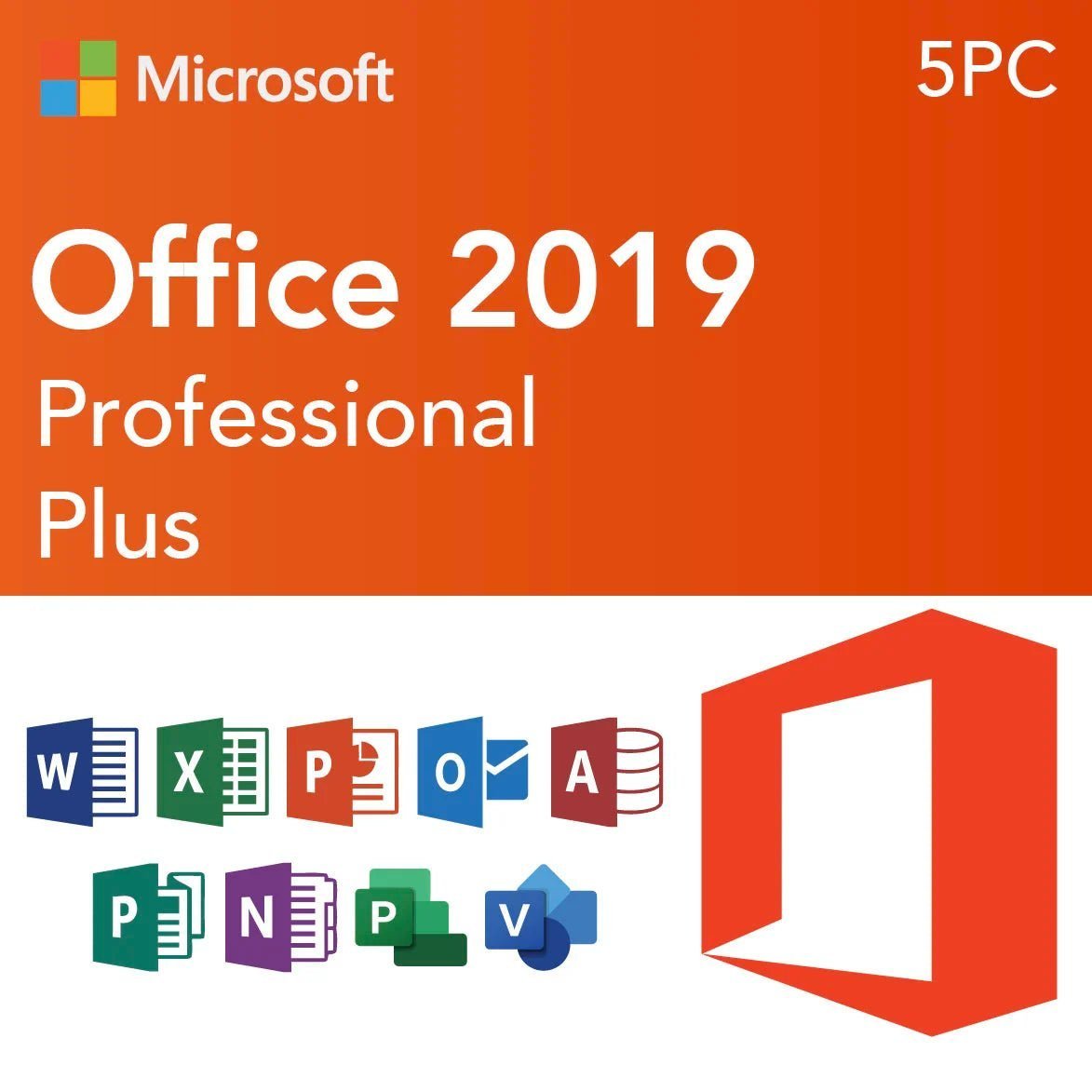
Genuine Microsoft Office Professional Plus 2019 license key for 5 Windows PCs: Word, Excel, PowerPoint, Outlook, OneNote, Access and Publisher on up to five computers. Emailed within minutes, 30-day money-back guarantee.
This is a genuine Microsoft Office Professional Plus 2019 license key valid for five Windows PCs, the multi-device option for small offices, family households and workshops that want the same full Office suite on every computer. Each of the five installations gets Word, Excel, PowerPoint, Outlook, OneNote, Access and Publisher. For front-line work computers we suggest the Office 2021 or 2024 five-PC packs.
License details
Edition: Office Professional Plus 2019, seven applications: Word, Excel, PowerPoint, Outlook, OneNote, Access, Publisher
Platform: Windows 10 or Windows 11 (or Windows Server 2019 and later), 32-bit or 64-bit; each PC may choose its own bitness
Covers 5 PCs; one 25-character key with five activations
Perpetual license, one-time purchase, no subscription, no renewal;
Activation: online on each PC from File > Account > Change Product Key; phone activation help from our team when Microsoft requires it
Delivered: key, official Microsoft download link and an installation guide for multi-PC setup, by email and under My Account
Language: multilanguage, each PC can install in its own language
30-day money-back guarantee and email support from a real person 7 days a week
Order now and your Office Professional Plus 2019 five-PC key arrives by email within minutes, ready to install on the first machine today and the rest whenever you like. Nothing is shipped. If activations fail and our team cannot resolve the problem, we replace the key or refund the order under the 30-day guarantee. The license type for this pack is shown in the Product Overview table on this page.
Product overview
Product
Microsoft Office 2019 Professional Plus – License Key for 5 PCs
Brand
Microsoft
Category
Microsoft Office, Office 2019
Platform
Windows PC
Covers
5 PCs
License term
One-time purchase, no subscription
Delivery
Digital, product key by email within minutes
You receive
Product key, official Microsoft download link, installation guide
Support
Free installation and activation help by email, 7 days a week
Guarantee
30-day money-back guarantee
SKU
SIS-O19PP-5PC
Office Professional Plus 2019 for 5 PCs: one key, five full installations
Buying Office one computer at a time gets expensive and messy: five receipts, five keys to keep track of, and often five slightly different versions. This Office Professional Plus 2019 five-PC key solves that with a single 25-character license that activates the complete suite on up to five Windows 10 or Windows 11 computers. Every installation includes Word, Excel, PowerPoint, Outlook, OneNote, Access and Publisher, and every installation is a perpetual, one-time purchase with no subscription.
The pack is aimed at small businesses with a handful of desks, families with several laptops, schools and training rooms, and anyone who maintains a fleet of older Windows 10 PCs. It is also the natural choice when an office already runs Office 2019 on some machines and wants the rest on the identical version so that templates, macros and add-ins behave the same everywhere.
A frank note on lifecycle: Microsoft ended extended support for Office 2019 on October 14, 2025. The software keeps working and activating, but security updates have stopped. That is acceptable for secondary machines, training PCs and standardized older hardware; for the computers where your team opens outside email attachments every day, we recommend the Office 2021 Professional Plus for 5 PCs pack, supported until October 13, 2026, or an Office 2024 license with support until October 9, 2029.
Key features across all five installations
Full seven-app suite on each PC: nothing is held back on the additional seats; every computer gets Access and Publisher as well as the core apps.
Excel 2019: TEXTJOIN, CONCAT, IFS and SWITCH functions, funnel and map charts, and PivotTable improvements shared across every desk.
PowerPoint 2019: Morph and Zoom, 3D models, 4K export, so presentations built on one PC look identical on the others.
Outlook 2019: Focused Inbox and @mentions, connecting to Exchange, Microsoft 365, Outlook.com, Gmail and IMAP accounts.
Word 2019: Focus mode, Learning Tools, translator and improved inking.
One key to manage: a single license record in My Account, one email to file, and a simple count of activations used.
Mixed bitness allowed: older PCs can run 32-bit while newer ones run 64-bit under the same key.
Because every seat runs the same build, documents move between machines without formatting surprises, shared templates work everywhere and your team learns one interface. Files remain compatible with Office 2016, 2021, 2024 and Microsoft 365, so exchanging work with clients on other versions is not a concern.
A few deployment habits make a five-PC rollout painless. Install the first computer completely, confirm activation, and copy your Normal.dotm template, Outlook signatures and Quick Access Toolbar settings before touching the next machine. Use the same bitness on every PC that shares Access databases or Excel add-ins, since 32-bit and 64-bit add-ins are not interchangeable. Write down which PC used which activation. And run Update Now once on each machine after activation so that all five are on the final released build of Office 2019; that is the build we recommend staying on, since Microsoft no longer publishes further patches.
Choosing between the 1-PC key, the 5-PC key and newer generations
The table compares this pack with the single-PC key of the same edition and with the five-PC versions of Office 2021 and Office 2016 that we also carry.
Feature
Office Professional Plus 2019, 5 PCs (this product)
Office Professional Plus 2019, 1 PC
Office Professional Plus 2021, 5 PCs
Office Professional Plus 2016, 5 PCs
Installations
Up to 5 Windows PCs
1 Windows PC
Up to 5 Windows PCs
Up to 5 Windows PCs
Applications
Word, Excel, PowerPoint, Outlook, OneNote, Access, Publisher
Same
Same
Same
Windows versions
Windows 10, Windows 11
Windows 10, Windows 11
Windows 10, Windows 11
Windows 7 SP1, 8.1, 10, 11
Microsoft support
Ended October 14, 2025
Ended October 14, 2025
Until October 13, 2026
Ended October 14, 2025
Newer Excel features (XLOOKUP, dynamic arrays)
No
No
Yes
No
Keys delivered
1 key, 5 activations
1 key, 1 activation
1 key, 5 activations
1 key, 5 activations
License term
Perpetual, one-time purchase
Perpetual, one-time purchase
Perpetual, one-time purchase
Perpetual, one-time purchase
If you have exactly one computer, the Office 2019 Professional Plus 1-PC key is the simpler purchase. If two or more of your machines still run Windows 7 or 8.1, the Office 2016 Professional Plus for 5 PCs pack is the only full suite that installs on them. If the computers are current and used for daily work, spend a little more on the 2021 five-PC pack for ongoing security updates.
System requirements for each of the five PCs
Office Professional Plus 2019 has modest requirements, but every one of the five computers must meet them, and every one must run Windows 10 or Windows 11.
Operating system: Windows 10 or Windows 11 (Home, Pro, Enterprise or Education), or Windows Server 2019 and later.
Processor: 1.6 GHz, 2-core or better.
Memory: 4 GB RAM (64-bit) or 2 GB RAM (32-bit).
Storage: 4 GB free on each PC.
Display: 1280 x 768; DirectX 9 or later with WDDM 2.0 driver for hardware acceleration.
Internet access on each PC for download and activation; a Microsoft account is not needed for a Pro Plus key.
No Microsoft 365, Office 2016 or Office 2021 Click-to-Run installation may remain on the PC; remove it before installing 2019.
Older machines that cannot be upgraded past Windows 8.1 are excluded. For those, see our Office 2016 listings, which are the newest Office versions that install on Windows 7 SP1 and 8.1. If your fleet is mixed, it is often cheaper to buy a five-PC 2016 pack for the whole group than to split purchases, provided the Windows 10 machines are comfortable running a slightly older Office. We are happy to help you count seats and pick the right pack before you order; a short email with your Windows versions is all we need.
Licensing explained: how a five-PC Office key works
Your Office Professional Plus 2019 key carries five activations. Install the suite from the Microsoft link on each computer, open an Office app, go to File, Account, Change Product Key, and enter the same key. Microsoft's servers count each activation; when the fifth is used, the key is fully consumed. The five PCs do not need to belong to the same person or the same network, and they do not need to be activated at the same time.
The license is perpetual: a one-time purchase that never renews and never expires. Transfer rules follow the license type shown in the Product Overview table at the top of this page. Retail-type licenses can be moved to replacement PCs after removal from the old ones; OEM-type licenses stay with the original hardware; volume (MAK) keys, which most multi-PC packs are, have a fixed activation pool intended for organizations and may need our help if a reinstall requires an additional activation. Keep the order email, since it is your proof of purchase and your record of the key.
Why buy this key from Software in Store
Software in Store is run by MAKERS UNITY LLC in Sheridan, Wyoming. We are an independent reseller and are not affiliated with or endorsed by Microsoft. We sell genuine keys, deliver them by email and back them with people rather than bots. With a multi-PC key, support matters more, because you may be activating machines weeks apart; we are available for all of them.
Key delivered by email within minutes of payment, every day of the week, and saved under My Account.
Official Microsoft download link, so every PC installs the same clean build from Microsoft.
Installation guide written for multi-PC deployment, including how to track activations.
30-day money-back guarantee with replacement key or full refund if we cannot make an activation work.
Support by a real person at support@softwareinstore.com 7 days a week, including phone activation assistance.
Learn more on our why trust us page. Our business address is printed on every page of the store, and the same small team that answers pre-sales questions handles activation issues after the sale, so you are never handed off to a ticket queue. If you are ordering for a business and need a receipt with your company details, ask and we will provide one.
Order now, pay securely by card, Apple Pay or Google Pay, and within minutes you hold a genuine Office Professional Plus 2019 key with five activations, the Microsoft download link and a step-by-step guide. Roll it out to all five computers today or over the coming months; the 30-day money-back guarantee covers the pack. See how it works for what happens after checkout and our FAQs for activation and transfer questions.
Download and install
Within minutes of payment you receive one email with your 25-character Office Professional Plus 2019 key (valid for five PCs), the official Microsoft download link and an installation guide. The key is also stored under My Account so you can find it when you set up the next computer.
On each PC, confirm Windows 10 or 11 and remove any Microsoft 365 trial or other Office version from Settings > Apps, then restart.
Download the Office 2019 installer from the link in the email. Choose 64-bit unless that PC needs 32-bit for legacy add-ins.
Run the installer and wait for the completion message. Open Word.
Go to File > Account > Change Product Key, enter the same 25-character key and activate online. Each PC uses one of the five activations.
Check that File > Account shows Product Activated, then run Update Options > Update Now.
Repeat steps 1 to 5 on the remaining computers, at your own pace. Note the date and PC name for each activation in your records.
If a PC reports that the activation limit has been reached, or Microsoft asks for telephone activation, reply to your order email with the Installation ID and a screenshot. Our team answers 7 days a week at support@softwareinstore.com and will supply the Confirmation ID or investigate the count.
Frequently asked questions
Do I get five separate keys or one key for five PCs?
You receive one 25-character Office Professional Plus 2019 key that carries five activations. Enter the same key on each of your five Windows PCs at File, Account, Change Product Key. Microsoft's activation servers count each use. This is simpler to manage than five individual keys, but it also means you should keep a note of which computers have used an activation so you know how many remain.
Can the five PCs belong to different people or locations?
Yes. The key does not require the computers to be on the same network, in the same building or owned by the same person. A family can spread the five installations across laptops in different cities, and a small business can cover a home office and a shop. Each PC simply needs Windows 10 or 11, an internet connection for activation and no conflicting Office installation left on it.
Office 2019 support ended in 2025. Why buy it for five PCs?
Because for many buyers the trade-off still works. Office Professional Plus 2019 installs and activates normally and the applications run without limits; what stopped on October 14, 2025 is the release of new security patches. If the five computers are older Windows 10 machines, training or back-office PCs, or need to match an existing Office 2019 environment, the lower cost makes sense. For daily front-line work, we recommend our 2021 or 2024 five-PC packs.
What happens if I reinstall Windows on one of the PCs?
Reinstalling Office on the same hardware after a Windows reset usually reactivates without consuming a new activation, because Microsoft recognizes the machine. If it does count as a new activation and you run out, contact us with the details and we will look into it. The license type shown in the Product Overview table governs whether the key can also be moved to entirely new computers.
Is Office Professional Plus 2019 for 5 PCs a subscription?
No. It is a perpetual license and a one-time purchase. There is no monthly fee, no annual renewal and no expiry date on any of the five installations. Compared with five Microsoft 365 seats billed every year, you pay once and own the 2019 versions outright. You do not receive cloud storage or feature upgrades, and, since Microsoft support has ended, no new security updates either.
What if some activations fail or I want a refund?
All our keys carry a 30-day money-back guarantee. If an activation fails, send us a screenshot of the error, the Installation ID if displayed, and how many PCs have already been activated. A person from our team replies 7 days a week and can complete phone activation or issue a replacement. If we cannot resolve the problem, we refund the order. Once activations have been used, refunds are handled case by case.
5 reviews for Microsoft Office 2019 Professional Plus – License Key for 5 PCs
Rated 5 out of 5
Sarah Williams –
Everything functions perfectly.
Rated 5 out of 5
Emily Parker –
Office 2019 for my work PCs was easy to install. Everything activated right away.
Rated 5 out of 5
Jack Bennett –
Installed on all my devices without any issues. Activation was fast and everything works perfectly. Excellent value for the 5 PC license.
Rated 5 out of 5
Jonathan Wood –
Amazing value for 5 PCs! I installed it on my home and office computers with no problem. Activation was easy, and all apps like Word, Excel, Outlook work flawlessly. Definitely worth the price.
Rated 5 out of 5
Kaitlyn Rivera –
Perfect for my small business. Installed on multiple machines with no errors. Everything activated instantly. Very reliable seller.


Sarah Williams –
Everything functions perfectly.
Emily Parker –
Office 2019 for my work PCs was easy to install. Everything activated right away.
Jack Bennett –
Installed on all my devices without any issues. Activation was fast and everything works perfectly. Excellent value for the 5 PC license.
Jonathan Wood –
Amazing value for 5 PCs! I installed it on my home and office computers with no problem. Activation was easy, and all apps like Word, Excel, Outlook work flawlessly. Definitely worth the price.
Kaitlyn Rivera –
Perfect for my small business. Installed on multiple machines with no errors. Everything activated instantly. Very reliable seller.