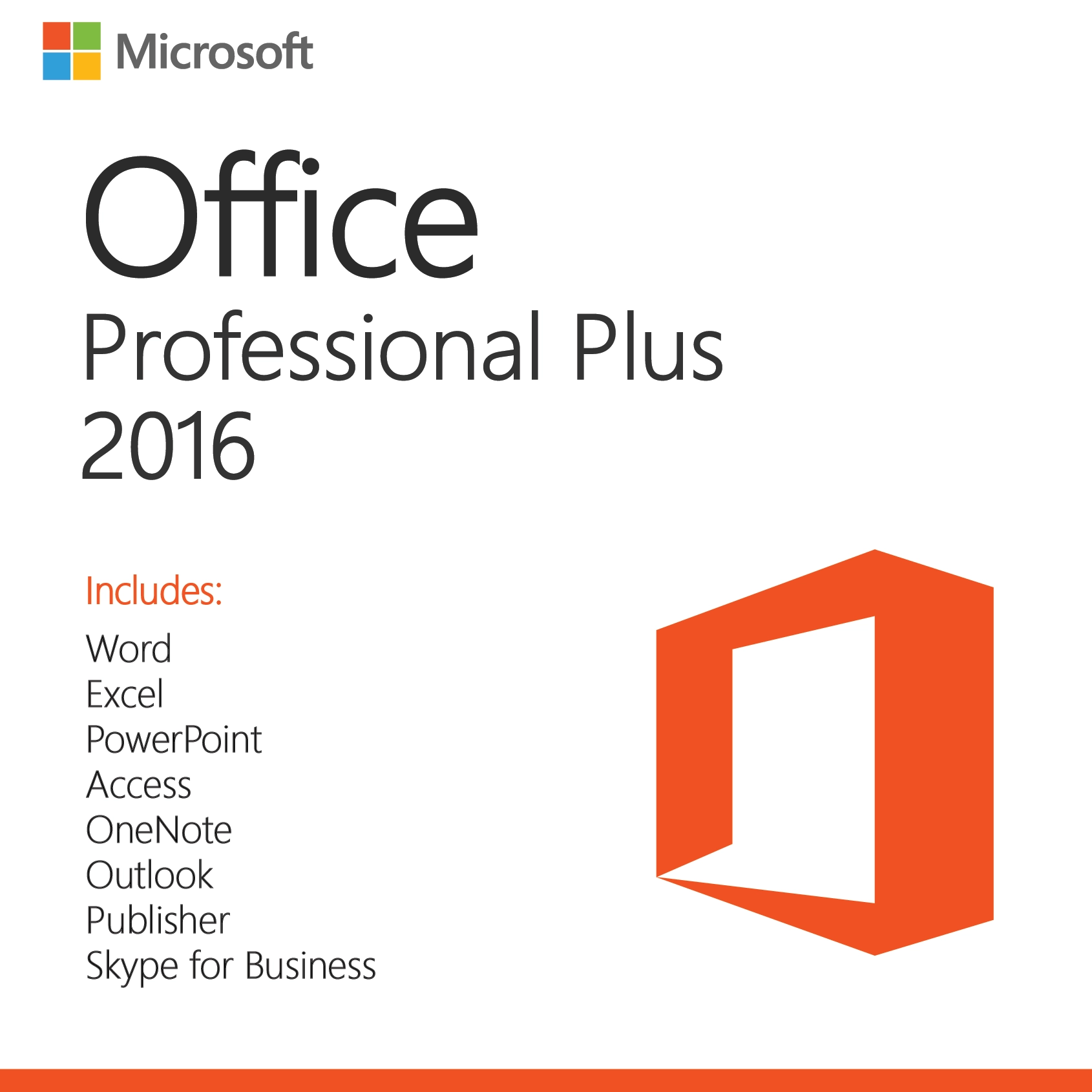
Microsoft Office 2016 Professional Plus – License Key for 1 PC
$38.99Original price was: $38.99.$14.49Current price is: $14.49.
-63%
Genuine Microsoft Office 2016 Professional Plus product key for 1 PC: Word, Excel, PowerPoint, Outlook, OneNote, Access and Publisher, runs on Windows 7 to 11. Emailed within minutes, 30-day money-back guarantee.
This is a genuine Microsoft Office 2016 Professional Plus license key for one Windows PC, the full suite with Word, Excel, PowerPoint, Outlook, OneNote, Access and Publisher. It is the newest Office version that installs on Windows 7 SP1 and Windows 8.1, which makes it the practical choice for an older computer that cannot move to Windows 10, for workshop or point-of-sale machines kept on a fixed build, and for anyone matching an existing Office 2016 installation.
License details
Edition: Office Professional Plus 2016 with Word, Excel, PowerPoint, Outlook, OneNote, Access and Publisher
Platform: Windows 7 SP1, Windows 8.1, Windows 10 or Windows 11, 32-bit or 64-bit installer
Covers 1 PC; one activation per key
Perpetual license, one-time purchase, no subscription, no renewal;
Activation: online from File > Account > Change Product Key in any Office app; phone activation assistance from our team when Microsoft asks
Delivered: 25-character key, official Microsoft download link and a short installation guide, by email and saved under My Account
Language: multilanguage, select the language when you install
30-day money-back guarantee and email support from a real person 7 days a week
Order now and your Office 2016 Professional Plus key is delivered to your inbox within minutes. It is a digital license: no disc, no shipping, nothing to wait for. If the key does not activate and our support team cannot fix it, you receive a replacement or a full refund under the 30-day guarantee. The license type is shown in the Product Overview table on this page.
Product overview
Product
Microsoft Office 2016 Professional Plus – License Key for 1 PC
Brand
Microsoft
Category
Microsoft Office, Office 2016
Platform
Windows PC
Covers
1 PC
License term
One-time purchase, no subscription
Delivery
Digital, product key by email within minutes
You receive
Product key, official Microsoft download link, installation guide
Support
Free installation and activation help by email, 7 days a week
Guarantee
30-day money-back guarantee
SKU
SIS-O16PP-1PC
Office 2016 Professional Plus: the full Office suite for Windows 7, 8.1, 10 and 11 PCs
Office 2016 Professional Plus holds a particular place in Microsoft's lineup. It is the last perpetual Office suite that installs on Windows 7 SP1 and Windows 8.1, and it still installs on Windows 10 and Windows 11. One key puts Word, Excel, PowerPoint, Outlook, OneNote, Access and Publisher on a single PC as a one-time purchase, with no subscription. For a computer that cannot or will not move to a newer Windows, it is the most complete Office you can buy.
Two facts frame this product honestly. First, Microsoft ended extended support for Office 2016 on October 14, 2025, so no new security updates are published; the software continues to activate and run, and its final updates remain downloadable. Second, Windows 7 and 8.1 themselves have been out of Microsoft support for years. Office 2016 Pro Plus therefore makes the most sense for an older or isolated PC, a machine that runs a legacy business application and cannot be upgraded, or a household that already uses Office 2016 elsewhere and wants a consistent version. For your everyday work computer on Windows 10 or 11, the Office 2021 Professional Plus key is supported until October 13, 2026 and the Office 2024 Professional Plus key until October 9, 2029.
What the Office 2016 Pro Plus suite gives you
Word 2016: Tell Me search box, Smart Lookup research pane, real-time co-authoring when documents are saved to OneDrive, and a cleaner ribbon.
Excel 2016: six new chart types including waterfall, treemap, sunburst, histogram and box and whisker, the Forecast Sheet, and built-in Get and Transform (Power Query) for importing and reshaping data.
PowerPoint 2016: Screen Recording from the Insert tab, Smart Lookup, the six new chart types shared with Excel, and improved video export and resolution options.
Outlook 2016: Clutter filtering, modern attachments that link OneDrive files, and support for Exchange, Microsoft 365, Outlook.com, Gmail and IMAP.
OneNote 2016: the classic desktop OneNote with local notebooks as well as cloud sync.
Access 2016: desktop relational databases with new templates, the Tell Me box, and linking to SQL Server, SharePoint and other data sources.
Publisher 2016: desktop publishing for flyers, newsletters, labels and print layouts.
Stable feature set: as a perpetual release, Office 2016 kept the same features from launch to its final update, which is exactly what fixed-purpose and legacy machines need.
File compatibility is not a concern. Office 2016 reads and writes the same .docx, .xlsx and .pptx formats as Office 2019, 2021, 2024 and Microsoft 365, so a workbook built on a Windows 7 desktop opens cleanly on a colleague's new laptop. The reverse is also true, with the exception of features that did not exist in 2016, such as dynamic array formulas, which Excel 2016 displays as static values.
One detail that matters for older PCs: Office 2016 is the last version to ship a desktop OneNote 2016 with fully local notebooks, and the last version whose installer runs on hardware without the Windows 10 driver model. If you have a lab instrument, a CNC controller or a legacy accounting package that keeps a Windows 7 machine alive, this is the Office that lives beside it.
Office 2016 Professional Plus compared with related editions
The table shows how the 2016 suite sits between the lighter Home and Student edition and the newer 2019 release, with the older 2013 suite for reference.
Feature
Office 2016 Professional Plus (this product)
Office 2016 Home and Student
Office 2019 Professional Plus
Office 2013 Professional Plus
Applications
Word, Excel, PowerPoint, Outlook, OneNote, Access, Publisher
Word, Excel, PowerPoint, OneNote
Word, Excel, PowerPoint, Outlook, OneNote, Access, Publisher
Word, Excel, PowerPoint, Outlook, OneNote, Access, Publisher
Windows versions
Windows 7 SP1, 8.1, 10, 11
Windows 7 SP1, 8.1, 10, 11
Windows 10, 11
Windows 7, 8, 8.1, 10
Microsoft support
Ended October 14, 2025
Ended October 14, 2025
Ended October 14, 2025
Ended April 11, 2023
Activation
Key in File, Account, Change Product Key
Microsoft account at setup.office.com
Key in File, Account, Change Product Key
Key in File, Account, Change Product Key
2019 features (Morph, funnel charts, IFS)
No
No
Yes
No
Get and Transform (Power Query) built in
Yes
Yes
Yes
Add-in only
PCs covered
1 PC
1 PC
1 PC
1 PC
Choose Office 2016 Home and Student if you do not need Outlook, Access or Publisher. Choose Office 2019 Professional Plus if the PC runs Windows 10 or 11 and you want the 2019 feature set. Choose the 2013 suite only for a very old machine. Office 2016 Professional Plus is the right pick when the computer runs Windows 7 SP1 or 8.1, or when you need the classic OneNote 2016 and the full seven-application set.
System requirements for Office 2016
Office 2016 was written for the hardware of its time, which is why it runs comfortably on machines that struggle with newer software.
Operating system: Windows 7 Service Pack 1, Windows 8.1, Windows 10 or Windows 11 (also Windows Server 2008 R2 and later).
Processor: 1 GHz or faster x86 or x64 processor with SSE2 instruction set.
Memory: 2 GB RAM; 4 GB recommended for the 64-bit version.
Disk space: 3 GB of available space.
Display: 1280 x 800 resolution; DirectX 10 graphics card for hardware acceleration.
Internet connection for download and one-time activation. A Microsoft account is not required for a Pro Plus key.
.NET Framework 3.5 or 4.5 and later for some features. Windows 7 must have Service Pack 1 installed.
On Windows 7 the installer requires Service Pack 1 and benefits from having the final Windows 7 updates applied. On Windows 10 and 11 the 64-bit build is recommended; on older 32-bit Windows 7 systems, use the 32-bit installer. Do not install Office 2016 on a PC that already has Microsoft 365 or Office 2019 or 2021 Click-to-Run installed; remove those first. Standalone 2016 applications, such as Visio 2016, Project 2016 or a second Outlook 2016 profile, co-install without trouble, but a 2019 or later standalone app will not sit beside a 2016 suite. If you are unsure whether an old machine qualifies, send us its Windows version and edition before ordering and we will confirm.
Licensing explained for the 2016 suite
This is a perpetual license for one PC: pay once, activate once, use indefinitely. There is no subscription, no renewal and no expiry. Because Microsoft's support has ended, there are no further security patches, but Microsoft's activation servers continue to serve older Office versions and the final updates remain available through Update Now.
Transfer rights follow the license type, which we state in the Product Overview table at the top of this page. Retail keys can move to a replacement PC after the suite is uninstalled from the original. OEM keys stay with the first PC. Volume (MAK) keys carry a limited activation count and are meant for organizations. Activation itself is the same for every type: open any Office app after installation, go to File, Account, Change Product Key, enter the 25 characters and confirm. If Microsoft requests telephone activation, our team walks you through the Installation ID and Confirmation ID exchange.
Why buy this key from Software in Store
Software in Store is operated by MAKERS UNITY LLC of Sheridan, Wyoming, an independent reseller with no affiliation to Microsoft. We sell genuine keys, deliver by email and back every order with a person you can reach. With an older product like this one, we make a point of stating the support situation plainly and helping you confirm that your Windows version qualifies before you pay.
Key emailed within minutes of payment, every day of the week, and saved under My Account.
Official Microsoft download link for the Office 2016 installer, plus a guide that covers Windows 7 and 8.1 specifics.
30-day money-back guarantee: replacement key or full refund if the key will not activate and we cannot fix it.
Real support at support@softwareinstore.com 7 days a week, including phone activation help.
Encrypted, PCI-compliant checkout with card, Apple Pay or Google Pay.
Read why trust us for more on how we work. We list our business address on every page, and the same people who answer pre-sales questions handle activation problems afterwards.
Related products
Need the suite on several legacy machines? The Office 2016 Professional Plus for 5 PCs pack covers up to five computers with one key. If you are still licensing the operating system itself, we carry Windows 7 Professional and Windows 8.1 Professional keys. Mac users in the same household can match the generation with Office 2016 Home and Business for Mac. See every edition in our Office 2016 category.
Order Office 2016 Professional Plus today
Add the key to your cart, pay securely and check your inbox: within minutes you will have a genuine Office 2016 Professional Plus key, the Microsoft download link and a guide to get all seven applications running on your Windows 7, 8.1, 10 or 11 PC. Our 30-day money-back guarantee covers the order. Visit how it works for the steps after checkout, or read the FAQs for common activation and transfer questions.
Download and install
Within minutes of payment you receive an email with your 25-character Office 2016 Professional Plus product key, the official Microsoft download link and a short installation guide. The key is also saved under My Account.
Confirm your Windows version: Windows 7 with Service Pack 1, Windows 8.1, Windows 10 or Windows 11. On Windows 7, install SP1 and pending updates first.
Uninstall any Office trial, Microsoft 365 or newer Office version from Control Panel > Programs or Settings > Apps, then restart.
Open the download link from the email and choose the installer that matches your Windows bitness (32-bit for 32-bit Windows 7; 64-bit otherwise).
Run the installer and wait for the completion message, then open Word.
Click File > Account > Change Product Key, enter the 25-character key and follow the prompts to activate online.
Confirm that File > Account shows Product Activated, then run Update Options > Update Now to install the final released updates.
Open Outlook to add your email accounts; Access and Publisher are ready to use.
If Microsoft asks for telephone activation or an error appears, reply to your order email with a screenshot and the Installation ID. We return the Confirmation ID and stay with you until it activates. Support answers 7 days a week at support@softwareinstore.com.
Frequently asked questions
Is Office 2016 Professional Plus really the newest Office for Windows 7 and 8.1?
Yes. Office 2019, 2021 and 2024 all require Windows 10 or later, and Microsoft 365 Apps dropped Windows 7 and 8.1 support as well. Office 2016 is the last perpetual suite whose installer runs on Windows 7 SP1 and Windows 8.1, and it also installs on Windows 10 and 11. If you keep an older PC for a legacy program or specialist hardware, this is the most capable Office you can put on it, with all seven applications included.
Office 2016 support ended in October 2025. Should I still buy it?
It depends on the computer. Microsoft ended extended support for Office 2016 on October 14, 2025, so no new security updates are released, though the suite installs, activates and runs normally. For an older Windows 7 or 8.1 machine that has no other option, an isolated workshop PC, or a household standardizing on Office 2016, it is a sensible purchase. For a primary Windows 10 or 11 computer that handles email daily, we recommend Office 2021 or 2024.
What is the difference between Office 2016 Professional Plus and Home and Student 2016?
Home and Student 2016 includes Word, Excel, PowerPoint and OneNote and is redeemed through a Microsoft account. Professional Plus adds Outlook for email and calendars, Access for databases and Publisher for print layouts, and it activates with a key entered at File, Account, Change Product Key. If you need email in a desktop program, run a small business, or work with Access databases, Professional Plus is the edition to choose.
Is this a subscription or a one-time purchase?
A one-time purchase. Office 2016 Professional Plus is a perpetual license for one PC with no monthly fee, no renewal date and no expiry. You do not get the OneDrive storage or continuous feature updates of Microsoft 365, and because Microsoft support has ended you do not receive new security patches either. What you own is a stable, fully installed seven-application suite that keeps working for the life of the computer.
Can I move Office 2016 Professional Plus to another PC?
That depends on the license type shown in the Product Overview table on this page. A retail key can be moved: uninstall Office from the old PC, install on the new one and activate with the same key. An OEM key is tied to the first PC. A volume (MAK) key has a limited number of activations intended for organizations. If you plan to migrate the suite to a newer machine later, check the table or ask us before you buy.
What if the key will not activate?
Check that you entered it at File, Account, Change Product Key and that no other Office edition remains installed. If the problem persists, email us a screenshot with the error code and the Installation ID if one is shown. A member of our team replies 7 days a week and can complete phone activation with you. If we cannot get the key working, our 30-day money-back guarantee provides a replacement key or a full refund.
7 reviews for Microsoft Office 2016 Professional Plus – License Key for 1 PC
Rated 5 out of 5
Chloe Morgan –
Very useful software. Needed some guidance during setup, but key was fine.
Rated 5 out of 5
Emily Gray –
Key worked after reinstalling, but the setup process was a little tricky. Once activated, it’s fine.
Rated 4 out of 5
Eleanor Rivera –
Installation was smooth and activation worked right away. It’s a bit older, but still reliable for what I need.
Rated 4 out of 5
Rachel Morgan –
Still a great version of Office if you don’t need the newest features. It installed easily and works reliably. A good value for the price, though the interface is a bit dated.
Rated 4 out of 5
Richard Brooks –
Great deal on a classic version of Office. Everything installed quickly, and all the programs work perfectly. Perfect for anyone who doesn’t need the latest version but wants stable and powerful Office tools.
Rated 5 out of 5
Stephanie Rivera –
Activation was smooth, and all apps work flawlessly. Great value for the price. Highly recommend for office productivity!
Rated 5 out of 5
William Richardson –
Great classic version of Office. Installation was smooth, and activation worked without any issues. It’s perfect for basic productivity needs, though the interface is a bit dated compared to newer versions. Still, a solid value for the price!


Chloe Morgan –
Very useful software. Needed some guidance during setup, but key was fine.
Emily Gray –
Key worked after reinstalling, but the setup process was a little tricky. Once activated, it’s fine.
Eleanor Rivera –
Installation was smooth and activation worked right away. It’s a bit older, but still reliable for what I need.
Rachel Morgan –
Still a great version of Office if you don’t need the newest features. It installed easily and works reliably. A good value for the price, though the interface is a bit dated.
Richard Brooks –
Great deal on a classic version of Office. Everything installed quickly, and all the programs work perfectly. Perfect for anyone who doesn’t need the latest version but wants stable and powerful Office tools.
Stephanie Rivera –
Activation was smooth, and all apps work flawlessly. Great value for the price. Highly recommend for office productivity!
William Richardson –
Great classic version of Office. Installation was smooth, and activation worked without any issues. It’s perfect for basic productivity needs, though the interface is a bit dated compared to newer versions. Still, a solid value for the price!