
Windows 11
Buy a genuine Windows 11 Pro key, a Windows 11 Home license or one of the Education, Enterprise and LTSC editions and receive the 25-character key, Microsoft’s official download link and an installation guide by email within minutes of payment. Every Windows 11 license here is a one-time purchase with the license type stated on the product page and a 30-day money-back guarantee.
Showing all 12 results

Showing all 12 results
Windows 11 Pro key and every other Windows 11 edition in one place
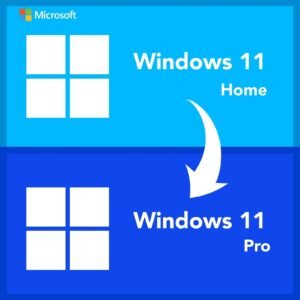
Windows 11 is Microsoft's current desktop operating system and the version we recommend for any PC that meets its hardware requirements. This category holds every edition we sell: Home, Pro, Pro N, Pro for Workstations, Education, Enterprise, Enterprise LTSC 2024, IoT Enterprise LTSC 2024, the Home to Pro upgrade, and two bundles that pair a Windows 11 Pro key with Office Professional Plus. Each product page states the edition, the number of PCs the key covers and whether it is a retail, OEM or volume license.
We are Software in Store, an independent reseller operated by MAKERS UNITY LLC in Sheridan, Wyoming, not affiliated with Microsoft. Every Windows 11 product key we sell is genuine, activates on Microsoft's own servers and is a perpetual license: you pay once and there is no subscription. Delivery is by email within minutes, seven days a week, and a person answers support email every day, including phone activations when Microsoft requests one.
Windows 11 Home vs Pro: the difference in plain terms
The most common question we get is whether a Windows 11 Home license is enough or whether the Windows 11 Pro key is worth it. Both editions share the same core: the same interface, the same security updates, the same app compatibility, the same gaming features. Pro adds a set of tools that matter for work and for anyone who manages their own hardware.
- BitLocker drive encryption, so a stolen laptop does not expose your files.
- Remote Desktop hosting, so you can connect into the PC from another machine. Home can connect out but cannot be the host.
- Hyper-V and Windows Sandbox for running virtual machines and testing untrusted software in isolation.
- Domain join, Microsoft Entra ID join and Group Policy for company networks.
- Support for up to 2 TB of RAM and two processors, compared with 128 GB and one processor on Home.
If none of those features rings a bell, Home is the right purchase. If even one of them does, buy Pro, because the upgrade later costs more than the difference at the start.
Windows 11 editions compared
| Edition | Who it is for | Key features beyond Home | Update channel |
|---|---|---|---|
| Home | Personal and family PCs | Standard consumer feature set | General Availability, feature updates yearly |
| Pro | Work PCs, small business, enthusiasts | BitLocker, Remote Desktop host, Hyper-V, domain join, Group Policy | General Availability |
| Pro N | Buyers in regions that require it | Same as Pro without built-in Media Player and related media components | General Availability |
| Pro for Workstations | High-end workstations | Pro plus up to 4 processors, 6 TB RAM, ReFS, persistent memory support | General Availability |
| Education | Schools and students | Enterprise feature set licensed for academic use | General Availability |
| Enterprise | Organizations | Pro plus advanced security and management such as Credential Guard and AppLocker | General Availability |
| Enterprise LTSC 2024 | Fixed-function and regulated machines | Enterprise features, no feature updates, five years of security updates | Long-Term Servicing Channel |
| IoT Enterprise LTSC 2024 | Kiosks, medical and industrial devices | Same as Enterprise LTSC with a ten-year support lifecycle | Long-Term Servicing Channel |
The LTSC editions deserve a note. They skip the yearly feature updates entirely and receive only security and quality fixes, which is what you want on a machine that runs one application for years, such as a point-of-sale terminal, a lab instrument or a digital sign. They are not a good fit for a general-purpose desktop because new features and some Microsoft Store apps never arrive.
Which Windows 11 edition should I choose?
Here are the products most buyers in this category end up with, and the situation each one fits.
- Windows 11 Pro, 1 PC: the right choice for any work machine or for a home user who wants BitLocker and Remote Desktop. Works for 32-bit and 64-bit installs.
- Windows 11 Home, 1 PC: for a family PC, a gaming build or a laptop that will never touch a company network.
- Windows 11 Home to Pro upgrade: if your PC came with Home and you now need Pro features, this key switches editions in Settings without a reinstall.
- Windows 11 Pro, 5 PCs: for a small office or a household with several machines, one key that activates five installs.
- Windows 11 Pro for Workstations: for dual-socket workstations, large memory configurations and ReFS volumes.
- Windows 11 Enterprise LTSC 2024: for machines that must run the same build for years without feature updates.
If you also need Office, the Office 2021 Pro Plus and Office 2024 Pro Plus bundles in this category include a Windows 11 Pro key and an Office Professional Plus key for the same PC, which is simpler than two separate orders.
Windows 11 hardware requirements
Windows 11 is stricter than Windows 10 about the hardware it will install on. Microsoft's minimums are a 1 GHz dual-core 64-bit processor from its supported list, 4 GB of RAM, 64 GB of storage, UEFI firmware with Secure Boot capability, and TPM 2.0. Most PCs built since 2018 qualify, sometimes after enabling TPM (often labeled PTT or fTPM) and Secure Boot in the firmware settings. Run Microsoft's PC Health Check app before you buy a Windows 11 key. If the machine fails, our Windows 10 category has the same editions for older hardware.
How activation and delivery work
- Choose your edition and pay by card, Apple Pay or Google Pay through our encrypted, PCI-compliant checkout. We never see your card number.
- Within minutes you receive an email with your Windows 11 activation key, the official Microsoft download link for the Windows 11 ISO or Media Creation Tool, and a short installation guide. The key is also saved under My Account for later.
- For a fresh install, boot from the installation media and enter the key when asked, or skip and add it later. For an existing install, open Settings, System, Activation, choose Change product key and enter the 25 characters.
- Windows contacts Microsoft's activation servers and confirms the license. If the servers request phone activation instead, email support@softwareinstore.com with the Installation ID and we reply with the Confirmation ID, seven days a week.
Note that a key must match the installed edition. A Windows 11 Pro key entered on a Home install will trigger an edition change to Pro, which is expected, but a Home key cannot activate a Pro install. If you are unsure which edition is installed, check Settings, System, About.
Retail, OEM or volume
Each product page in this category states the license type, and the type decides what happens when you change hardware. A Windows 11 retail key can be deactivated on one PC and moved to another, which suits a machine you may rebuild. An OEM key stays with the first PC it activates and cannot be transferred, which is fine for a computer you plan to keep until retirement. Volume (MAK) keys allow a limited number of activations and are intended for organizations that deploy from one key. Unless the product name says 5 PCs, each key covers one PC. Every key is a perpetual license: one payment, no renewal.
Frequently asked questions about Windows 11 keys
Is a Windows 11 Pro key worth it over Home?
It is if you will use any of the Pro features: BitLocker encryption, hosting Remote Desktop sessions, Hyper-V virtual machines, Windows Sandbox, joining a domain or managing settings with Group Policy. It is also the safer choice for a laptop that leaves the house, because BitLocker protects the drive if the machine is lost. If the PC is a gaming rig or a family desktop and none of that applies, Windows 11 Home does the same everyday job. You can always add the Home to Pro upgrade key later.
Can I activate Windows 11 Pro with a key bought here?
Yes. Enter the key in Settings, System, Activation, or during a clean install, and Windows activates against Microsoft's servers. There are no scripts, no command prompt tricks and no third-party tools. If Microsoft's servers ask for phone activation, which sometimes happens on hardware that has been activated before, send us the Installation ID and a person from our team returns the Confirmation ID by email, seven days a week. Activation is complete when the screen shows that Windows is activated with a digital license.
Does a Windows 11 key work for both 32-bit and 64-bit?
Our Windows 11 Home and Pro keys are listed as 32/64-bit, and the key itself is not tied to architecture. In practice, Windows 11 is only released as a 64-bit operating system, so you will install the 64-bit build. The same key would also activate a matching edition of Windows 10 in either architecture if you needed to fall back, though we recommend buying the Windows 10 key directly if that is your plan, so the license matches the product you run.
Can I move my Windows 11 license to a new computer?
Retail keys, yes. Remove the license from the old PC (by reinstalling or retiring it) and enter the same key on the new machine; if activation fails, the troubleshooter's hardware-change option or a phone activation through our support team resolves it. OEM keys cannot be moved, because Microsoft binds them to the first motherboard they activate. Volume keys have a fixed activation count. The license type is printed on every product page so you know before you buy.
What if my PC does not meet the Windows 11 requirements?
Check the firmware first: many PCs have TPM 2.0 and Secure Boot available but disabled, and enabling them fixes most failures reported by PC Health Check. If the processor itself is not on Microsoft's supported list, we recommend Windows 10 Pro instead, or one of the Windows 10 Enterprise LTSC editions if you need security updates for longer than the mainstream release provides. Our support team is happy to look at your specs by email before you order.
For the full delivery and activation walkthrough, read how it works, and if you have a question we have not covered, our FAQs page and support inbox are open seven days a week. Still on older hardware? Browse the Windows 10 category for the same editions built for pre-2018 PCs.