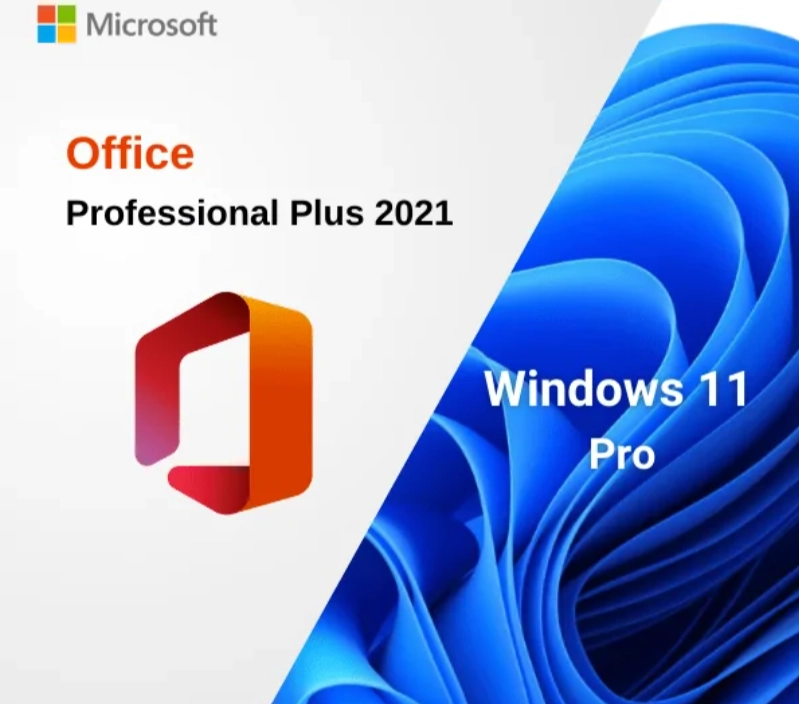
Microsoft Office 2021 Pro Plus + Windows 11 Pro – Bundle License Keys (1 PC)
$26.49
Genuine Office 2021 and Windows 11 Pro bundle for 1 PC: two separate keys, Office 2021 Professional Plus with Publisher and Access plus Windows 11 Pro, in one email. Emailed within minutes, 30-day money-back guarantee.
This Office 2021 and Windows 11 Pro bundle licenses one PC from the operating system up in a single order: Windows 11 Pro plus Microsoft Office 2021 Professional Plus with Word, Excel, PowerPoint, Outlook, OneNote, Access and Publisher. It suits people moving an older computer off Windows 10, buyers of refurbished or barebones PCs, and small offices that want Publisher and a fixed one-time cost per machine.
License details
Contents: two separate 25-character keys, one for Windows 11 Pro and one for Office LTSC Professional Plus 2021, delivered in the same email
Platform: Windows 11 Pro is 64-bit; Office 2021 Professional Plus installs on that PC in 32-bit or 64-bit form
Covers 1 PC; each key activates once, on the same computer
License term: both perpetual, one-time purchase, no subscription; Office LTSC 2021 mainstream support runs until October 13, 2026 and the suite keeps working afterwards
Activation: Windows through Settings, System, Activation, Change product key; Office through File, Account, Change Product Key; phone activation help from our team if Microsoft asks
Delivered: both keys, the official Microsoft download links for Windows 11 and Office 2021, and a short guide, also saved under My Account
Language: both products multilanguage; choose your language during setup
Support by a person 7 days a week; 30-day money-back guarantee on each key
Order once and both keys arrive within minutes, ready to turn an unlicensed or Windows 10 machine into a fully licensed Windows 11 Pro PC with the complete Office suite in one sitting. Nothing ships and nothing renews. If either key cannot be activated and our team cannot fix it, our 30-day money-back guarantee provides a replacement or a refund. The license type of each key is shown in the Product Overview table on this page.
Product overview
Product
Microsoft Office 2021 Pro Plus + Windows 11 Pro – Bundle License Keys (1 PC)
Brand
Microsoft
Category
Microsoft Office, Office 2021, Windows 11
Platform
Windows PC
Covers
See product title
License term
One-time purchase, no subscription
Delivery
Digital, product key by email within minutes
You receive
Product key, official Microsoft download link, installation guide
Support
Free installation and activation help by email, 7 days a week
Guarantee
30-day money-back guarantee
SKU
SIS-B21-OW11
Office 2021 and Windows 11 Pro bundle: two perpetual keys for one PC
A great many PCs in homes and small offices are sound machines running an operating system that stopped receiving security updates on October 14, 2025, with an old or unlicensed copy of Office on top. The Office 2021 and Windows 11 Pro bundle is the one-order fix. It delivers a Windows 11 Pro key to bring the computer onto a supported operating system, and an Office 2021 Professional Plus key for the full seven-application suite, including Publisher and Access. Both are genuine, both are perpetual, and both arrive together by email.
The buyers we see are people upgrading a Windows 10 desktop or laptop that passes the Windows 11 hardware check, shoppers who picked up a refurbished or barebones PC without an operating system, small offices that still rely on Publisher for printed material and want each workstation licensed for a flat one-time cost, students and parents setting up a study PC, and repair shops and system builders who hand over machines with both Windows and Office activated. If you want the newest Office instead, the Office 2024 Pro Plus and Windows 11 Pro bundle is the same idea built on the 2024 release.
From Software in Store you receive both 25-character keys, the official Microsoft download links for Windows 11 and Office 2021, and a short guide, usually within minutes of payment. The license type of each key is shown in the Product Overview table on this page.
What the two keys give you
Windows 11 Pro: the current Microsoft operating system with BitLocker encryption, Remote Desktop host, Hyper-V, Windows Sandbox, Group Policy, domain and Microsoft Entra ID join, and ongoing security updates through Windows Update.
Office 2021 Professional Plus: Word, Excel, PowerPoint, Outlook (classic desktop client), OneNote, Access and Publisher, the last Professional Plus generation to include Publisher.
Excel 2021 with XLOOKUP, XMATCH, dynamic arrays and LET; Word with co-authoring and Dark mode; PowerPoint with Record Slide Show.
Access 2021 for desktop databases and Publisher 2021 for newsletters, flyers and existing .pub files.
Two independent keys, so Windows can be installed and activated first and Office added whenever convenient.
Official Microsoft installation media for both products through the links in your delivery email.
No subscription for either product; security updates for Office 2021 through its support period and for Windows 11 through its normal lifecycle.
Teams is not included with either product, though the free Teams app installs alongside them. Everything else listed is in the downloads and matches the builds organizations deploy.
Comparing the bundle with the alternatives
The table sets this bundle beside the 2024 bundle, the separate keys and a Windows 10 based option, so the trade-offs are visible at a glance.
Option
Operating system
Office edition
Publisher
Office support
Keys
This bundle
Windows 11 Pro
Office 2021 Professional Plus
Yes
Mainstream until October 13, 2026
2
Office 2024 Pro Plus + Windows 11 Pro bundle
Windows 11 Pro
Office 2024 Professional Plus
No
Until October 9, 2029
2
Windows 11 Pro key alone
Windows 11 Pro
None
No
n/a
1
Office 2021 Professional Plus key alone
Existing Windows
Office 2021 Professional Plus
Yes
Mainstream until October 13, 2026
1
Windows 10 Pro key + Office 2021 key
Windows 10 Pro (no longer updated)
Office 2021 Professional Plus
Yes
Mainstream until October 13, 2026
2
Choose this bundle when Publisher matters, when you want to match other PCs already on Office 2021, or when the lower one-time cost of the 2021 suite outweighs the longer 2024 support window. Choose the 2024 bundle when you want Office updates through 2029 and do not need Publisher. If the PC fails the Windows 11 hardware check, a Windows 10 Pro key with a separate Office key is the fallback, with the caveat that Windows 10 no longer receives security updates.
System requirements
Windows 11 sets the hardware bar. Office 2021 runs on anything that runs Windows 11. Confirm the PC meets the following before ordering:
Processor: 1 GHz or faster, 2 or more cores, 64-bit, on the Microsoft supported list
Memory: 4 GB RAM
Storage: 64 GB or larger drive
Firmware: UEFI with Secure Boot capable
Security: TPM version 2.0
Graphics: DirectX 12 compatible with WDDM 2.0 driver; 720p display 9 inches or larger
Office 2021 in addition needs about 4 GB of free disk space and a 1280 x 768 display
Internet connection for downloads, activation and updates
Most PCs from 2018 onward qualify, although TPM 2.0 is sometimes switched off in the firmware and must be enabled. Microsoft's free PC Health Check app gives a definitive answer in under a minute. Windows 11 Pro can upgrade a Windows 10 installation in place, keeping files and programs, or be installed clean from USB.
Why Windows 11 Pro rather than Home
The operating system half of the bundle is the Pro edition on purpose. Pro adds BitLocker, which encrypts the drive so a lost laptop does not expose your documents, spreadsheets and mail archive. It adds Remote Desktop hosting, so the office PC can be reached from home. It includes Hyper-V for running a virtual machine, useful for keeping an old application alive on an isolated copy of Windows. And it supports Group Policy, domain join and Microsoft Entra ID join, which matter the moment a small business grows beyond a couple of computers. For a PC that will carry a full Office Professional Plus suite with Access databases and business mail, Pro is the sensible foundation, and the cost difference inside the bundle is small.
Upgrading a Windows 10 PC with this bundle
For the most common use of this bundle, an existing Windows 10 machine, the path is straightforward. Back up your files, then run the Windows 11 Installation Assistant or mount the Windows 11 ISO from the link in your email and run setup from inside Windows 10. Choose to keep files and apps. When the upgrade completes, open Settings, System, Activation and enter the Windows 11 Pro key; if the PC was on Windows 10 Home, the key also moves it to Pro. Then uninstall the old Office or any Microsoft 365 trial, install Office 2021 Professional Plus from the second link and activate it in Word. Existing Outlook PST files, Word templates and Publisher documents carry over untouched, so the machine feels familiar with a current operating system underneath.
For a bare or refurbished PC, install Windows 11 Pro clean from a USB drive, activate, run Windows Update, then add Office. Either route usually fits inside an hour, most of it download time. Keep the delivery email: both keys and both links are what you will need for any future reinstall.
Licensing explained
Both keys in the Office 2021 and Windows 11 Pro bundle are perpetual licenses for one PC. Windows 11 Pro attaches a digital license to the hardware after activation, so reinstalling Windows on that machine reactivates automatically. Office 2021 Professional Plus activates with its own key and keeps working indefinitely; Microsoft's mainstream support for Office LTSC 2021 runs until October 13, 2026, after which the suite continues to function but stops receiving updates, as earlier perpetual versions did. Neither product requires a subscription or a Microsoft account.
Transfer rights depend on the license type of each key, listed separately in the Product Overview table because they are separate products. Retail keys can be moved to a new PC after removal from the old one; OEM keys stay with the first PC; volume keys have a set number of activations and are intended for organizations. Our FAQ page explains each type.
Why buy the bundle from Software in Store
Software in Store is an independent US reseller of genuine Microsoft product keys, operated by MAKERS UNITY LLC in Sheridan, Wyoming, and not affiliated with or endorsed by Microsoft. With a bundle, one dependable seller means one support contact for the whole machine.
Both keys genuine, activating against Microsoft's servers and updating through Windows Update and Microsoft Update.
Delivery by email within minutes of payment, seven days a week; both keys saved under My Account.
Official Microsoft download links for Windows 11 and Office 2021, never modified installers.
A person answers support@softwareinstore.com every day of the week and handles phone activation for either product.
30-day money-back guarantee per key: a key that cannot be activated and cannot be fixed is replaced or refunded.
Encrypted, PCI-compliant checkout with card, Apple Pay or Google Pay.
Read Why Trust Us for how we source keys and how the guarantee is honored.
Related products
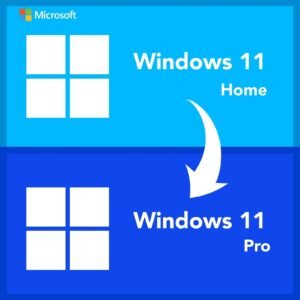
If the PC is already on Windows 11 Home and only the edition needs changing, the Windows 11 Home to Pro upgrade key is more targeted than the full bundle. Diagramming and scheduling users can pair the same generation with Project 2021 Professional on the same machine. The rest of the generation is in our Office 2021 category, and the operating systems in the Windows 11 category.
Order the Office 2021 and Windows 11 Pro bundle today
Add the bundle to your cart, pay securely, and both keys arrive by email within minutes with the official download links. Bring the PC onto Windows 11 Pro, install Office 2021 Professional Plus, activate both, and the machine is fully licensed and supported. Our How It Works page describes the process from checkout to activation, and the FAQs cover reinstalling, hardware changes and updates. One order, two perpetual keys, one properly licensed PC.
Download and install
Within minutes of payment you receive one email containing two separate 25-character keys, for Windows 11 Pro and for Office 2021 Professional Plus, with the official Microsoft download links and a short guide. Both keys are also saved under My Account.
Back up your files. Then either upgrade in place by running Windows 11 setup from the ISO inside Windows 10, or create a bootable USB drive and perform a clean installation, choosing Windows 11 Pro as the edition.
After Windows starts, open Settings, System, Activation, click Change product key and enter the Windows 11 Pro key. Windows activates online.
Run Windows Update until no updates remain and check that drivers are current.
Uninstall any old Office or Microsoft 365 trial from Settings, Apps, Installed apps, and restart.
Download the Office LTSC Professional Plus 2021 installer from the second link and run it (64-bit recommended).
Open Word, click File, Account, Change Product Key, enter the Office key and click Activate Office.
Confirm both products show as activated, then set up Outlook and open your Publisher and Access files to confirm they carry over.
If Windows or Office offers telephone activation, email us the Installation ID shown on screen and we reply with the Confirmation ID. A person answers support@softwareinstore.com seven days a week and supports both keys.
Frequently asked questions
What exactly is in the Office 2021 and Windows 11 Pro bundle?
Two separate, labeled 25-character keys in one email: a Windows 11 Pro key and an Office 2021 Professional Plus key, plus the official Microsoft download link for each and a short guide. Office 2021 Professional Plus includes Word, Excel, PowerPoint, Outlook, OneNote, Access and Publisher. Windows is activated in Settings and Office inside any Office application. The keys are independent, so you can install Windows today and Office later, and both are stored under My Account.
Can I use the Windows key to upgrade my Windows 10 PC instead of reinstalling?
Yes, if the PC meets the Windows 11 hardware requirements, including TPM 2.0 and a supported processor. Run Windows 11 setup from inside Windows 10, keep your files and apps, and after the upgrade enter the Windows 11 Pro key in Settings, System, Activation. A Windows 10 Home machine moves to Windows 11 Pro in the same step. Then install Office 2021 Professional Plus with the second key. Microsoft's PC Health Check app confirms compatibility beforehand.
Why choose this bundle over the Office 2024 version?
Publisher and cost. Office 2021 Professional Plus is the last Professional Plus release with Publisher, so anyone producing newsletters or flyers needs it. It also carries a lower one-time price than the 2024 suite. The trade-off is the support window: mainstream support for Office LTSC 2021 runs until October 13, 2026, while Office 2024 is supported until 2029. Both bundles include the same Windows 11 Pro. If Publisher is irrelevant and you want the longest update period, pick the 2024 bundle.
Will Office 2021 keep working after October 2026?
Yes. The October 13, 2026 date is the end of Microsoft's mainstream support for Office LTSC 2021, which means security and quality updates stop arriving. The applications continue to open, edit and save files exactly as before, just as Office 2016 and 2019 did after their dates passed. Your license is perpetual and does not expire. Windows 11 Pro is unaffected and continues to receive updates through its own lifecycle, so the operating system side of the Office 2021 and Windows 11 Pro bundle stays current.
Are the two keys tied to one PC, and can I move them later?
The bundle is licensed for one PC and each key activates one machine. Transfer rights depend on the license type of each key, which the Product Overview table lists separately. Retail keys can be removed from the old PC and activated on a new one; OEM keys stay with the first PC; volume keys have a fixed activation count and are meant for organizations. Windows 11 also attaches a digital license to the hardware, so a reinstall on the same PC reactivates automatically.
What if one key activates and the other does not?
Email support@softwareinstore.com with a screenshot of the error, tell us which product it concerns and, if offered, include the Installation ID from the phone activation screen. A person replies seven days a week and most cases close the same day. If a key cannot be activated and we cannot fix it, our 30-day money-back guarantee replaces that key or refunds it. The key that already activated is unaffected and stays licensed.
Reviews
There are no reviews yet.
Be the first to review “Microsoft Office 2021 Pro Plus + Windows 11 Pro – Bundle License Keys (1 PC)” Cancel reply



Reviews
There are no reviews yet.