Microsoft Office 2019 Professional Plus – Lifetime License Key for 1 PC
$48.00Original price was: $48.00.$14.99Current price is: $14.99.
-69%
Genuine Microsoft Office 2019 Professional Plus product key for 1 Windows 10 or 11 PC: Word, Excel, PowerPoint, Outlook, OneNote, Access and Publisher. Emailed within minutes, 30-day money-back guarantee.
This listing is for a genuine Microsoft Office 2019 Professional Plus license key for one Windows PC, the full seven-application suite with Word, Excel, PowerPoint, Outlook, OneNote, Access and Publisher. It suits buyers who want to match an Office 2019 installation already running at work or on another computer, who are outfitting an older Windows 10 machine on a tight budget, or who simply prefer the 2019 interface they know. the suite keeps working, but no further security updates are released. For a primary work computer we recommend Office 2021 or Office 2024.
License details
Edition: Office Professional Plus 2019 with Word, Excel, PowerPoint, Outlook, OneNote, Access and Publisher
Platform: Windows 10 or Windows 11 only (also Windows Server 2019 and later), 32-bit or 64-bit installer
Covers 1 PC; one activation per key
Perpetual license, one-time purchase, no subscription, no renewal;
Activation: online, from File > Account > Change Product Key in any Office app; our team helps with phone activation if Microsoft asks
Delivered: 25-character key, official Microsoft download link and a short installation guide, by email and under My Account
Language: multilanguage, select your language during installation
30-day money-back guarantee and support from a real person by email 7 days a week
Order now and the Office 2019 Professional Plus key reaches your inbox within minutes. It is a digital license: no disc, no shipping and no waiting for a package. If the key will not activate and our support team cannot fix it, you receive a replacement or a full refund under the 30-day guarantee. The license type for this product is shown in the Product Overview table on this page.
Product overview
Product
Microsoft Office 2019 Professional Plus – Lifetime License Key for 1 PC
Brand
Microsoft
Category
Microsoft Office, Office 2019
Platform
Windows PC
Covers
1 PC
License term
One-time purchase, no subscription
Delivery
Digital, product key by email within minutes
You receive
Product key, official Microsoft download link, installation guide
Support
Free installation and activation help by email, 7 days a week
Guarantee
30-day money-back guarantee
SKU
SIS-O19PP-1PC
Office 2019 Professional Plus for one PC: the full suite at a fixed one-time price
Office 2019 Professional Plus is the complete desktop Office suite from Microsoft's 2019 perpetual release. One key installs Word, Excel, PowerPoint, Outlook, OneNote, Access and Publisher on a single Windows 10 or Windows 11 computer, with no subscription and no renewal. It was the first perpetual Office that required Windows 10, and it introduced features that many users still rely on daily: Morph and Zoom transitions in PowerPoint, funnel charts and map charts in Excel, Focused Inbox in Outlook, and a Focus mode in Word.
We want to be clear about where this product stands. Microsoft ended extended support for Office 2019 on October 14, 2025. The applications continue to install, activate and run, but they no longer receive security updates. That makes Office 2019 Professional Plus a sensible buy in three situations: a secondary or older Windows 10 PC that does not need the newest version, a home or small office that already runs Office 2019 elsewhere and wants every machine on the same build, or a budget that stretches only to the older generation. For the computer you use every day, we recommend the Office 2021 Professional Plus key, supported until October 13, 2026, or the Office 2024 Professional Plus key, supported until October 9, 2029.
What you get with Microsoft Office 2019 Pro Plus
Word 2019: Focus mode, Learning Tools, improved inking, and the ability to translate text and read documents aloud.
Excel 2019: new functions including TEXTJOIN, CONCAT, IFS, SWITCH and MAXIFS, plus funnel charts, 2D map charts and improved PivotTable defaults.
PowerPoint 2019: Morph transition, Zoom for interactive summaries, 4K video export, icon and 3D model insertion.
Outlook 2019: Focused Inbox, updated contact cards, @mentions in email and easier travel and delivery summaries.
OneNote: free-form notebooks that sync through a Microsoft account across devices.
Access 2019: desktop relational databases with new chart types and large number (bigint) support.
Publisher 2019: desktop publishing for brochures, newsletters, flyers and print-ready layouts.
Because all seven programs come from one installer, the suite shares a single ribbon style, common spelling dictionaries and the same file formats as Office 2016, 2021 and 2024. Anything you save in Office 2019 Pro Plus opens in newer versions and in Microsoft 365 without conversion.
Typical buyers tell us the same few stories. A bookkeeper keeps a second Windows 10 desktop for archives and wants Excel and Access on it without paying for a current-generation seat. A family adds Office to a hand-me-down laptop for a student who needs Word and PowerPoint and occasionally Publisher for a school project. A small firm bought Office 2019 for the front desk years ago and now wants the back office on the identical version so shared templates and macros behave the same. In each case the 2019 suite does the job, and each buyer knows in advance that the version is past its support date.
Office 2019 Professional Plus compared with its siblings
Not sure whether you need the full suite, a lighter edition or a newer year? The table sets Office 2019 Pro Plus beside the editions we sell most often alongside it.
Feature
Office 2019 Professional Plus (this product)
Office 2019 Home and Student
Office 2021 Professional Plus
Office 2016 Professional Plus
Applications
Word, Excel, PowerPoint, Outlook, OneNote, Access, Publisher
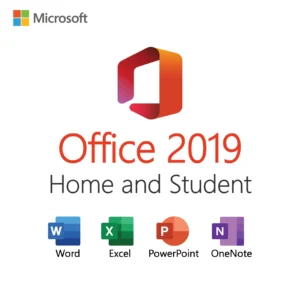
Word, Excel, PowerPoint, OneNote
Word, Excel, PowerPoint, Outlook, OneNote, Access, Publisher
Word, Excel, PowerPoint, Outlook, OneNote, Access, Publisher
Outlook included
Yes
No
Yes
Yes
Windows support
Windows 10, Windows 11
Windows 10, Windows 11
Windows 10, Windows 11
Windows 7 SP1, 8.1, 10, 11
Microsoft support
Ended October 14, 2025
Ended October 14, 2025
Until October 13, 2026
Ended October 14, 2025
Activation
Key in File, Account, Change Product Key
Microsoft account at setup.office.com
Key in File, Account, Change Product Key
Key in File, Account, Change Product Key
Dynamic arrays, XLOOKUP
No
No
Yes
No
PCs covered
1 PC
1 PC
1 PC
1 PC
Pick Home and Student if you never use Outlook, Access or Publisher and want the lowest cost. Pick Office 2016 Pro Plus only if the target PC still runs Windows 7 or 8.1. Pick Office 2021 Pro Plus if the machine matters to your work and you want current security patches. Office 2019 Professional Plus is the middle path: the full application set, on Windows 10 or 11, at the price point of an older generation.
Office 2019 system requirements
Office 2019 was designed for Windows 10 and runs equally well on Windows 11. It does not install on Windows 7, Windows 8 or Windows 8.1. Here are the conservative minimums Microsoft published for the suite.
Operating system: Windows 10 or Windows 11 (any edition), or Windows Server 2019 and later.
Processor: 1.6 GHz or faster, 2-core processor.
Memory: 4 GB RAM for the 64-bit version, 2 GB for 32-bit.
Disk space: 4 GB of available space.
Display: 1280 x 768 resolution; DirectX 9 or later with WDDM 2.0 driver for graphics acceleration.
Internet connection for download and one-time activation. A Microsoft account is not required for a Pro Plus key.
.NET Framework 3.5 or 4.6 and later may be required for some features.
The 64-bit build is the right choice for nearly every modern PC. Choose 32-bit only if you depend on a legacy 32-bit add-in or ActiveX control. Office 2019 must not be mixed with Microsoft 365 or Office 2016 Click-to-Run installs on the same computer; uninstall those first. Standalone 2019 applications such as Visio 2019 or Project 2019 can be added beside the suite, as can Outlook 2019 on a PC where you later decide you want a second mailbox profile. Windows Server 2019 and 2022 Remote Desktop hosts also accept the suite, although in that case the licensing terms of your server environment apply and you should talk to us before ordering.
Licensing: what a perpetual Office 2019 key means
This is a perpetual license for one PC. You pay once, activate once and use the suite indefinitely; there is no subscription and nothing to renew. Support has ended, so there are no new security patches, but the software does not expire and activation servers remain online for older Office versions.
Transfer rights depend on the license type, which we state in the Product Overview table at the top of this page. Retail keys can be moved to another computer after the suite is removed from the original PC. OEM keys are tied to the first PC they activate. Volume (MAK) keys have a limited number of activations and are intended for organizations. If you expect to replace your computer soon and want to carry Office with it, choose a retail listing.
Activation for Pro Plus is straightforward: after installing from the Microsoft link, open any Office application and go to File, Account, Change Product Key, enter the 25 characters and confirm. Most keys activate online in seconds. If Microsoft requests telephone activation, our support team handles the Installation ID and Confirmation ID exchange with you.
Why buy this key from Software in Store
Software in Store is operated by MAKERS UNITY LLC of Sheridan, Wyoming. We are an independent reseller, not affiliated with Microsoft, and we sell only genuine keys that activate on Microsoft's servers with software downloaded from Microsoft. Our approach to an older product like Office 2019 Pro Plus is the same as for the newest release: tell you the facts, deliver quickly and stand behind the key.
Key emailed within minutes of payment, 7 days a week, and stored under My Account for later reference.
Official Microsoft download link and a written installation guide specific to Office Pro Plus.
30-day money-back guarantee: a replacement key or full refund if the key cannot be activated and we cannot resolve it.
Real people answering support@softwareinstore.com every day, including help with phone activation.
Encrypted, PCI-compliant checkout with card, Apple Pay or Google Pay.
See why trust us for more on how we operate. We publish our business address, we answer the support mailbox ourselves, and we would rather talk you out of a purchase that does not fit your PC than sell a key you cannot use.
Add the key to your cart, pay securely and watch your inbox: within minutes you will have a genuine Office 2019 Professional Plus key, the Microsoft download link and a guide to get all seven applications running today. Every order is protected by our 30-day money-back guarantee. Read how it works for the exact steps after checkout, or visit our FAQs for common questions about activation and transfers.
Download and install
Within minutes of payment you receive an email with your 25-character Office 2019 Professional Plus product key, the official Microsoft download link and a short installation guide. The same information is saved under My Account.
Confirm the PC runs Windows 10 or Windows 11. Office 2019 will not install on Windows 7 or 8.1.
Remove any Microsoft 365 trial, Office 2016 or other Click-to-Run Office from Settings > Apps > Installed apps, then restart.
Open the download link from the email, pick the 64-bit installer (or 32-bit if you need legacy add-ins) and run it. Let it finish.
Launch Word or Excel. If a sign-in screen appears, close it and click File > Account > Change Product Key.
Type the 25-character key and follow the prompts. Office activates online in a few seconds.
Verify File > Account shows Product Activated, then click Update Options > Update Now to apply the final released updates.
Open Outlook and add your email accounts; open Access or Publisher if you need them.
If activation asks for a phone call or shows an error code, reply to your order email with a screenshot and the Installation ID. A member of our team will send you the Confirmation ID. Support answers 7 days a week at support@softwareinstore.com.
Frequently asked questions
Is Office 2019 Professional Plus still safe to use after support ended?
Microsoft ended extended support for Office 2019 on October 14, 2025, so no new security patches are released. The suite still installs, activates and runs normally, and the final updates remain available through Update Now. For a secondary computer, an offline machine or a PC that mirrors an existing Office 2019 setup, it remains a practical choice. For a primary work computer that handles email attachments daily, we recommend Office 2021 or 2024 instead.
Will Office 2019 Professional Plus install on Windows 7 or Windows 8.1?
No. Office 2019 requires Windows 10 or Windows 11 (or Windows Server 2019 and later). The installer will refuse older systems. If your PC still runs Windows 7 SP1 or 8.1, our Office 2016 Professional Plus key is the newest suite that installs there, with the same seven applications. If you can upgrade the PC to Windows 10 or 11, Office 2019 works fine on it.
What is the difference between Pro Plus and Home and Student 2019?
Home and Student includes Word, Excel, PowerPoint and OneNote only, and it is redeemed with a Microsoft account. Professional Plus adds Outlook for email and calendars, Access for databases and Publisher for print layouts, and it activates with a key entered directly in the apps. If you rely on Outlook for work email or need Access, Pro Plus is the edition to buy; otherwise Home and Student costs less.
Is this a one-time purchase or a subscription?
It is a one-time purchase. Office 2019 Professional Plus is a perpetual license: pay once, activate on one PC and keep using it with no monthly or yearly fee. Unlike Microsoft 365 you do not receive OneDrive storage or new feature releases, and because Microsoft support has ended you also do not receive new security updates. What you get is a stable, fully installed suite that does not expire.
Can I transfer the key to another computer later?
That depends on the license type shown in the Product Overview table on this page. A retail key can be deactivated by uninstalling Office from the first PC and then activated on a new one. An OEM key is bound to the original PC. A volume (MAK) key has a fixed number of activations meant for organizations. If portability is important, check the table before ordering or ask our team by email.
What if my key does not activate?
Start by confirming that no other Office edition remains installed and that you entered the key at File, Account, Change Product Key. If the error persists, email us a screenshot with the error code and, when shown, the Installation ID. We answer 7 days a week and can complete phone activation with you. If we cannot get the key working, our 30-day money-back guarantee provides a replacement key or a full refund.
18 reviews for Microsoft Office 2019 Professional Plus – Lifetime License Key for 1 PC
Rated 5 out of 5
Lauren Martin –
I had trouble with Office 2019 on my new laptop. Contacted support and they walked me through the activation. Problem solved!
Rated 5 out of 5
Jonathan Walker –
I had activation issues with Office 2019, but the support team resolved it quickly.
Rated 5 out of 5
Kimberly Young –
Quick setup and activation for Office 2019 Professional Plus.
Rated 4 out of 5
Michelle Gonzalez –
Purchased Office 2019 Professional Plus from softwareinstore and everything activated easily.
Rated 5 out of 5
Amanda Sanchez –
I purchased this key for my PC, and the activation was smooth and quick. All apps work perfectly, and it’s great to have a lifetime license without recurring fees. Highly recommend!
Rated 4 out of 5
Jack Richardson –
The installation was easy, and activation worked right away. Office 2019 has all the features I need. Customer support was also helpful when I had a small question.
Rated 4 out of 5
Harper Gray –
Easy download and installation. Activation was quick, and everything works perfectly. Very reliable purchase.
Rated 4 out of 5
Mason Ward –
Downloaded from the link provided, entered the key, and it worked perfectly. Couldn’t be happier with the purchase.
Rated 5 out of 5
Joseph Shaw –
Modern Office suite with all the essential apps. Activation was easy, and performance is smooth. Minor UI quirks, but overall very solid
Rated 5 out of 5
Owen Bennett –
Office 2019 works perfectly for my needs. The installation took a bit longer than expected, but once it was done, everything ran smoothly. A solid product for a fair price.
Rated 4 out of 5
Sean Bailey –
It took a bit longer than expected to download, but once installed, it works perfectly for all my daily tasks.
Rated 4 out of 5
Caroline Parker –
Very good software, reliable and stable. Activation was straightforward, though setup took a little longer than expected.
Rated 5 out of 5
Addison Lewis –
Office 2019 installed quickly and activated on the first try. All apps work perfectly. Highly recommend for anyone looking for a legit copy.
Rated 5 out of 5
Evan Bailey –
Great product and smooth activation. Office 2019 Pro Plus runs perfectly and the download instructions were very clear. Excellent customer support and very fast delivery.
Rated 5 out of 5
Grace Howard –
Everything went perfectly. The key worked on the first try, and the download link was fast and secure. Office 2019 Pro Plus is working flawlessly. Great seller!
Rated 5 out of 5
Gabriel Powell –
Fantastic experience! Downloaded and activated without any issues. Office 2019 Pro Plus runs smoothly and includes all the apps I needed for work. Highly recommended.
Rated 5 out of 5
Isabella Gray –
Smooth process from start to finish. The download link was official, activation was instant, and Office 2019 Pro Plus works perfectly on my system. Couldn’t be happier!
Rated 5 out of 5
Jason Bailey –
No subscriptions needed and everything activated on the first try.


Lauren Martin –
I had trouble with Office 2019 on my new laptop. Contacted support and they walked me through the activation. Problem solved!
Jonathan Walker –
I had activation issues with Office 2019, but the support team resolved it quickly.
Kimberly Young –
Quick setup and activation for Office 2019 Professional Plus.
Michelle Gonzalez –
Purchased Office 2019 Professional Plus from softwareinstore and everything activated easily.
Amanda Sanchez –
I purchased this key for my PC, and the activation was smooth and quick. All apps work perfectly, and it’s great to have a lifetime license without recurring fees. Highly recommend!
Jack Richardson –
The installation was easy, and activation worked right away. Office 2019 has all the features I need. Customer support was also helpful when I had a small question.
Harper Gray –
Easy download and installation. Activation was quick, and everything works perfectly. Very reliable purchase.
Mason Ward –
Downloaded from the link provided, entered the key, and it worked perfectly. Couldn’t be happier with the purchase.
Joseph Shaw –
Modern Office suite with all the essential apps. Activation was easy, and performance is smooth. Minor UI quirks, but overall very solid
Owen Bennett –
Office 2019 works perfectly for my needs. The installation took a bit longer than expected, but once it was done, everything ran smoothly. A solid product for a fair price.
Sean Bailey –
It took a bit longer than expected to download, but once installed, it works perfectly for all my daily tasks.
Caroline Parker –
Very good software, reliable and stable. Activation was straightforward, though setup took a little longer than expected.
Addison Lewis –
Office 2019 installed quickly and activated on the first try. All apps work perfectly. Highly recommend for anyone looking for a legit copy.
Evan Bailey –
Great product and smooth activation. Office 2019 Pro Plus runs perfectly and the download instructions were very clear. Excellent customer support and very fast delivery.
Grace Howard –
Everything went perfectly. The key worked on the first try, and the download link was fast and secure. Office 2019 Pro Plus is working flawlessly. Great seller!
Gabriel Powell –
Fantastic experience! Downloaded and activated without any issues. Office 2019 Pro Plus runs smoothly and includes all the apps I needed for work. Highly recommended.
Isabella Gray –
Smooth process from start to finish. The download link was official, activation was instant, and Office 2019 Pro Plus works perfectly on my system. Couldn’t be happier!
Jason Bailey –
No subscriptions needed and everything activated on the first try.