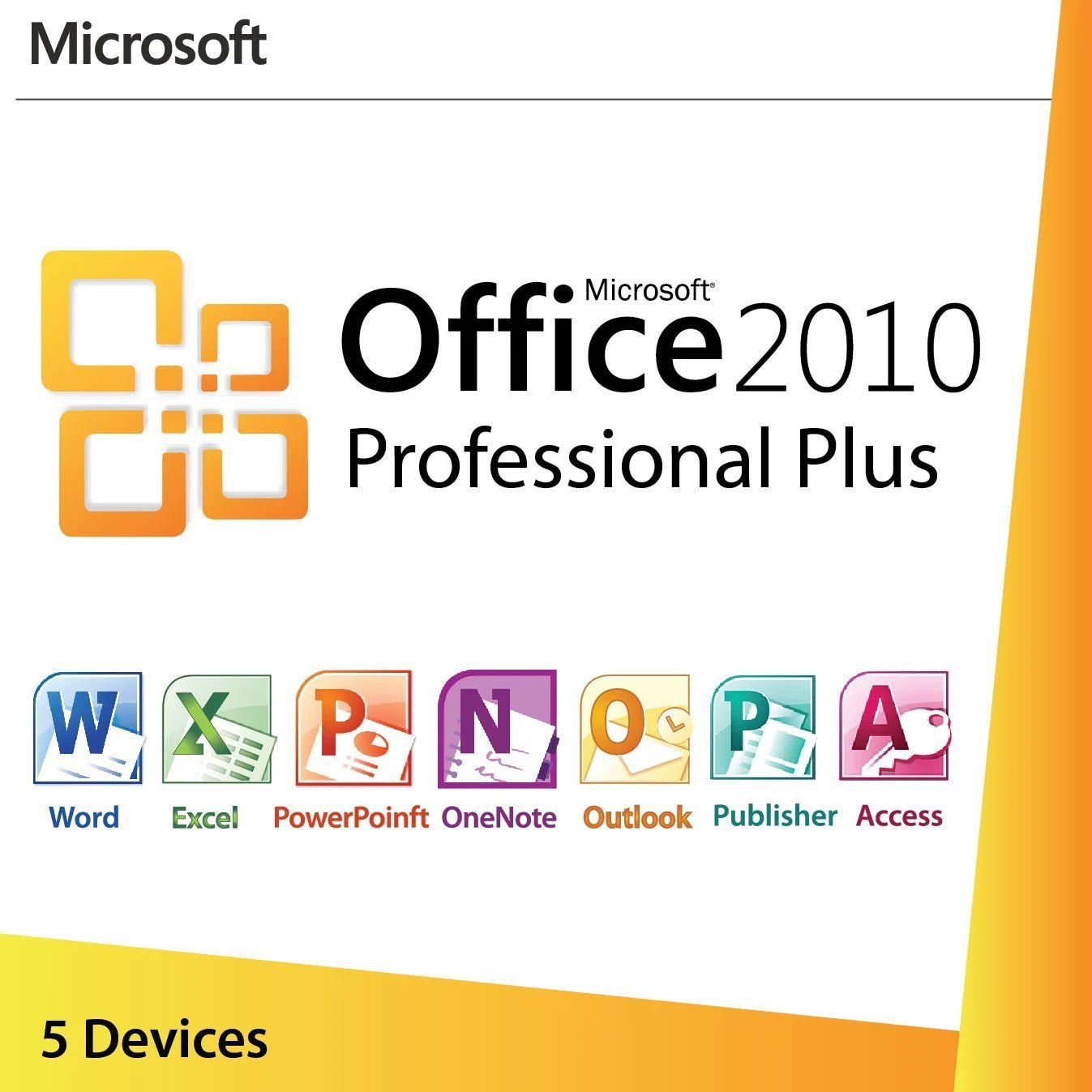
This Office 2010 Professional Plus product key activates the full 2010 suite on up to five Windows PCs. It remains the right tool for a specific group of buyers, including workshops and offices with older Windows 7 or 8.1 hardware, people who maintain Access 2010 databases or InfoPath 2010 forms, and anyone who needs the classic 2010 interface on machines that stay offline. For a primary, internet-connected PC we recommend Office 2021 or Office 2024 instead.
License details
Edition: Microsoft Office Professional Plus 2010, complete suite including Access, Publisher, InfoPath and SharePoint Workspace
Platform: Windows 7, 8 and 8.1; also installs on Windows 10 and 11 without official support; 32-bit and 64-bit installers
Covers 5 PCs with one key
Perpetual license: one-time purchase, no subscription, no renewal
Activation: online with the key, or through File, then Help, then Change Product Key; phone activation help from our team if Microsoft asks for it
Delivered: 25-character key, official Microsoft download link and a short installation guide, also saved under My Account
Multilanguage: English and the other Office 2010 language releases
Support from a person 7 days a week and a 30-day money-back guarantee
Order now and your key arrives by email within minutes, with nothing shipped and no waiting for a box. If the key cannot be activated and our support team cannot fix it, you receive a replacement or a full refund within 30 days. The license type is shown in the Product Overview table on this page.
Product overview
Product
Microsoft Office 2010 Professional Plus – License Key for 5 PCs
Brand
Microsoft
Category
Microsoft Office, Office 2010
Platform
Windows PC
Covers
5 PCs
License term
One-time purchase, no subscription
Delivery
Digital, product key by email within minutes
You receive
Product key, official Microsoft download link, installation guide
Support
Free installation and activation help by email, 7 days a week
Guarantee
30-day money-back guarantee
SKU
SIS-O10PP-5PC
Office 2010 Professional Plus product key for 5 PCs: the legacy suite, honestly described
Office 2010 is sixteen years old, and we are not going to pretend otherwise. Microsoft ended extended support for the entire Office 2010 family on October 13, 2020. Since that date there have been no security patches, no bug fixes and no technical support from Microsoft. Anyone who tells you Office 2010 is a good choice for a primary, internet-connected work PC in 2026 is selling you the wrong product. So why do we still list an Office 2010 Professional Plus product key, and why does it keep selling? Because a meaningful number of buyers have a legitimate, practical reason to run exactly this version, and they want a genuine key rather than a questionable download.
This listing covers five PCs with one key. It is a perpetual license, a one-time purchase with no subscription attached, and it is delivered by email within minutes of payment along with the official Microsoft download link and a short guide. The license type is shown in the Product Overview table on this page. If you are unsure whether a legacy suite is right for you, read this page first, and if the answer is no, our team would rather point you to Office 2021 Professional Plus or Office 2024 Professional Plus than sell you something you will regret.
Who still buys Office 2010 Professional Plus, and why
The typical buyer is not a bargain hunter. It is a small business, school lab, machine shop or family that already lives in the 2010 generation and needs to keep it consistent. The common cases we see:
Older hardware. A batch of Windows 7 or Windows 8.1 machines that still do their job, cannot run Office 2021 or 2024, and need a suite that matches their era. Office 2010 runs comfortably on hardware from that period.
Access 2010 databases and InfoPath 2010 forms. Businesses with line-of-business tools built in Access 2010, or forms libraries built in InfoPath, often keep the original applications so nothing changes underneath them. InfoPath was dropped from later suites, which makes 2010 Pro Plus one of the last complete editions to include it.
Offline and air-gapped PCs. Lab instruments, industrial controllers, point-of-sale back offices and archive stations that never touch the internet are far less exposed to the security concerns that make an unsupported suite a poor choice for a connected laptop.
Training and document archives. Organizations that need to open, edit and print thousands of legacy files exactly as they were created, with the same fonts, macros and templates.
Matching an existing install. If four PCs in the office already run Office 2010 Pro Plus and a fifth needs the same suite, a five-PC key is the tidy answer.
What is inside Office Professional Plus 2010
Professional Plus was the top volume edition of the 2010 lineup. It bundles nine applications, several of which were never included in the retail Home and Business or Home and Student boxes:
Word 2010 with the full ribbon, Navigation Pane, Backstage view and built-in PDF export
Excel 2010 with Sparklines, Slicers for PivotTables, and the first release of PowerPivot as a free add-in
PowerPoint 2010 with video editing, Broadcast Slide Show and section grouping
Outlook 2010 with Conversation View, Quick Steps and the People Pane
OneNote 2010 for freeform notes, shared notebooks and screen clippings
Access 2010 desktop database with web database publishing to SharePoint 2010
Publisher 2010 for brochures, newsletters and mail-merge print jobs
InfoPath 2010 Designer and Filler for electronic forms
SharePoint Workspace 2010 for offline synchronization of SharePoint 2010 libraries
Every Office 2010 Professional Plus product key we deliver activates all nine applications on each licensed PC. You can install the complete suite or pick only the applications you need during setup.
Office 2010 editions compared
The 2010 generation shipped in four editions that buyers still ask about. The table shows which applications each one included so you can confirm Professional Plus is the edition your files and workflows expect.
Feature
Professional Plus 2010
Professional 2010
Home and Business 2010
Home and Student 2010
Word, Excel, PowerPoint, OneNote
Yes
Yes
Yes
Yes
Outlook
Yes
Yes
Yes
No
Access and Publisher
Yes
Yes
No
No
InfoPath and SharePoint Workspace
Yes
No
No
No
Commercial use permitted
Yes
Yes
Yes
No
PCs covered by this listing
5
n/a
n/a
n/a
Microsoft support status
Ended Oct 13, 2020
Ended Oct 13, 2020
Ended Oct 13, 2020
Ended Oct 13, 2020
Professional Plus is the only 2010 edition that carries InfoPath and SharePoint Workspace. If those two applications are the reason you are here, no other 2010 edition will do.
System requirements for Office 2010
The requirements are modest by modern standards, which is exactly why this suite stays useful on older machines. Microsoft listed the following minimums:
Processor: 500 MHz or faster; 1 GHz recommended for Outlook with Business Contact Manager
Memory: 256 MB RAM; 512 MB recommended for graphics features and Outlook search indexing
Disk space: 3 GB of available space
Display: 1024 x 576 or higher resolution
Operating system: Windows XP SP3 (32-bit only), Windows Vista SP1, Windows 7, Windows Server 2003 R2 or Windows Server 2008; Windows 8 and 8.1 are also supported, and the suite installs on Windows 10 and Windows 11 although Microsoft never formally supported those combinations
Bitness: 32-bit and 64-bit installers are available; Microsoft recommended the 32-bit version for compatibility with older add-ins
If you plan to run Office 2010 on Windows 10 or 11, expect it to work for everyday documents but be aware that Microsoft does not test or fix compatibility problems for an unsupported product. Service Pack 2 is the final service pack for the suite, and we recommend installing it on every PC before you start working; it resolves a long list of stability and file-format issues from the original 2010 release.
Licensing explained: five PCs, one key, perpetual
This is a perpetual license. You pay once, there is no subscription, no annual renewal and no account requirement to keep working. The key covers five Windows PCs. Each installation activates online in a few seconds; if Microsoft's servers request phone activation instead, our team walks you through the Installation ID and Confirmation ID exchange.
Transfer rights depend on the license type, which is shown in the Product Overview table on this page. As a general rule for Microsoft products, retail keys may be moved to a replacement PC once the software is removed from the old one, OEM keys stay with the first computer they activate, and volume keys have a fixed number of activations and are intended for organizations. Whatever the type, all five seats belong to a single purchaser and should not be split up and resold.
One honest caveat again: because Office 2010 is out of support, activation servers can in principle be retired by Microsoft at any time. That has not happened as of this writing, and our 30-day money-back guarantee protects your purchase if activation fails and we cannot fix it.
Why buy this key from Software in Store
Legacy software is where unreliable sellers do their worst work, because buyers assume an old product is impossible to verify. We treat an Office 2010 Professional Plus product key the same way we treat a Windows 11 Pro key: it is genuine, it is delivered by email within minutes with the official Microsoft download link, and it comes with a 30-day money-back guarantee. If the key does not activate and our support team cannot solve it, you get a replacement or a full refund. A real person answers email seven days a week and handles phone activation when Microsoft asks for it. The key is also stored under My Account so you can find it again years from now, which matters for a suite you may be reinstalling on old hardware. More about how we work is on our Why trust us page.
Related products
Building a mixed environment, or ready to move forward? Browse the Office 2010 category for the single-PC listing and related guides. For a supported suite on your main computer, look at Office 2021 Professional Plus for 5 PCs, which mirrors this five-seat format on a version supported until October 13, 2026, or Office 2024 Standard LTSC for a modern suite supported until October 9, 2029. If the 2010 generation is one step too old but you still want a low-requirement suite, Office 2013 Professional Plus is the next version up. Windows 7 machines that need a matching operating system key are covered by Windows 7 Professional.
Ready to order
If Office 2010 Professional Plus is the right fit for your five PCs, ordering takes a couple of minutes and your Office 2010 Professional Plus product key arrives by email shortly after payment. Read exactly what happens after checkout on How it works, or check our FAQs for answers on activation, transfers and refunds. Questions before you buy? Our team will tell you plainly whether this legacy suite suits your situation or whether a newer version serves you better.
Download and install
Within minutes of payment you receive an email containing your 25-character Office 2010 Professional Plus product key, the official Microsoft download link for the 2010 installer and a short guide. The same key is saved under My Account, and it covers five PCs.
Uninstall any Office trial or older Office version through Control Panel, then Programs and Features, and restart.
Download the Office Professional Plus 2010 installer from the link in your email. Choose 32-bit unless you need 64-bit Excel for very large workbooks.
Run setup.exe, enter the 25-character key when prompted and accept the license terms.
Choose Install Now for the complete suite, or Customize to skip applications such as InfoPath or SharePoint Workspace.
Open Word 2010, go to File, then Help, and confirm the status reads Product Activated. If not, click Change Product Key, re-enter the key and choose online activation.
Run Windows Update once to pull Service Pack 2 and the final updates Microsoft released before support ended.
Repeat these steps on each of the remaining four PCs with the same key.
If Office reports that online activation is unavailable and offers telephone activation, email the Installation ID shown on screen to support@softwareinstore.com. A person replies with the Confirmation ID seven days a week, and we stay with you until every PC shows Product Activated.
Frequently asked questions
Is Office 2010 still safe to use?
Microsoft ended support for Office 2010 on October 13, 2020, so it no longer receives security updates. On an offline PC, a lab machine or an archive workstation the risk is small and manageable. On a laptop that opens email attachments from strangers, it is not a good choice, and we say so on this page. For a primary, connected PC we recommend Office 2021 or Office 2024. Buyers who understand this trade-off and need the 2010 generation for compatibility reasons are exactly who this Office 2010 Professional Plus product key is for.
Does one key really cover five PCs?
Yes. This listing is an Office 2010 Professional Plus product key for five Windows PCs. You install the suite on each machine using the same installer and enter the same 25-character key during setup. Each PC activates separately with Microsoft, either online or, if Microsoft requests it, by phone with our help. All five seats belong to one purchaser. If you need a single seat instead, the Office 2010 category lists the one-PC option.
Will Office 2010 install on Windows 10 or Windows 11?
In our experience, yes. The installer runs on Windows 10 and Windows 11 and the applications work for everyday documents, spreadsheets and presentations. However, Microsoft never formally supported Office 2010 on those operating systems and does not fix compatibility problems, so occasional quirks are possible. The officially supported platforms are Windows XP SP3, Vista SP1, Windows 7, 8 and 8.1. If your machines run Windows 10 or 11, a current suite such as Office 2024 is the more sensible pairing.
What is the difference between Professional Plus and Home and Business 2010?
Home and Business 2010 contains Word, Excel, PowerPoint, OneNote and Outlook. Professional Plus adds Access, Publisher, InfoPath and SharePoint Workspace, and it was licensed for commercial use in organizations. If you only need the core four applications plus email, the extra programs will not matter to you. If you maintain Access databases, design print publications or rely on InfoPath forms, Professional Plus is the only 2010 edition that provides everything in one installation.
Is this a subscription or a one-time purchase?
It is a one-time purchase. Office 2010 predates Microsoft 365 and was only ever sold as a perpetual license, so there is nothing to renew and no monthly fee. You pay once, activate, and the suite keeps working on those five PCs for as long as you choose to use it. Nothing about the license expires. The trade-off, compared with a current suite, is that Microsoft no longer delivers updates or support for this version.
What if activation fails or I change my mind?
Contact our support team first. Most activation problems are solved by uninstalling the trial version that shipped with the PC, entering the key through File, then Help, then Change Product Key, or by completing phone activation with the Confirmation ID we provide. If the key still cannot be activated and we cannot fix it, you receive a replacement key or a full refund under our 30-day money-back guarantee. We answer email seven days a week at support@softwareinstore.com.
7 reviews for Microsoft Office 2010 Professional Plus – License Key for 5 PCs
Rated 4 out of 5
Megan Thomas –
Office 2010 for 5 devices is perfect for my home office setup. Installation was straightforward.
Rated 4 out of 5
Nicholas Morris –
This Office 2010 license allowed me to activate multiple devices easily. It’s older software, but it still works well for our needs. Activation was straightforward, and the support team was helpful when I had questions.
Rated 4 out of 5
Caleb Morgan –
Installed on multiple PCs without problems. Great value for an older but still very reliable version of Office.
Rated 4 out of 5
Oliver Cooper –
Even though it’s an older version, it works perfectly on my PCs. Amazing value for 5 activations.
Rated 5 out of 5
Taylor Wood –
Key worked, but installation was a little confusing for me. Support helped though.
Rated 5 out of 5
Leah Richardson –
Still doing the job after many years. Being able to install on up to 5 devices is a big plus. Some interface elements feel dated now, and you’ll miss newer collaboration features, but for basic work it’s dependable and stable.
Rated 5 out of 5
Ariana Lewis –
I bought this for my small office and it worked perfectly on all 5 devices. Easy to install, activated without any problems. Great value for a lifetime license!


Megan Thomas –
Office 2010 for 5 devices is perfect for my home office setup. Installation was straightforward.
Nicholas Morris –
This Office 2010 license allowed me to activate multiple devices easily. It’s older software, but it still works well for our needs. Activation was straightforward, and the support team was helpful when I had questions.
Caleb Morgan –
Installed on multiple PCs without problems. Great value for an older but still very reliable version of Office.
Oliver Cooper –
Even though it’s an older version, it works perfectly on my PCs. Amazing value for 5 activations.
Taylor Wood –
Key worked, but installation was a little confusing for me. Support helped though.
Leah Richardson –
Still doing the job after many years. Being able to install on up to 5 devices is a big plus. Some interface elements feel dated now, and you’ll miss newer collaboration features, but for basic work it’s dependable and stable.
Ariana Lewis –
I bought this for my small office and it worked perfectly on all 5 devices. Easy to install, activated without any problems. Great value for a lifetime license!