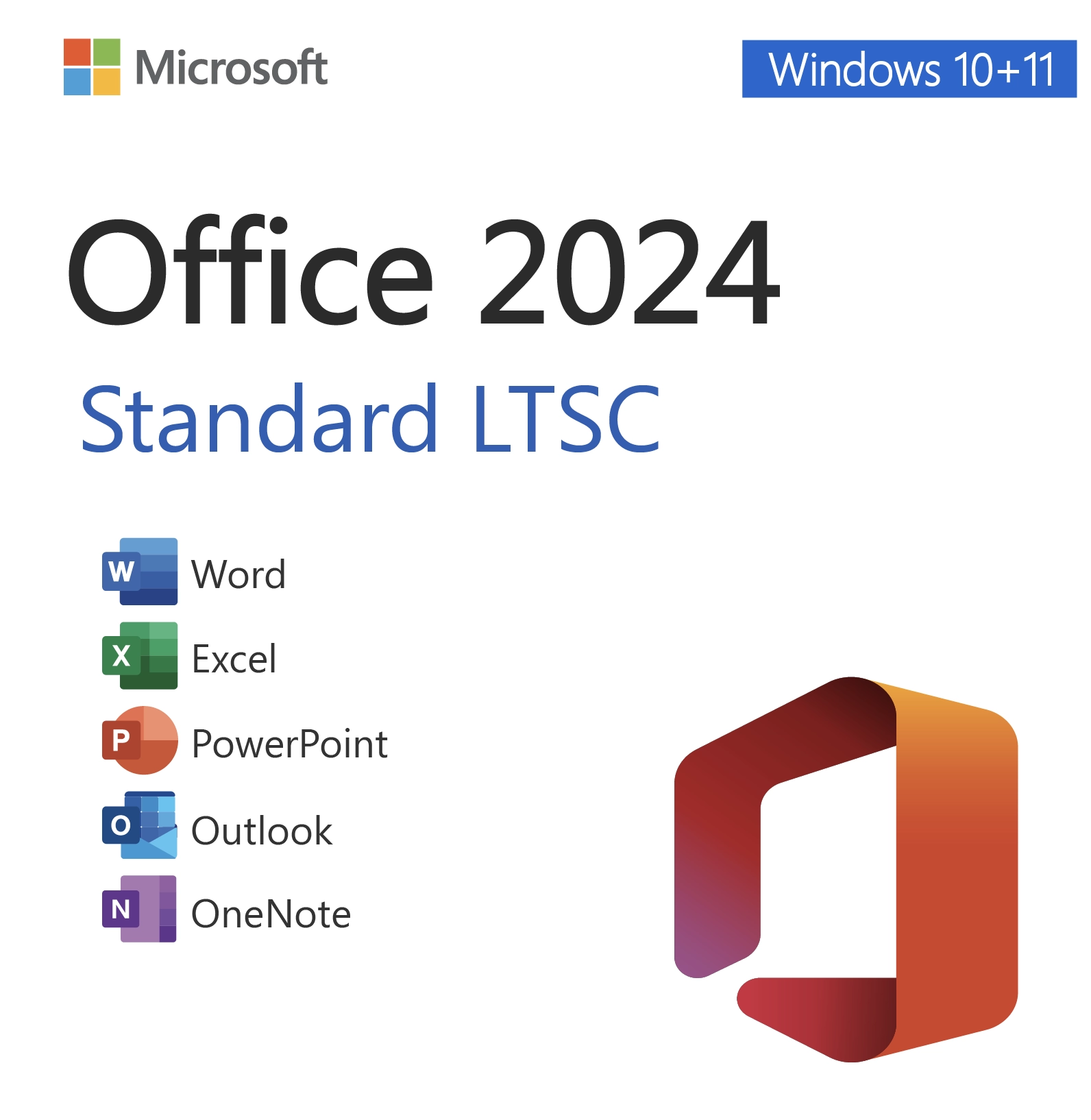
Microsoft Office 2024 Standard LTSC – Lifetime License Key for 1 PC
$58.00Original price was: $58.00.$22.49Current price is: $22.49.
-61%
Genuine Office 2024 Standard LTSC license key for 1 Windows PC: Word, Excel, PowerPoint, Outlook and OneNote in the long-term servicing build supported until 2029. Emailed within minutes, 30-day money-back guarantee.
This is a genuine Office 2024 Standard LTSC license key for one Windows PC, the business edition that gives you the five applications almost every office uses, Word, Excel, PowerPoint, Outlook and OneNote, without Access. It suits small companies, administrative staff, nonprofits, schools and home offices that want a stable, perpetual copy of Office that stays on the same version and never asks for a renewal.
License details
Edition and version: Office LTSC Standard 2024 (Long Term Servicing Channel) with Word, Excel, PowerPoint, Outlook and OneNote; Access and Publisher are not included
Platform: Windows 11 or Windows 10, 32-bit or 64-bit installer, Windows only; digital delivery, nothing shipped
Covers 1 PC; one activation per key
License term: perpetual, one-time purchase, no subscription; Microsoft security updates until October 9, 2029
Activation: online with the 25-character key from File, Account, Change Product Key; our team helps with phone activation when Microsoft requests it
Delivered: product key, official Microsoft download link and a short installation guide, also saved under My Account
Language: multilanguage installer, pick the display language you need
Support by a person 7 days a week; 30-day money-back guarantee
Order now and the key is in your inbox within minutes, ready to install on your PC today. Nothing is shipped, nothing recurs, and if the key cannot be activated and our support team cannot fix it, our 30-day money-back guarantee provides a replacement or a full refund. The license type is shown in the Product Overview table on this page.
Product overview
Product
Microsoft Office 2024 Standard LTSC – Lifetime License Key for 1 PC
Brand
Microsoft
Category
Microsoft Office, Office 2024
Platform
Windows PC
Covers
1 PC
License term
One-time purchase, no subscription
Delivery
Digital, product key by email within minutes
You receive
Product key, official Microsoft download link, installation guide
Support
Free installation and activation help by email, 7 days a week
Guarantee
30-day money-back guarantee
SKU
SIS-O24LTSC
Office 2024 Standard LTSC license key: the five core apps, one PC, no subscription
Office 2024 Standard is the edition of the perpetual Office suite that Microsoft aims squarely at everyday business work. It contains Word, Excel, PowerPoint, Outlook and OneNote, and it leaves out Access, the database tool that most desks never open. The letters LTSC stand for Long Term Servicing Channel, which is Microsoft's name for a build that stays on one version, receives security and quality fixes on a predictable schedule, and does not pick up new features or interface changes during its life. For an office that wants software to behave the same way in year four as it did on day one, that is exactly the point.
Typical buyers are small businesses licensing a handful of desks, front-office and administrative staff, accountants who need the full desktop Excel but not a database, schools and churches on a fixed budget, medical and legal practices that validate software before rolling it out, and home offices that want the classic Outlook desktop client with a local mailbox. Managed service providers also favor Standard because a fixed feature set means fewer surprise support calls after an update.
From Software in Store you receive the genuine 25-character key, the official Microsoft download link and a short guide by email, usually within minutes of paying. The license type for this listing is shown in the Product Overview table on this page.
What you get with Office 2024 Standard
Word 2024 with modern comments, Focus mode, improved dictation and a refreshed default look with larger spacing.
Excel 2024 with dynamic arrays, XLOOKUP, LET, TEXTSPLIT, TEXTBEFORE and TEXTAFTER, IMAGE and updated PivotTables and charts.
PowerPoint 2024 with Cameo camera feed, Recording Studio, live subtitles and improved Designer suggestions.
Outlook 2024, the classic desktop client with PST files, rules, search folders and shared calendars for Exchange, Outlook.com, Gmail and IMAP accounts.
OneNote for free-form notebooks, synced through a Microsoft account if you choose.
Dark mode across all applications, better performance opening large files and improved accessibility tools.
A single fixed feature set for the life of the build, which simplifies training and documentation.
Security and quality updates through Microsoft Update until October 9, 2029.
Because the build never changes, Standard LTSC is the version IT departments have deployed on kiosks, shared workstations and regulated PCs for years. It is now available to individual buyers and small offices in the same form, and the key you receive from us activates that same build.
Standard versus Professional Plus versus Home and Business
Choosing the right 2024 edition mostly comes down to two questions: do you need Access, and do you need to run on a Mac? The table shows the answers side by side.
Standard LTSC 2024 (this product)
Professional Plus 2024
Home and Business 2024
Word, Excel, PowerPoint, OneNote
Included
Included
Included
Outlook (classic desktop)
Included
Included
Included
Access
Not included
Included
Not included
Publisher
Not included (retired in 2024)
Not included (retired in 2024)
Not included
Platform
Windows 10 and 11 only
Windows 10 and 11 only
Windows or macOS
Activation
Key in File, Account, Change Product Key
Key in File, Account, Change Product Key
Redeemed at setup.office.com with a Microsoft account
Feature updates
None (fixed build)
None (fixed build)
None (fixed build)
Support end
October 9, 2029
October 9, 2029
October 9, 2029
If your work involves an Access database, step up to the Office 2024 Professional Plus key, which is the same suite plus Access. If the computer is a Mac, or you might switch between a PC and a Mac, the Office 2024 Home and Business for PC or Mac license is the right fit. For a Windows PC that needs the core applications and nothing more, Office 2024 Standard is the sensible purchase.
System requirements
Standard LTSC 2024 has the same modest requirements as the other 2024 editions. Almost any Windows PC from the last several years qualifies:
Operating system: Windows 11 or Windows 10 (64-bit recommended)
Processor: 1.6 GHz dual-core or faster, x64
Memory: 4 GB RAM
Storage: 4 GB of free disk space
Display: 1280 x 768 resolution or higher
Internet connection for download, activation and updates
Windows 11 is recommended; Windows 10 support ended on October 14, 2025, so a Windows 10 PC should be upgraded when possible
No Microsoft account is required to install or activate this edition
Office LTSC cannot share a PC with a Microsoft 365 installation from a different update channel. If your PC arrived with a Microsoft 365 trial preinstalled, remove it through Settings, Apps first. Standalone Visio and Project can be installed alongside Standard without any conflict.
Practical notes before you install
Standard LTSC 2024 ships with the classic Outlook desktop client rather than the new Outlook for Windows app. That is good news for anyone with years of mail in a PST file, custom rules or add-ins, because everything carries over unchanged. Your existing .docx, .xlsx and .pptx files open without conversion, and documents you create are fully compatible with colleagues on Microsoft 365 or Office 2021. If you are upgrading from Office 2016 or 2019, the ribbon layout will feel familiar; the main visible changes are the rounded interface, dark mode and the new Excel functions. Templates, dictionaries and signatures from the older version can be copied across before you uninstall it. Plan on roughly twenty minutes for download and installation on a typical broadband connection, and keep the delivery email, since the key is also what you will use if you ever need to reinstall Windows and Office on the same PC.
Licensing explained
The Office 2024 Standard license is perpetual. You buy it once and it does not expire, which sets it apart from Microsoft 365 subscriptions that must be renewed every year to keep editing files. Microsoft provides security and quality updates for the 2024 LTSC release until October 9, 2029, and the applications keep working after that date. There is no per-user fee, no cloud storage requirement and no need to sign in to a Microsoft account to use the software.
One key licenses one Windows PC. The right to move the license to another computer depends on the license type. Retail keys may be removed from the old PC and activated on a new one. OEM keys remain with the first PC they activate. Volume keys are issued with a fixed number of activations and are meant for organizations that manage many machines. The type sold under this listing appears in the Product Overview table above, so you can decide before checkout whether it matches how you plan to use it.
Activation takes place inside any of the five applications through File, Account, Change Product Key. Enter the 25 characters and Office contacts Microsoft's servers to confirm the license. When online activation is not available on a particular network, Office offers telephone activation, and our support team exchanges the Installation ID and Confirmation ID with you by email.
Why buy this Office 2024 Standard key from Software in Store
Software in Store is an independent reseller of genuine Microsoft product keys, operated by MAKERS UNITY LLC from Sheridan, Wyoming. We are not affiliated with or endorsed by Microsoft. What we offer is a dependable way to buy a legitimate key with a person on the other end of the email if anything goes wrong.
Genuine keys that activate through Microsoft and update through Microsoft Update.
Email delivery within minutes of payment, seven days a week, with the key also saved under My Account.
The official Microsoft download link for clean installation media.
Support from a real person every day of the week, including phone activation help with Installation and Confirmation IDs.
30-day money-back guarantee: a key that cannot be activated and cannot be fixed is replaced or refunded in full.
Encrypted, PCI-compliant checkout with card, Apple Pay and Google Pay; we never see your card number.
Compared with anonymous marketplace sellers, you get a real company address and a support inbox that answers. Compared with buying the boxed product, you skip shipping entirely and can be installed within the hour. Our Why Trust Us page explains how we source keys and how the guarantee works.
Related products
Outfitting a new machine? Pair this key with a Windows 11 Pro product key so the operating system and Office both have a clean, perpetual license. If you only need one or two applications rather than the suite, the standalone Excel 2024 for Windows and Outlook 2024 keys are available individually. Buyers who still rely on Publisher should consider Office 2021 Professional Plus, the last release to include it. The full range of 2024 editions is listed in our Office 2024 category.
Get your Office 2024 Standard LTSC key today
Add the key to your cart and check out with a card, Apple Pay or Google Pay. Within minutes the delivery email arrives with your genuine key, the official download link and a short guide, and Word, Excel, PowerPoint, Outlook and OneNote can be running on your PC before the end of the day. See How It Works for the process from payment to activation, and visit our FAQs for questions about reinstalling, transferring and updates. One payment, one PC, five applications, supported until 2029.
Download and install
Your delivery email, sent within minutes of payment, contains the 25-character Office 2024 Standard LTSC key, the official Microsoft download link and a short guide. Everything is also stored under My Account on our site.
Remove any existing Microsoft 365 or Office trial from Settings, Apps, Installed apps, and restart the PC.
Open the download link from the email and save the Office LTSC Standard 2024 installer for your bitness (64-bit recommended).
Run the installer and wait until Word, Excel, PowerPoint, Outlook and OneNote appear in the Start menu.
Launch any of the five apps, then go to File, Account, Change Product Key.
Enter your 25-character key and click Activate Office. Online activation takes a few seconds.
Check that the Account page reads Product Activated, then open Windows Update or File, Account, Update Options to install the latest fixes.
If Office cannot reach the activation servers and shows the telephone option, send us the Installation ID and we return a Confirmation ID by email. Our support inbox, support@softwareinstore.com, is answered by a person seven days a week, including weekends.
Frequently asked questions
What does LTSC mean for Office 2024 Standard?
LTSC stands for Long Term Servicing Channel. It is the perpetual build of Office that stays on the same version for its whole life. It receives monthly security and quality updates from Microsoft until October 9, 2029, but no new features and no interface changes. Businesses like it because the software behaves identically on every PC for years. For you it means a stable copy of Word, Excel, PowerPoint, Outlook and OneNote that never asks for a renewal.
Is Access included, and can I add it later?
Access is not part of Office 2024 Standard. If you need it, the Office 2024 Professional Plus edition includes Access alongside the same five applications. Alternatively, a standalone Access 2024 license can be installed next to Standard on the same PC, so you are not locked out if a database project comes along later. Publisher is not available in any 2024 edition because Microsoft retired it with this release.
Does this key work on a Mac or on more than one PC?
No. Standard LTSC 2024 is a Windows-only edition and one key activates one PC. Mac users should choose Office 2024 Home and Business, which installs on either a PC or a Mac and is redeemed through a Microsoft account. If you need Office on several Windows machines, buy one key per PC. A second activation attempt with the same key will be refused, so count your computers before ordering.
How is this different from Microsoft 365 Business Standard?
Microsoft 365 is a subscription: you pay every year and receive continuous feature updates, cloud storage and multi-device rights. Office 2024 Standard is a one-time purchase for one PC with a fixed feature set and updates limited to security and quality fixes. If you want the newest features as they arrive and do not mind a recurring bill, Microsoft 365 fits. If you want to pay once and keep the software indefinitely, this perpetual license is the better value.
Can I move the license to a replacement PC?
That depends on the license type shown in the Product Overview table on this page. Retail keys can be removed from the old computer and activated on a new one. OEM keys stay with the first PC they activate. Volume keys have a limited number of activations and are intended for organizations. If you know you will replace the PC soon, check the table first or email us before ordering and we will confirm which type this listing is.
What if activation fails or I have problems installing?
Email support@softwareinstore.com with a screenshot of the error and, if shown, the Installation ID from the phone activation screen. A person replies seven days a week and most cases are resolved the same day. Common causes are a leftover Microsoft 365 trial, a typo in the key or a firewall blocking the activation servers. If a key cannot be activated and we cannot fix it, our 30-day money-back guarantee gives you a replacement key or a full refund.
9 reviews for Microsoft Office 2024 Standard LTSC – Lifetime License Key for 1 PC
Rated 4 out of 5
Ethan Howard –
Good product overall. Took me a couple of tries to download, but support helped and now it works flawlessly.
Rated 5 out of 5
Elizabeth Jenkins –
Great value! Lifetime license activated instantly and runs perfectly on Windows 11. Highly recommended.
Rated 5 out of 5
Gabriel Powell –
Solid purchase. Runs stable and fast. Took a little longer to receive the email, but worth it.
Rated 5 out of 5
Mason Gray –
Perfect for everyday use. No subscription needed, lifetime license is a big plus. Activated instantly.
Rated 5 out of 5
Nicole Bennett –
Activated fast, runs smoothly, no subscription. Exactly what I needed.”
Rated 5 out of 5
Patrick Brooks –
Exactly what I needed.
Rated 5 out of 5
Elizabeth Jenkins –
Very satisfied with this purchase! The LTSC version is stable, clean, and great for work. Activation was fast and easy. The seller offers excellent prices and reliable customer service.
Rated 5 out of 5
Hailey Parker –
Amazing value for such a new release! The installation was quick and activation successful. The LTSC version is stable and perfect for my office work. Very trustworthy seller.
Rated 5 out of 5
Jayden Cox –
I upgraded from an old Office version and this LTSC 2024 works perfectly. Installation was smooth, activation took only a minute, and everything runs fast with no subscription required. Best price I’ve found online. Highly recommended!


Ethan Howard –
Good product overall. Took me a couple of tries to download, but support helped and now it works flawlessly.
Elizabeth Jenkins –
Great value! Lifetime license activated instantly and runs perfectly on Windows 11. Highly recommended.
Gabriel Powell –
Solid purchase. Runs stable and fast. Took a little longer to receive the email, but worth it.
Mason Gray –
Perfect for everyday use. No subscription needed, lifetime license is a big plus. Activated instantly.
Nicole Bennett –
Activated fast, runs smoothly, no subscription. Exactly what I needed.”
Patrick Brooks –
Exactly what I needed.
Elizabeth Jenkins –
Very satisfied with this purchase! The LTSC version is stable, clean, and great for work. Activation was fast and easy. The seller offers excellent prices and reliable customer service.
Hailey Parker –
Amazing value for such a new release! The installation was quick and activation successful. The LTSC version is stable and perfect for my office work. Very trustworthy seller.
Jayden Cox –
I upgraded from an old Office version and this LTSC 2024 works perfectly. Installation was smooth, activation took only a minute, and everything runs fast with no subscription required. Best price I’ve found online. Highly recommended!