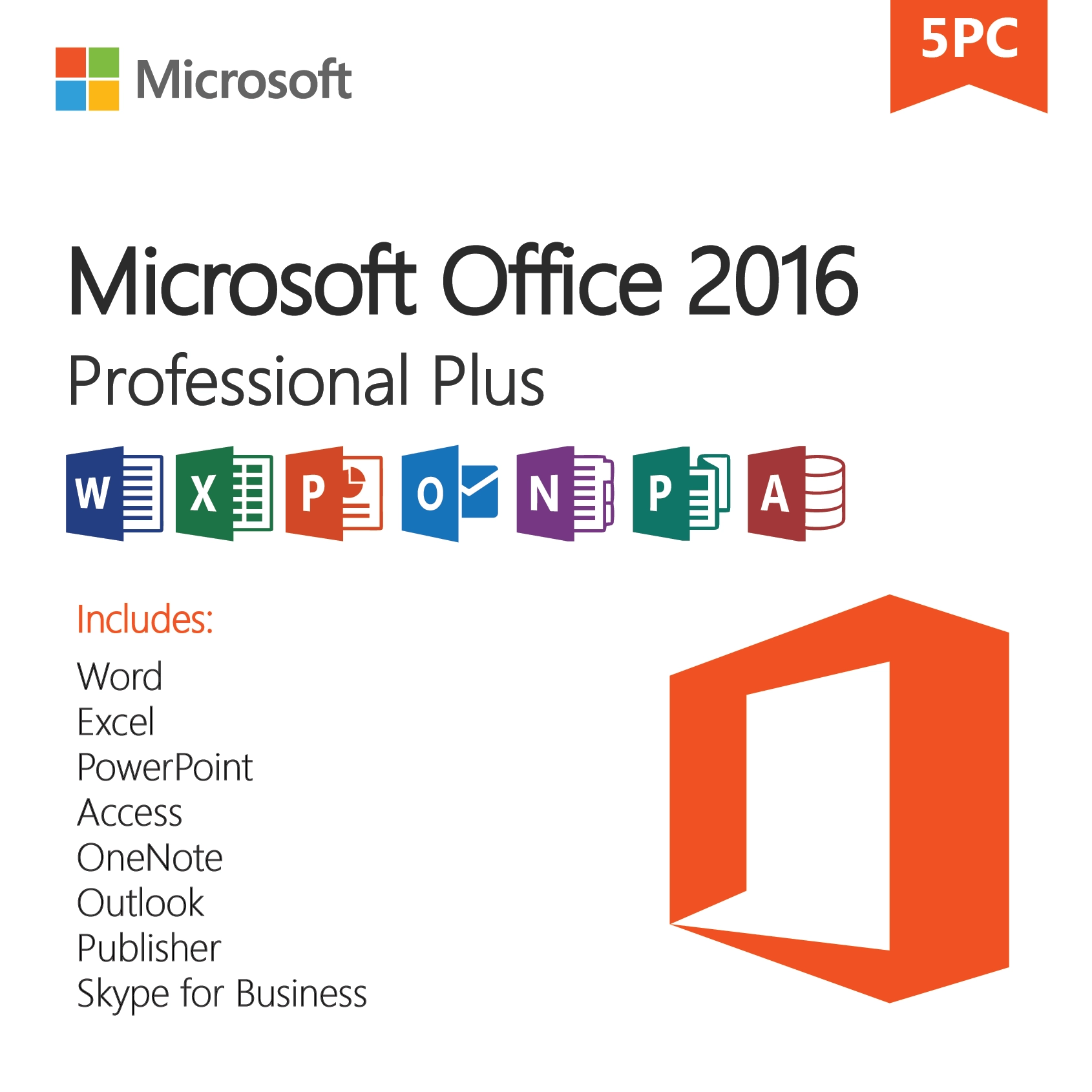
Microsoft Office 2016 Professional Plus – License Key for 5 PCs
$72.00Original price was: $72.00.$25.49Current price is: $25.49.
-65%
Genuine Microsoft Office Professional Plus 2016 license key for 5 Windows PCs: Word, Excel, PowerPoint, Outlook, OneNote, Access and Publisher on up to five computers. Emailed within minutes, 30-day money-back guarantee.
This listing is a genuine Microsoft Office Professional Plus 2016 license key valid for five Windows PCs, the multi-seat option for small businesses, workshops and households that run a mix of older and newer computers. Every installation includes Word, Excel, PowerPoint, Outlook, OneNote, Access and Publisher, and because Office 2016 installs on Windows 7 SP1 and 8.1 as well as Windows 10 and 11, one pack covers a fleet spanning several Windows generations. it is best for legacy and fixed-purpose PCs rather than for front-line computers.
License details
Edition: Office Professional Plus 2016, seven applications: Word, Excel, PowerPoint, Outlook, OneNote, Access, Publisher
Platform: Windows 7 SP1, Windows 8.1, Windows 10 or Windows 11; each PC may use the 32-bit or 64-bit installer
Covers 5 PCs; one 25-character key with five activations
Perpetual license, one-time purchase, no subscription, no renewal;
Activation: online on each PC via File > Account > Change Product Key; phone activation help from our team when Microsoft requires it
Delivered: key, official Microsoft download link and a multi-PC installation guide, by email and under My Account
Language: multilanguage; each computer can install in its own language
30-day money-back guarantee and email support from a real person 7 days a week
Order now and the Microsoft Office Professional Plus 2016 five-PC key is in your inbox within minutes, ready for the first installation today and the others whenever you reach them. Digital delivery only, nothing is shipped. If activations fail and our team cannot resolve it, we replace the key or refund the order under the 30-day guarantee. The license type is shown in the Product Overview table on this page.
Product overview
Product
Microsoft Office 2016 Professional Plus – License Key for 5 PCs
Brand
Microsoft
Category
Microsoft Office, Office 2016
Platform
Windows PC
Covers
5 PCs
License term
One-time purchase, no subscription
Delivery
Digital, product key by email within minutes
You receive
Product key, official Microsoft download link, installation guide
Support
Free installation and activation help by email, 7 days a week
Guarantee
30-day money-back guarantee
SKU
SIS-O16PP-5PC
Microsoft Office Professional Plus 2016 for 5 PCs: one key for a mixed fleet of Windows computers
Small organizations rarely replace every computer at once. A typical shop, clinic or family business has a Windows 11 laptop at the front, a Windows 10 desktop in the back office and a Windows 7 machine that runs the label printer or the old accounting program. Microsoft Office Professional Plus 2016 is the one perpetual Office suite that installs on all of them, and this five-PC key licenses the complete seven-application suite on up to five such computers with a single one-time purchase. No subscription, no renewals, and every seat gets Word, Excel, PowerPoint, Outlook, OneNote, Access and Publisher.
We state the lifecycle plainly. Microsoft ended extended support for Office 2016 on October 14, 2025. The applications install, activate and run as before, and the final updates remain available, but no new security patches are issued. That is acceptable for legacy hardware, back-office and fixed-purpose PCs, training rooms and environments that need to stay on the 2016 build for compatibility with macros or add-ins. For front-line computers on Windows 10 or 11 that process outside email all day, the Office 2021 Professional Plus for 5 PCs pack with support to October 13, 2026 is the better investment.
Key features on every one of the five installations
Complete suite per seat: Access and Publisher are included on every PC, not only the first; each seat is identical.
Excel 2016: waterfall, treemap, sunburst, histogram and box and whisker charts, Forecast Sheet, and built-in Get and Transform (Power Query).
Word 2016: Tell Me, Smart Lookup and real-time co-authoring through OneDrive or SharePoint.
Outlook 2016: Clutter, modern attachments, and connections to Exchange, Microsoft 365, Outlook.com, Gmail and IMAP mailboxes.
PowerPoint 2016: Screen Recording, Smart Lookup, new chart types and improved video export.
OneNote 2016 desktop: local notebooks for teams that keep records off the cloud.
Windows 7 SP1 and 8.1 compatible: the last Office generation to support them, alongside Windows 10 and 11.
Mixed bitness: 32-bit installs on older machines and 64-bit on newer ones under the same key.
Single license record: one key, one order email and one entry under My Account instead of five separate purchases to track.
Standardizing five computers on one Office version pays off daily. Templates, macros and Access databases behave the same on every desk, staff move between machines without relearning menus, and documents look identical wherever they are opened. Files remain fully compatible with Office 2019, 2021, 2024 and Microsoft 365, so exchanging work with customers and suppliers on newer versions is not a problem.
Buyers of this pack often run software that no longer exists in a modern form: a dental practice management program that requires Windows 7, a machine shop's CAM software tied to a 32-bit driver, a nonprofit's donor database in Access 2016 format. Microsoft Office Professional Plus 2016 keeps the rest of the office working around those constraints without forcing a hardware refresh.
Choosing between this pack and its alternatives
The table compares the five-PC key with the single-PC key of the same edition, with the five-PC Office 2019 pack and with the older Office 2010 five-device pack we also list.
Feature
Office Professional Plus 2016, 5 PCs (this product)
Office Professional Plus 2016, 1 PC
Office Professional Plus 2019, 5 PCs
Office Professional Plus 2010, 5 PCs
Installations
Up to 5 Windows PCs
1 Windows PC
Up to 5 Windows PCs
Up to 5 Windows PCs
Applications
Word, Excel, PowerPoint, Outlook, OneNote, Access, Publisher
Same
Same
Same
Windows versions
Windows 7 SP1, 8.1, 10, 11
Windows 7 SP1, 8.1, 10, 11
Windows 10, 11
Windows XP SP3, Vista, 7, 8, 8.1, 10
Microsoft support
Ended October 14, 2025
Ended October 14, 2025
Ended October 14, 2025
Ended October 13, 2020
Power Query built in
Yes
Yes
Yes
No
Keys delivered
1 key, 5 activations
1 key, 1 activation
1 key, 5 activations
1 key, 5 activations
License term
Perpetual, one-time purchase
Perpetual, one-time purchase
Perpetual, one-time purchase
Perpetual, one-time purchase
Buy the Office 2016 Professional Plus 1-PC key if only one machine needs the suite. Buy the Office 2019 Professional Plus for 5 PCs pack if every computer already runs Windows 10 or 11 and you want the 2019 feature set. Buy the 2010 pack only for truly antique hardware. The 2016 five-PC pack is the right answer when at least one of your five machines still runs Windows 7 SP1 or 8.1, or when you need the classic desktop OneNote.
System requirements for each PC
Every one of the five computers must meet these minimums, which are modest by current standards.
Operating system: Windows 7 SP1, Windows 8.1, Windows 10 or Windows 11 (also Windows Server 2008 R2 and later).
Processor: 1 GHz or faster x86 or x64 with SSE2.
Memory: 2 GB RAM (4 GB recommended for 64-bit).
Storage: 3 GB free per PC.
Display: 1280 x 800; DirectX 10 graphics for hardware acceleration.
Internet connection on each PC for download and activation; no Microsoft account needed for a Pro Plus key.
No Microsoft 365, Office 2019 or Office 2021 Click-to-Run installation left on the PC.
Windows 7 machines need Service Pack 1 and should have the last available Windows updates applied before Office is installed. Use the 32-bit Office installer on 32-bit Windows and wherever a legacy 32-bit add-in or Access database driver must keep working; use 64-bit everywhere else.
A practical rollout order: start with the newest PC, confirm activation and updates, and export your Outlook signatures, Word templates and Quick Access Toolbar settings. Then move to the older machines, where installation takes longer and where you may need to install Service Pack 1 or .NET Framework updates first. Keep every PC that shares an Access database on the same bitness, because 32-bit and 64-bit Access cannot open each other's add-ins or ODBC drivers. Finish by running Update Now on each seat so all five are on the final Office 2016 build.
Licensing explained: five activations on one key
Your Microsoft Office Professional Plus 2016 key carries five activations. On each PC, install from the Microsoft link, open an Office app and enter the same key at File, Account, Change Product Key. Microsoft's servers count each activation until all five are used. The computers do not have to share a network, an owner or an activation date, so you can roll the suite out over weeks as machines become free.
The license is perpetual: a one-time purchase that never renews or expires. Transfer rights follow the license type shown in the Product Overview table at the top of this page. Retail-type licenses can move to replacement PCs after removal from the old ones; OEM-type licenses remain with the original hardware; volume (MAK) keys, the usual form for multi-PC packs, have a fixed activation pool intended for organizations, and a reinstall that consumes an extra activation may need our help. Keep the order email as your record of the key and the date of each activation.
Why buy this key from Software in Store
Software in Store is run by MAKERS UNITY LLC in Sheridan, Wyoming. We are an independent reseller with no affiliation to Microsoft, and we sell genuine keys delivered by email with human support behind them. A five-PC key on legacy hardware can raise questions weeks after purchase, when the fourth machine is finally free for installation; we are still here to answer them.
Key delivered by email within minutes of payment, 7 days a week, and saved under My Account.
Official Microsoft download link, so all five PCs install the same clean Office 2016 build.
Installation guide covering Windows 7, 8.1, 10 and 11 specifics and activation tracking.
30-day money-back guarantee with replacement key or full refund when we cannot make an activation work.
Support from a real person at support@softwareinstore.com every day, including phone activation.
See why trust us for more on how we operate. If you are buying for a business and need an invoice with your company name, or if you want us to check your list of Windows versions before you commit to five seats, one email is enough; we reply the same day, every day.
Order Microsoft Office Professional Plus 2016 for 5 PCs
Pay securely by card, Apple Pay or Google Pay and within minutes you will hold a genuine Microsoft Office Professional Plus 2016 key with five activations, the Microsoft download link and a guide for rolling it out across your computers. The 30-day money-back guarantee covers the pack. See how it works for the steps after checkout and the FAQs for activation and transfer questions.
Download and install
Within minutes of payment you receive an email with your 25-character Microsoft Office Professional Plus 2016 key (valid for five PCs), the official Microsoft download link and an installation guide. The key is also saved under My Account so it is easy to find when the next PC is ready.
On each PC, confirm the Windows version (7 SP1, 8.1, 10 or 11) and remove any Office trial or newer Office edition, then restart.
Download the Office 2016 installer from the link in the email, choosing 32-bit or 64-bit to match that PC.
Run the installer, wait for the completion message and open Word.
Go to File > Account > Change Product Key, enter the same 25-character key and activate online. Each PC consumes one of the five activations.
Confirm Product Activated under File > Account and run Update Options > Update Now for the final released updates.
Repeat on the remaining computers at your own pace, noting the PC name and date of each activation.
If a PC reports the activation limit has been reached or Microsoft asks for telephone activation, reply to your order email with a screenshot and the Installation ID. Our team answers 7 days a week at support@softwareinstore.com and will supply the Confirmation ID or check the activation count.
Frequently asked questions
Can I mix Windows 7, 8.1, 10 and 11 computers under this one key?
Yes. Microsoft Office Professional Plus 2016 installs on Windows 7 SP1, Windows 8.1, Windows 10 and Windows 11, and the five activations on this key do not care which Windows version each PC runs. You can also mix 32-bit and 64-bit installations. This flexibility is the main reason to choose the 2016 pack over the 2019 pack, which requires Windows 10 or 11 on every machine.
Is it one key or five keys?
One 25-character key with five activations. Enter the same key on each PC at File, Account, Change Product Key. Microsoft's activation servers count each use, and after the fifth the key is fully consumed. Keep a simple list of which computers have been activated and when, so you know how many activations remain. The key is also stored under My Account on our site in case the email is lost.
Microsoft ended support in 2025. Is a five-PC purchase still sensible?
For the right computers, yes. Microsoft Office Professional Plus 2016 stopped receiving security updates on October 14, 2025, but it installs, activates and runs without limits. If your five machines include Windows 7 or 8.1 PCs, fixed-purpose or offline computers, or systems that must stay on the 2016 build for macro or add-in compatibility, the pack is a practical, low-cost way to standardize. For daily front-line work on Windows 10 or 11, choose our 2021 five-PC pack.
What happens if I reinstall Windows on one of the five PCs?
Reinstalling Office on the same hardware after a Windows reinstall usually reactivates without consuming a new activation, because Microsoft recognizes the machine. If it does count as a new activation and you run short, contact us with the details and we will look into it. Moving the suite to entirely new hardware is governed by the license type shown in the Product Overview table on this page.
How does this compare with five Microsoft 365 subscriptions?
Microsoft 365 charges per user every year and includes OneDrive storage, continuous feature updates and support for Windows 10 and 11 only. This pack is a one-time purchase: five perpetual installations of the 2016 suite with no renewal, on Windows 7 SP1 through 11. You give up cloud extras and, since support has ended, new security patches. For legacy or fixed-purpose machines the one-time cost is usually the more economical route.
What if some activations fail or I want a refund?
Our 30-day money-back guarantee covers the pack. If an activation fails, send a screenshot of the error, the Installation ID if displayed and the number of PCs already activated. A person from our team replies 7 days a week and can complete phone activation or issue a replacement key. If we cannot resolve the problem, we refund the order. Refunds after some activations have been used are handled case by case.
2 reviews for Microsoft Office 2016 Professional Plus – License Key for 5 PCs
Rated 5 out of 5
Jacob Morgan –
Excellent product for the cost. Installed on multiple PCs without a problem. Great for families or small offices needing reliable Office tools.
Rated 4 out of 5
Jayden Cox –
Great package for multiple PCs. A little older version of Office, but still very stable and fully functional. Good value overall.


Jacob Morgan –
Excellent product for the cost. Installed on multiple PCs without a problem. Great for families or small offices needing reliable Office tools.
Jayden Cox –
Great package for multiple PCs. A little older version of Office, but still very stable and fully functional. Good value overall.