Microsoft Office 2021 Pro Plus + Visio 2021 + Project 2021 – Bundle for 1 PC
$78.00Original price was: $78.00.$23.99Current price is: $23.99.
-69%
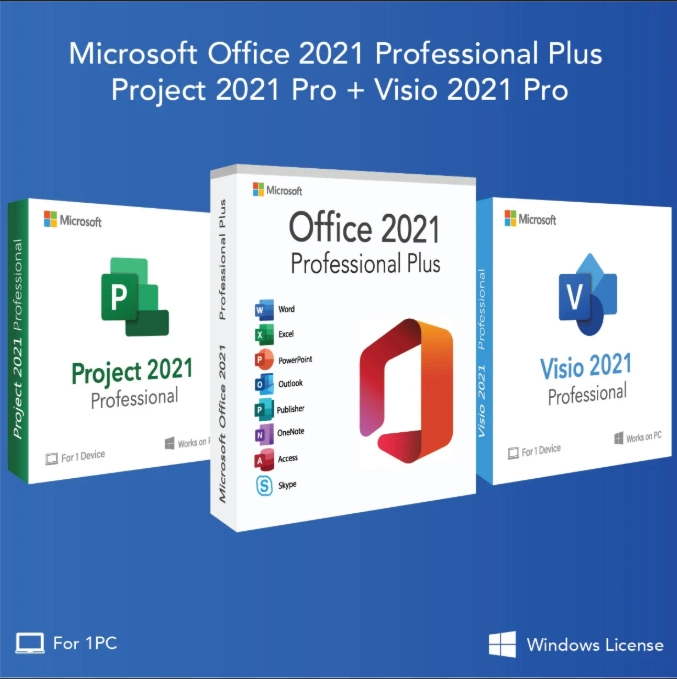
Genuine Office 2021 Pro Plus bundle for 1 Windows PC: Office Professional Plus 2021 (Word, Excel, PowerPoint, Outlook, OneNote, Access, Publisher) plus Visio 2021 Professional and Project 2021 Professional. Emailed within minutes, 30-day money-back guarantee.
This Office 2021 Pro Plus bundle is a genuine three-product license pack for one Windows PC: Microsoft Office Professional Plus 2021, Visio 2021 Professional and Project 2021 Professional. It is built for project managers, engineers, analysts, consultants and small-business owners who need the full Office suite on the same machine as diagramming and scheduling tools, and who would rather pay once than carry three separate subscriptions. Everything installs on the same Windows 10 or Windows 11 computer and shares one consistent 2021 interface.
License details
Editions: Office Professional Plus 2021 (Word, Excel, PowerPoint, Outlook, OneNote, Access, Publisher), Visio Professional 2021 and Project Professional 2021
Platform: Windows 10 or Windows 11, 32-bit or 64-bit; all three products must use the same bitness on the PC
Covers 1 PC; three separate 25-character product keys, one activation each
Perpetual licenses, one-time purchase, no subscription and no yearly renewal; Microsoft supports the 2021 generation until October 13, 2026
Activation: online, from File > Account > Change Product Key inside each application; phone activation help from our team when Microsoft asks for it
Delivered: three keys, the official Microsoft download links and a short installation guide, sent by email and saved under My Account
Language: multilanguage, choose your display language during installation
30-day money-back guarantee and email support from a real person 7 days a week
Order now and the complete Office 2021 Pro Plus bundle is in your inbox within minutes. Digital delivery only, nothing is shipped and there is no shipping charge. If any of the three keys fails to activate and our team cannot resolve it, we replace the key or refund your order under the 30-day guarantee. The license type for this bundle is shown in the Product Overview table on this page.
Product overview
Product
Microsoft Office 2021 Pro Plus + Visio 2021 + Project 2021 – Bundle for 1 PC
Brand
Microsoft
Category
Microsoft Office, Office 2021
Platform
Windows PC
Covers
1 PC
License term
One-time purchase, no subscription
Delivery
Digital, product key by email within minutes
You receive
Product key, official Microsoft download link, installation guide
Support
Free installation and activation help by email, 7 days a week
Guarantee
30-day money-back guarantee
SKU
SIS-B21-OVP
Office 2021 Pro Plus bundle with Visio 2021 and Project 2021 for one PC
Most people who buy Visio or Project already own an Office suite, and most people who buy Office eventually need a diagram or a Gantt chart. This Office 2021 Pro Plus bundle removes the guesswork by putting all three products in one order for one Windows PC: Microsoft Office Professional Plus 2021 for everyday documents, spreadsheets, email and databases, Visio 2021 Professional for flowcharts, network diagrams and floor plans, and Project 2021 Professional for schedules, resource plans and budgets. Every product in the pack is a perpetual license. You pay once, install once, and keep using the software without a subscription.
The bundle is popular with project managers who need Project and the rest of Office on a laptop, IT and network engineers who live in Visio, business analysts who move between Excel models and process diagrams, and small firms that equip a new workstation in a single purchase. It is also a practical choice for anyone who has been paying for a Microsoft 365 plan plus separate Visio and Project subscriptions and wants a fixed, one-time cost instead.
What is included in the Office 2021 Pro Plus bundle
Office Professional Plus 2021: Word, Excel, PowerPoint, Outlook, OneNote, Access and Publisher. Excel 2021 adds XLOOKUP, dynamic arrays and LET; PowerPoint gains new recording and inking tools; Outlook gets faster search and a built-in translator.
Visio 2021 Professional: the full Visio desktop app with the professional template set, including detailed network, floor plan, engineering, software and database diagrams, data-linked shapes, and export to PDF and image formats.
Project 2021 Professional: Gantt charts, task and resource scheduling, timelines, baselines, cost tracking and reports, plus the ability to connect to Project Server or Project Online when your organization uses them.
Three keys, one PC: each product ships with its own 25-character key and is activated from inside that application.
Shared 2021 design: the same ribbon, the same Dark Gray and Black themes, and the same Click-to-Run installer family, so the three products install side by side without conflicts.
Support through October 13, 2026: Office 2021, Visio 2021 and Project 2021 all receive security updates from Microsoft until that date.
Because the three products are the same generation, they integrate the way Microsoft intends. Paste a Visio diagram into a Word report or a PowerPoint deck and it stays editable. Export a Project timeline to PowerPoint or an Excel workbook with one command. Link Visio shapes to Excel data so a diagram updates when the spreadsheet changes. Mixing a 2021 Office suite with an older Visio or Project build often fails because the Click-to-Run installer refuses to co-install different generations; buying the matched set avoids that problem.
Bundle comparison: which Office generation is right for you
Word, Excel, PowerPoint, Outlook, OneNote, Access, Publisher
Word, Excel, PowerPoint, Outlook, OneNote, Access, Publisher
Word, Excel, PowerPoint, Outlook, OneNote, Access (Publisher discontinued in 2024)
Visio Professional
Yes, Visio 2021
No
Yes, Visio 2024
Project Professional
Yes, Project 2021
No
Yes, Project 2024
Windows support
Windows 10 and Windows 11
Windows 10 and Windows 11
Windows 10 and Windows 11
Microsoft support ends
October 13, 2026
October 13, 2026
October 9, 2029
PCs covered
1 PC (three keys)
1 PC
1 PC (three keys)
License term
Perpetual, one-time purchase
Perpetual, one-time purchase
Perpetual, one-time purchase
Choose the 2021 pack if you want Publisher, if your company standardized on the 2021 generation, or if you simply want the lowest one-time cost for the three products together. Choose the 2024 pack if you want the longest support window and the newest Excel and Outlook features. Either way, you are buying genuine keys with the same email delivery and the same 30-day guarantee.
System requirements for Office 2021, Visio 2021 and Project 2021
All three products share the same baseline requirements, which is one reason they install so cleanly together.
Operating system: Windows 10 or Windows 11 (also Windows Server 2019 and later). Office 2021 does not install on Windows 7 or Windows 8.1.
Processor: 1.6 GHz or faster, 2-core; a 64-bit system is recommended.
Memory: 4 GB RAM for 64-bit, 2 GB for 32-bit. Project and Visio with large files benefit from 8 GB.
Disk space: 4 GB available for Office, plus additional space for Visio and Project. Plan for roughly 10 GB free.
Display: 1280 x 768 resolution or higher; DirectX 9 or later with WDDM 2.0 driver for hardware graphics acceleration.
Internet connection for download and one-time activation. A Microsoft account is optional for Pro Plus, Visio and Project keys.
Bitness: Office, Visio and Project must all be 32-bit or all be 64-bit on the same PC. We recommend 64-bit for new installs.
If your computer is still on Windows 7 or Windows 8.1, look at our Office 2016 Professional Plus listing instead; it is the newest Office suite that installs on those systems, although Microsoft support for it has ended. Visio and Project 2016 would be needed alongside it, and we recommend planning a move to Windows 10 or 11 before investing in new software for an unsupported operating system. If you are buying a new PC as well, the Office 2021 Pro Plus + Windows 11 Pro bundle combines the suite with the operating system, and the Visio and Project keys from this page can be added to it later.
Licensing explained: three perpetual keys for one computer
Each product in this Office 2021 Pro Plus bundle is licensed to one PC. A perpetual license means there is no subscription, no renewal date and no monthly fee: once activated, the software stays activated for as long as you use that computer. Security updates continue through October 13, 2026, and the applications keep working after that date, exactly as older Office versions do today.
Transfer rights depend on the license type. A retail key can be moved to a new computer after you uninstall the software from the old one. An OEM key stays with the first PC it was activated on. A volume key is intended for organizations and has a limited number of activations. We state the license type for every listing in the Product Overview table at the top of this page, so you know before you buy. If you plan to move the software to another machine in a few years, check that table and pick a retail listing.
Visio and Project use the same rules as Office. Because the bundle gives you three keys, each one is tracked separately by Microsoft, and each one activates from inside its own application: File, then Account, then Change Product Key. Our installation guide walks through the sequence, and our support team is available if any step needs attention.
Why buy this key from Software in Store
Software in Store is an independent US reseller of genuine Microsoft product keys, operated by MAKERS UNITY LLC in Sheridan, Wyoming. We are not affiliated with Microsoft; we buy legitimate licenses and pass them on with clear documentation and real support. Every Office 2021 Pro Plus bundle we sell activates on Microsoft's own servers, and you download the installers from Microsoft, never from a third-party mirror.
Delivery by email within minutes of payment, 7 days a week, with the keys also saved under My Account.
Official Microsoft download links for Office, Visio and Project, plus a step-by-step guide written for this bundle.
30-day money-back guarantee: if a key will not activate and we cannot fix it, you get a replacement or a full refund.
A person answers support email every day and handles phone activation (Installation ID and Confirmation ID) when Microsoft requests it.
Encrypted, PCI-compliant checkout with card, Apple Pay or Google Pay; we never see your card number.
Read more about our process on the why trust us page, or contact us before ordering if you have a question about compatibility with your existing installation. We would rather answer a question in advance than process a refund afterwards.
Related products
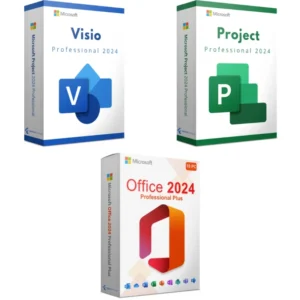
Need only one of the extras? We sell Visio 2021 Professional and Project 2021 Professional as single keys. Teams that need the suite on several machines should look at Office 2021 Professional Plus for 5 PCs. If you are ready to move to the newest generation, the Office 2024 Professional Plus suite is supported until October 9, 2029 and can be bundled with Visio and Project 2024 as shown in the comparison table above. Browse every 2021 edition in our Office 2021 category.
Order your Office 2021 Pro Plus bundle today
Add the bundle to your cart, pay securely, and check your inbox. Within minutes you will have three genuine keys, three official download links and a guide that gets Office, Visio and Project running on your PC in a single session. Our 30-day money-back guarantee covers the whole pack. To see exactly what happens after checkout, visit how it works, and for common questions about activation and transfers, see our FAQs.
Download and install
Shortly after payment you receive one email containing three 25-character product keys (Office Professional Plus 2021, Visio Professional 2021, Project Professional 2021), the official Microsoft download links for each product and a short installation guide. The keys are also saved under My Account.
Uninstall any Microsoft 365 trial or older Office, Visio or Project version from Settings > Apps, then restart the PC. Mixed generations block the installer.
Open the Office 2021 download link from the email, choose the same bitness (64-bit recommended) and run the installer. Wait until it says you are all set.
Start Word, go to File > Account > Change Product Key, enter the Office Pro Plus key and follow the prompts to activate online.
Open the Visio 2021 download link, run the installer with the same bitness, then open Visio and enter the Visio key at File > Account > Change Product Key.
Repeat with the Project 2021 download link and the Project key.
In each application, check File > Account: it should read Product Activated. Run Update Options > Update Now to pull the latest patches.
If Microsoft asks for telephone activation or shows an error, reply to your order email with the Installation ID and our team will return the Confirmation ID. Support answers email 7 days a week at support@softwareinstore.com.
Frequently asked questions
Does the Office 2021 Pro Plus bundle come as one key or three?
You receive three separate 25-character keys, one each for Office Professional Plus 2021, Visio Professional 2021 and Project Professional 2021. Each key activates its own application from File, Account, Change Product Key. All three are licensed for the same single Windows PC. Keeping the keys separate matters if you ever reinstall, because you can reactivate one product without touching the other two. The keys are also saved under My Account on our site.
Can I install Visio 2021 and Project 2021 next to an existing Microsoft 365 subscription?
We recommend against it. Microsoft 365 apps and perpetual 2021 apps use different licensing channels, and the Click-to-Run installer usually refuses to combine them on one PC. The clean approach is to uninstall Microsoft 365, restart, and install Office Pro Plus 2021 first, then Visio and Project from this bundle. If you must keep Microsoft 365, contact us before ordering and we will explain the options.
Which Windows versions work with this Office 2021 Pro Plus bundle?
All three products require Windows 10 or Windows 11. They will not install on Windows 7 or Windows 8.1, no matter which service pack is applied. If you run one of those older systems, our Office 2016 Professional Plus key is the newest suite that installs there, though Microsoft no longer supports it. On Windows 10 and 11, choose 64-bit for every product unless you rely on an old 32-bit add-in.
Is this a subscription like Microsoft 365?
No. Office 2021 Pro Plus, Visio 2021 and Project 2021 are perpetual licenses: a one-time purchase with no renewal and no monthly charge. You do not get the cloud extras of Microsoft 365, such as 1 TB of OneDrive storage or continuous feature upgrades. In exchange, you own a fixed version that Microsoft supports with security updates through October 13, 2026 and that keeps running afterwards.
Can I move the bundle to a new PC later?
That depends on the license type shown in the Product Overview table on this page. Retail keys can be transferred after you uninstall the software from the old computer, then reactivated on the new one. OEM keys remain tied to the first PC. Volume keys are meant for organizations and have a limited activation count. Check the table before you buy if portability matters to you, and ask us if anything is unclear.
What happens if one of the three keys will not activate?
First, confirm that the correct key went into the correct application and that no previous Office trial remains. If activation still fails, email us with a screenshot of the error and, if shown, your Installation ID. A person from our team replies 7 days a week and can complete phone activation with you. If we cannot get the key working, our 30-day money-back guarantee gives you a replacement key or a full refund.
Reviews
There are no reviews yet.
Be the first to review “Microsoft Office 2021 Pro Plus + Visio 2021 + Project 2021 – Bundle for 1 PC” Cancel reply


Reviews
There are no reviews yet.