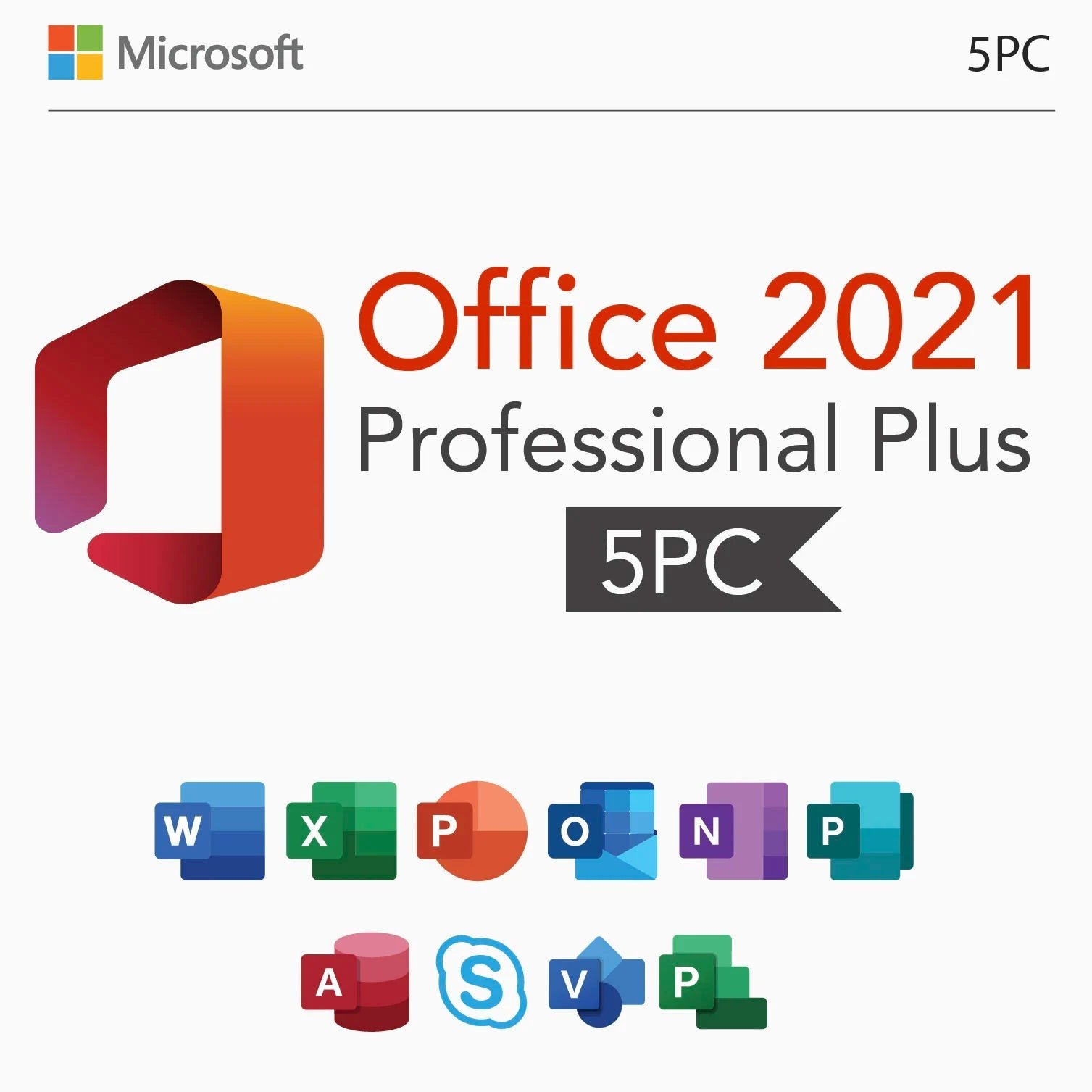
Microsoft Office 2021 Professional Plus – License Key for 5 PCs
$82.00Original price was: $82.00.$52.49Current price is: $52.49.
-36%
Genuine Microsoft Office 2021 Pro Plus license for 5 Windows PCs in one order: Word, Excel, PowerPoint, Outlook, OneNote, Access and Publisher on every machine. Emailed within minutes, 30-day money-back guarantee.
This is a genuine Microsoft Office 2021 Pro Plus license covering five Windows PCs under a single order, the practical way to put the full seven-application suite, including Access and Publisher, on every desk in a small office, every computer in a family, or a batch of machines a system builder is preparing. Each of the five installations gets the complete Office Professional Plus 2021 with nothing shared or reduced.
License details
Edition and version: Office LTSC Professional Plus 2021 with Word, Excel, PowerPoint, Outlook, OneNote, Access and Publisher
Platform: Windows 11 or Windows 10, 32-bit or 64-bit installer, Windows only; digital delivery, nothing shipped
Coverage: 5 PCs (five activations under one order; the computers do not need to be identical or on the same network)
License term: perpetual on every PC, one-time purchase, no subscription; Microsoft mainstream support for Office LTSC 2021 runs until October 13, 2026 and the software keeps working afterwards
Activation: online on each PC from File, Account, Change Product Key; phone activation help from our team if Microsoft requests it
Delivered: product key details for the five activations, the official Microsoft download link and a step-by-step guide, also saved under My Account
Language: multilanguage, chosen per PC during installation
Support by a person 7 days a week; 30-day money-back guarantee on the order
Order once, receive the email within minutes, and start installing the same day; you do not need to activate all five machines at once. Nothing ships and nothing renews. If an activation cannot be completed and our team cannot fix it, our 30-day money-back guarantee provides a replacement or a refund. The license type is shown in the Product Overview table on this page.
Product overview
Product
Microsoft Office 2021 Professional Plus – License Key for 5 PCs
Brand
Microsoft
Category
Microsoft Office, Office 2021
Platform
Windows PC
Covers
5 PCs
License term
One-time purchase, no subscription
Delivery
Digital, product key by email within minutes
You receive
Product key, official Microsoft download link, installation guide
Support
Free installation and activation help by email, 7 days a week
Guarantee
30-day money-back guarantee
SKU
SIS-O21PP-5PC
Microsoft Office 2021 Pro Plus for 5 PCs: one order for a small office
Licensing Office one computer at a time works for a single desk. When there are five desks, five family laptops or five refurbished machines waiting on a bench, a five-PC license is quicker to buy, easier to track and simpler to support. This listing covers five Windows PCs with Microsoft Office 2021 Pro Plus, the complete perpetual suite with Word, Excel, PowerPoint, Outlook, OneNote, Access and Publisher. One checkout, one delivery email, one entry under My Account, and every machine gets the full edition.
The buyers are predictable: small businesses and startups outfitting their first office, accounting and law practices with a few workstations, nonprofits and churches that need Publisher for bulletins on more than one PC, families who want the same Office on the kids' laptops and the home desktop, IT consultants rebuilding client machines, and system builders who ship several activated PCs a month. Because Office 2021 is the last generation with Publisher and still receives updates, it is also the edition many of these buyers deliberately standardize on.
Software in Store delivers the key details for all five activations, the official Microsoft download link and a short guide by email, usually within minutes of payment. The license type for this listing is shown in the Product Overview table on this page.
What every one of the five PCs receives
Word 2021 with co-authoring, Dark mode, Line Focus and the updated Editor.
Excel 2021 with XLOOKUP, XMATCH, dynamic arrays, LET and new chart types.
PowerPoint 2021 with Record Slide Show, improved Presenter View and stock media.
Outlook 2021, the classic desktop client with PST files, rules, shared calendars and Exchange, Outlook.com, Gmail and IMAP support.
OneNote for notebooks, synced through a Microsoft account or kept local.
Access 2021 for desktop databases with forms, reports, queries and VBA.
Publisher 2021 for newsletters, flyers, brochures and every existing .pub file.
The same LTSC build on all five machines, so menus, templates and macros behave identically across the office.
This is the same edition sold on our single-PC Office 2021 Professional Plus page, five times over. Nothing is trimmed for the multi-PC listing; each installation is a full Professional Plus.
A practical rollout plan for five machines
Buyers who license several PCs at once tend to follow the same routine, and it works well for Office 2021. Download the installer once from the official link and copy it to a USB stick or a shared folder, so the four remaining machines do not each pull several gigabytes. Remove any preinstalled Microsoft 365 trial from each PC before running the installer, since a trial left in place is the most common cause of an installation error. Install and activate one machine first, confirm Outlook connects and Publisher opens your templates, and then repeat on the rest. Keep a simple sheet listing each PC name, the date activated and how many of the five activations remain, so a replacement machine next year is a two-minute job rather than a search through old email. Five PCs can be installed and activated in an afternoon, and you do not need to finish them all on the same day; unused activations wait until you need them.
How the 5 PC license compares with the alternatives
The table lines this product up with the other ways to license Office across several Windows PCs from our store, and with the subscription route, so you can see quickly whether five seats of 2021 Pro Plus is the right shape.
Option
PCs covered
Publisher
Access
Support from Microsoft
Payment
This product: Office 2021 Pro Plus, 5 PCs
5
Yes
Yes
Mainstream support until October 13, 2026
One-time
Office 2021 Professional Plus, 1 PC
1
Yes
Yes
Mainstream support until October 13, 2026
One-time
Office 2024 Professional Plus, 1 PC (x5)
1 each
No
Yes
Until October 9, 2029
One-time per key
Office 2019 Professional Plus, 5 PCs
5
Yes
Yes
Ended October 14, 2025
One-time
Office 2016 Professional Plus, 5 PCs
5
Yes
Yes
Ended October 14, 2025
One-time
Microsoft 365 Business Standard, 5 users
5 users, 5 devices each
Yes (Windows)
Yes (Windows)
Continuous
Recurring per user
If the office needs the longest possible update window and nobody uses Publisher, five separate Office 2024 Professional Plus keys are the alternative. If budget is the deciding factor and the machines are older, the Office 2019 Professional Plus for 5 PCs listing costs less but no longer receives updates. For most small offices, Microsoft Office 2021 Pro Plus on five PCs is the balance between current support, the full application set and a single one-time payment.
System requirements for each PC
All five computers must meet the Office 2021 requirements individually. They are modest:
Operating system: Windows 11 or Windows 10 (64-bit recommended)
Processor: 1.6 GHz dual-core or faster, x64
Memory: 4 GB RAM
Storage: 4 GB of free disk space
Display: 1280 x 768 resolution or higher
Internet connection for download, activation and updates
Windows 11 recommended on every PC; Windows 10 support ended on October 14, 2025
No Microsoft account is required on any of the five machines
The five PCs can be a mix of desktops and laptops, different brands and different Windows versions. Each runs its own copy of the installer and activates independently.
Keeping five installations consistent
Once all five machines run the same Office build, a few habits keep them in step. Turn on automatic updates in File, Account, Update Options on each PC so security fixes arrive on the same schedule. Store shared templates, the company letterhead in Word, the invoice workbook in Excel, the newsletter layout in Publisher, in one shared folder or OneDrive location rather than on each desktop, so a change made once reaches everyone. If the office uses an Access database, keep the back-end file on a shared drive and give each PC its own front-end copy, which is the arrangement Access is designed for. Outlook signatures and rules can be exported from the first PC and imported on the others in a couple of minutes.
When a machine is retired, uninstall Office from it before it leaves the building so the seat can be reused according to the license type, and update your sheet. These small routines take an hour up front and save far more than that over the life of five computers, which for a perpetual license is measured in years.
Licensing explained
Microsoft Office 2021 Pro Plus is a perpetual license. Each of the five PCs keeps its Office for as long as the installation exists, with no renewal and no subscription. Microsoft provides security and quality updates for Office LTSC 2021 through its mainstream support period ending October 13, 2026; after that the applications continue to work as before, as earlier perpetual versions have. Files remain fully compatible with colleagues on Office 2024 and Microsoft 365.
Transfer rights follow the license type shown in the Product Overview table. Retail keys can be removed from one PC and activated on another. OEM keys stay with the first PC they activate. Volume (MAK) licenses carry a set number of activations and are intended for organizations; with a volume type, the five activations are exactly that, so plan replacements accordingly. If your machines will be swapped on a rolling basis, check the type before ordering or ask us; our FAQ page covers the rules for each type.
Why buy the 5 PC Office 2021 Pro Plus license from Software in Store
Software in Store is an independent US reseller operated by MAKERS UNITY LLC in Sheridan, Wyoming, and not affiliated with or endorsed by Microsoft. Multi-PC orders are where a dependable seller matters most, because a bad key wastes five setups instead of one.
Genuine licensing that activates against Microsoft's servers and updates through Microsoft Update on all five PCs.
Delivery by email within minutes of payment, seven days a week; details also stored under My Account.
The official Microsoft download link, so one clean installer serves all five machines.
A person answers support@softwareinstore.com every day of the week, including phone activation with Installation and Confirmation IDs.
30-day money-back guarantee: an activation that cannot be completed and cannot be fixed is replaced or refunded.
Card, Apple Pay and Google Pay through an encrypted, PCI-compliant checkout.
You get the same person on support for the whole rollout, so you are not explaining the order five separate times. Our Why Trust Us page explains how we source keys and honor the guarantee.
Add the 5 PC Microsoft Office 2021 Pro Plus license to your cart, pay securely, and the delivery email lands within minutes. Install the first machine this afternoon and the rest whenever suits you. Our How It Works page describes the process from payment to activation, and the FAQs answer questions about reinstalling, moving a seat to a replacement PC and updates. One order, five machines, seven applications each.
Download and install
Within minutes of payment you receive an email with the product key details for your five Office 2021 Pro Plus activations, the official Microsoft download link and a short guide. Everything is also stored under My Account, which is handy when the fifth PC arrives months later.
Download the Office LTSC Professional Plus 2021 installer once from the link in your email and copy it to a USB drive or shared folder.
On each PC, uninstall any Microsoft 365 trial or older Office from Settings, Apps, Installed apps, and restart.
Run the installer on the PC and wait for Word, Excel, PowerPoint, Outlook, OneNote, Access and Publisher to finish.
Open Word, click File, then Account, then Change Product Key, enter the key from your email and click Activate Office.
Confirm Product Activated on the Account page, then choose Update Options, Update Now.
Note the PC name and activation date on your license sheet, then repeat steps 2 to 5 on the remaining machines at your own pace.
If any machine offers telephone activation instead of online activation, email us its Installation ID and we reply with the Confirmation ID. A person answers support@softwareinstore.com seven days a week, and the same contact supports all five installations.
Frequently asked questions
Do I get one key for five PCs or five separate keys?
The order covers five activations of Microsoft Office 2021 Pro Plus, and the delivery email explains exactly how they are issued for this listing, either as a single key with five activations or as individual keys, along with the download link and a guide. Either way, each PC is installed from the same official installer and activated separately in File, Account, Change Product Key. The details are also stored under My Account so you can retrieve them when a later machine is ready.
Do all five PCs have to be activated at the same time or on the same network?
No. The five computers can be anywhere, on any network, and activated whenever you get to them. Many buyers set up two or three machines on the first day and keep the remaining activations for laptops that arrive later or for a replacement PC. The machines do not need to be the same brand or run the same Windows version, as long as each meets the Office 2021 requirements. Keep a simple record of which PCs have been activated.
Does Microsoft Office 2021 Pro Plus on five PCs include Publisher and Access?
Yes, on every one of the five machines. Professional Plus 2021 is the seven-application edition: Word, Excel, PowerPoint, Outlook, OneNote, Access and Publisher. It is the last Professional Plus generation to include Publisher, since Microsoft retired that application with Office 2024. For an office that produces newsletters or maintains an Access database on several desks, this is the reason to choose 2021 over the newer release.
How is this different from Microsoft 365 Business Standard for five users?
Microsoft 365 is billed per user every month or year, and the applications stop editing files if payment stops. This license is a one-time purchase: five PCs, perpetual, no renewal. Microsoft 365 adds continuous feature updates, cloud storage and installation on several devices per user. If your office prefers a fixed cost and the same desktop suite on each machine for years, the perpetual 5 PC license is usually the more economical route.
Can I move one of the five installations to a new computer later?
That depends on the license type stated in the Product Overview table on this page. Retail licensing can be removed from an old PC and activated on its replacement. OEM licensing stays with the first PC. Volume (MAK) licensing has a fixed activation count, so a replacement consumes one of the remaining activations. If your hardware turns over frequently, check the table before ordering or email us and we will confirm which type applies.
What if one of the five activations fails?
Email support@softwareinstore.com with a screenshot of the error, the PC in question and, if shown, the Installation ID from the telephone activation screen. A person answers seven days a week and usually resolves it the same day. If an activation cannot be completed and we cannot fix it, our 30-day money-back guarantee provides a replacement or a refund. The other four installations are unaffected and remain activated throughout.
7 reviews for Microsoft Office 2021 Professional Plus – License Key for 5 PCs
Rated 5 out of 5
Jonathan Gray –
Amazing value for 5 PCs! Activated easily and runs very smoothly.
Rated 5 out of 5
Kayla Brooks –
Installed easily and integrated perfectly with my existing Office suite.
Rated 5 out of 5
Matthew Lewis –
All 5 keys activated successfully, no errors at all. Delivered within seconds and the support team was very helpful when I had a question. Excellent service!
Rated 5 out of 5
Nicole Bennett –
All 5 activations went through smoothly. Delivery was immediate and customer support answered my questions fast. Very happy with the purchase!
Rated 5 out of 5
Rebecca Parker –
All 5 licenses activated perfectly on different computers. Delivery was instant by email, and the support was friendly and quick to respond. Great value and service!
Rated 5 out of 5
Ethan Howard –
Fantastic value! I installed Office 2021 on multiple PCs with no issues at all. All keys activated successfully. The seller is reliable and responds quickly. Highly recommended for families or small businesses.
Rated 5 out of 5
Ian Foster –
Amazing deal for multiple computers! I installed Office 2021 on all five PCs with zero activation issues. Great for small businesses. Very reliable seller and fast support.



Jonathan Gray –
Amazing value for 5 PCs! Activated easily and runs very smoothly.
Kayla Brooks –
Installed easily and integrated perfectly with my existing Office suite.
Matthew Lewis –
All 5 keys activated successfully, no errors at all. Delivered within seconds and the support team was very helpful when I had a question. Excellent service!
Nicole Bennett –
All 5 activations went through smoothly. Delivery was immediate and customer support answered my questions fast. Very happy with the purchase!
Rebecca Parker –
All 5 licenses activated perfectly on different computers. Delivery was instant by email, and the support was friendly and quick to respond. Great value and service!
Ethan Howard –
Fantastic value! I installed Office 2021 on multiple PCs with no issues at all. All keys activated successfully. The seller is reliable and responds quickly. Highly recommended for families or small businesses.
Ian Foster –
Amazing deal for multiple computers! I installed Office 2021 on all five PCs with zero activation issues. Great for small businesses. Very reliable seller and fast support.