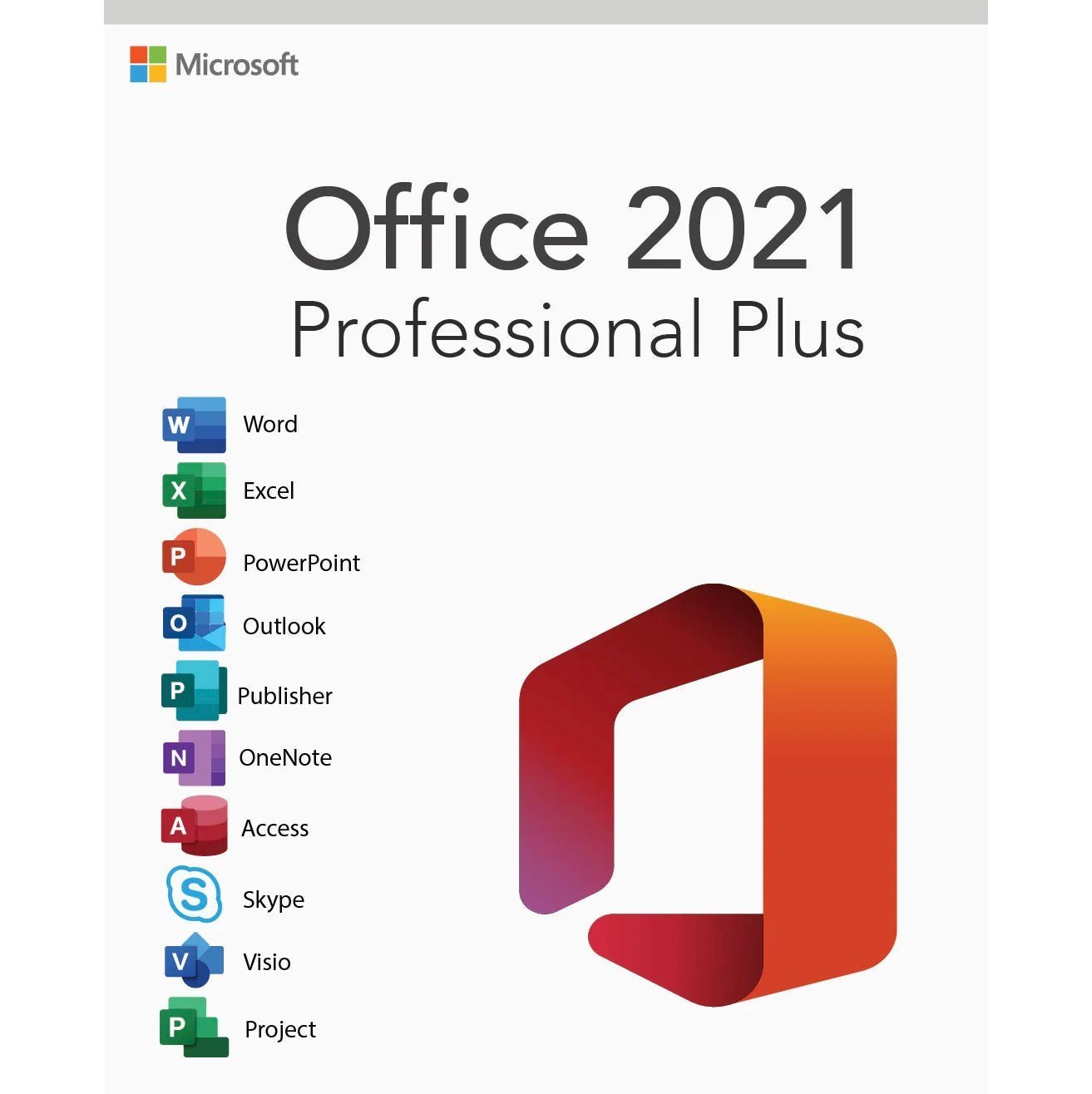
Microsoft Office 2021 Professional Plus – Lifetime License Key for 1 PC
$46.00Original price was: $46.00.$20.99Current price is: $20.99.
-54%
Genuine Microsoft Office Professional Plus 2021 license key for 1 Windows PC with Word, Excel, PowerPoint, Outlook, OneNote, Access and Publisher. Emailed within minutes, 30-day money-back guarantee.
This listing is a genuine Microsoft Office Professional Plus 2021 license key for one Windows PC, the seven-application edition that still includes Publisher alongside Word, Excel, PowerPoint, Outlook, OneNote and Access. It is bought by small businesses, churches, clubs and home users who produce newsletters and print layouts, by anyone standardizing on the 2021 release to match an office or a client, and by buyers who want the full desktop suite with a familiar interface for a single payment.
License details
Edition and version: Office LTSC Professional Plus 2021 with Word, Excel, PowerPoint, Outlook, OneNote, Access and Publisher
Platform: Windows 11 or Windows 10, 32-bit or 64-bit installer, Windows only; digital key, nothing shipped
Covers 1 PC; one activation per key
License term: perpetual, one-time purchase, no subscription; Microsoft mainstream support for Office LTSC 2021 runs until October 13, 2026, and the applications keep working after that date
Activation: online with the 25-character key from File, Account, Change Product Key; phone activation help from our team if Microsoft requests it
Delivered: product key, official Microsoft download link and a short installation guide, also saved under My Account
Language: multilanguage, choose the display language during installation
Support by a person 7 days a week; 30-day money-back guarantee
Order now and the key arrives by email within minutes, any day of the week, ready to install today. There is no shipping and no renewal. If the key cannot be activated and our support team cannot fix it, our 30-day money-back guarantee gives you a replacement key or a full refund. The license type is shown in the Product Overview table on this page.
Product overview
Product
Microsoft Office 2021 Professional Plus – Lifetime License Key for 1 PC
Brand
Microsoft
Category
Microsoft Office, Office 2021
Platform
Windows PC
Covers
1 PC
License term
One-time purchase, no subscription
Delivery
Digital, product key by email within minutes
You receive
Product key, official Microsoft download link, installation guide
Support
Free installation and activation help by email, 7 days a week
Guarantee
30-day money-back guarantee
SKU
SIS-O21PP-1PC
Microsoft Office Professional Plus 2021 license key: seven applications, including Publisher, for one PC
Microsoft Office Professional Plus 2021 is the complete perpetual Office suite from the 2021 generation, and it holds a distinction no newer edition can claim: it is the last Professional Plus release that includes Publisher. Alongside Publisher you get Word, Excel, PowerPoint, Outlook, OneNote and Access, seven desktop applications licensed for one Windows PC with a single payment. No subscription, no yearly renewal, no account that must stay signed in.
Buyers come to this edition for a few clear reasons. Some produce newsletters, flyers, menus, certificates or church bulletins in Publisher and have years of .pub files that they are not ready to abandon. Some work alongside a company or a client that standardized on Office 2021 and want identical behavior. Some prefer the 2021 interface, which keeps the classic look before the rounded 2024 redesign. And many simply want the full suite, including Access for databases, at a lower one-time cost than the newest release while it remains a current, supported product.
From Software in Store you receive the genuine 25-character key, the official Microsoft download link and a short guide by email, usually within minutes of payment. The license type for this listing is shown in the Product Overview table on this page.
What is included
Word 2021: co-authoring on OneDrive files, Dark mode, Line Focus, improved Editor and a modern Draw tab.
Excel 2021: XLOOKUP and XMATCH, dynamic arrays, LET function, new chart types and faster calculation on large workbooks.
PowerPoint 2021: Record Slide Show with ink and narration, better Presenter View, Sketched shape outlines and stock media.
Outlook 2021: the classic desktop client with PST support, faster search, Translator and Read Aloud.
OneNote: notebooks synced through a Microsoft account, or kept local.
Access 2021: desktop relational database with forms, reports, queries, VBA and the modern Date/Time Extended data type.
Publisher 2021: page layout for print and PDF, templates for newsletters, brochures and postcards, and full support for existing .pub files.
Fixed feature set from the LTSC channel: security and quality updates, no unexpected interface changes.
Teams is not part of the perpetual 2021 suite, though the free Teams app can be installed separately. Everything listed above is present in the download and is the same build deployed by organizations that chose Office LTSC 2021.
Office 2021 Professional Plus versus 2024 and 2019
The three most recent Professional Plus releases are close relatives. The table shows what changed, so you can decide whether 2021 is the right generation for you.
Professional Plus 2021 (this product)
Professional Plus 2024
Professional Plus 2019
Word, Excel, PowerPoint, Outlook, OneNote, Access
Yes
Yes
Yes
Publisher
Yes
No (retired in 2024)
Yes
XLOOKUP and dynamic arrays in Excel
Yes
Yes
No
LAMBDA, TEXTSPLIT, IMAGE functions
No
Yes
No
Interface
Classic 2021 look with Dark mode
Rounded 2024 redesign
2019 look
Supported Windows
Windows 10 and 11
Windows 10 and 11
Windows 10 and 11
Microsoft support
Mainstream support until October 13, 2026
Until October 9, 2029
Ended October 14, 2025
Activation
Key in File, Account
Key in File, Account
Key in File, Account
If you do not need Publisher and want the longest support runway, the Office 2024 Professional Plus key is the natural step up. If you need Publisher, Microsoft Office Professional Plus 2021 is the newest edition that has it, and it is a better choice than 2019, which no longer receives updates. For several PCs, the Office 2021 Professional Plus for 5 PCs listing covers a small office in one order.
System requirements
Office 2021 runs on the same hardware as its 2024 successor, and on any Windows 10 or Windows 11 PC that is in reasonable working order:
Operating system: Windows 11 or Windows 10 (64-bit recommended)
Processor: 1.6 GHz dual-core or faster, x64
Memory: 4 GB RAM
Storage: 4 GB of free disk space
Display: 1280 x 768 resolution or higher
Internet connection for download, activation and updates
Windows 11 recommended; Windows 10 is supported by Office 2021 but Windows 10 itself stopped receiving security updates on October 14, 2025
No Microsoft account is required to install or activate this edition
Office LTSC 2021 cannot share a PC with a Microsoft 365 installation or with Office 2024 components from a different channel, so remove any trial suite first. Visio 2021 and Project 2021 install alongside it without conflict. If you keep an older version for a specific add-in, run it in a virtual machine rather than side by side, because two perpetual Office generations on one Windows installation is not a supported configuration.
Who still chooses the 2021 release, and why
Three groups keep Office 2021 Professional Plus in demand even with a newer version available. The first is the Publisher user: small organizations that print a monthly newsletter, real estate agents who produce property flyers, schools that issue certificates, and community groups with a decade of .pub templates. None of that work moves to Office 2024 without rebuilding it in another tool, and Publisher 2021 handles it unchanged. The second group is anyone matching an existing environment: a company that rolled out Office LTSC 2021 across its desktops, a client who sends 2021-era files with macros tested against that version, or a household where the other PC already runs 2021 and the owner wants identical menus on both.
The third group is the value buyer who wants Access and the full desktop suite, does not need the 2024 functions such as LAMBDA or TEXTSPLIT, and prefers to spend less on a version that is still receiving updates today. For all three, the 2021 release is a deliberate choice rather than a compromise, and it remains fully compatible with documents created in Office 2024 and Microsoft 365.
Licensing explained, including what the 2026 support date means
A Microsoft Office Professional Plus 2021 key is a perpetual license: you pay once and your right to use the seven applications does not expire. Microsoft's mainstream support for Office LTSC 2021 runs until October 13, 2026. Until then the suite receives security and quality updates through Microsoft Update. After that date the applications continue to open, edit and save files exactly as before; what ends is the flow of updates, the same way Office 2016 and 2019 kept working after their dates passed. Buyers who plan to use the suite for several years and want the longest update window should compare the 2024 release; buyers who need Publisher, or who want to match an existing 2021 deployment, will find 2021 remains the right tool.
One key covers one Windows PC. Whether it can move to another computer depends on the license type shown in the Product Overview table. Retail keys can be removed from the old PC and activated on a new one. OEM keys stay with the first PC they activate. Volume keys carry a limited number of activations and are meant for organizations. Check the table before ordering if you expect to change hardware, or email us and we will confirm.
Activation happens inside any of the applications: File, then Account, then Change Product Key, then the 25 characters. If the Microsoft servers ask for telephone activation, our team exchanges the Installation ID and Confirmation ID with you by email.
Why buy this key from Software in Store
Software in Store is an independent US reseller of genuine Microsoft product keys, operated by MAKERS UNITY LLC in Sheridan, Wyoming. We are not affiliated with or endorsed by Microsoft. Our job is to deliver a working key fast and to be reachable afterwards.
Genuine keys that activate against Microsoft's servers and update through Microsoft Update.
Email delivery within minutes of payment, seven days a week, with the key also saved under My Account.
The official Microsoft download link for clean Office LTSC 2021 media.
A person answers support@softwareinstore.com every day of the week and handles phone activation when needed.
30-day money-back guarantee: a key that cannot be activated and cannot be fixed is replaced or refunded in full.
Card, Apple Pay and Google Pay through an encrypted, PCI-compliant checkout.
Older Office releases are where marketplace keys are most often recycled or blocked. Buying from a company with a physical address, a support inbox and a written guarantee removes that risk. Our Why Trust Us page explains our sourcing and how the guarantee works in practice.
Order Microsoft Office Professional Plus 2021 today
Add the key to your cart, pay securely, and your genuine key, the official download link and a short guide arrive within minutes. Install the seven applications, activate in File, Account, and get back to work, with Publisher still on the ribbon. Our How It Works page covers the process from checkout to activation, and the FAQs answer questions about updates, reinstalling and transfer. One payment, one PC, seven applications.
Download and install
Within minutes of payment you receive an email with your 25-character Microsoft Office Professional Plus 2021 product key, the official Microsoft download link and a short guide. The same details are stored under My Account.
Uninstall any Microsoft 365 trial or other Office version from Settings, Apps, Installed apps, then restart the PC.
Open the download link in your email and save the Office LTSC Professional Plus 2021 installer (64-bit unless you need 32-bit for an old add-in).
Run the installer and wait for Word, Excel, PowerPoint, Outlook, OneNote, Access and Publisher to finish installing.
Open Word or Publisher, click File, then Account, then Change Product Key.
Enter the 25-character key and click Activate Office. Online activation takes a few seconds.
Confirm the Account page shows Product Activated, then choose Update Options, Update Now to install the latest security fixes.
Add your email account in Outlook and copy any templates or .pub files from your previous installation.
If Office offers telephone activation instead, email us the Installation ID shown on the screen and we send back the Confirmation ID. A person answers support@softwareinstore.com seven days a week.
Frequently asked questions
Does Microsoft Office Professional Plus 2021 include Publisher?
Yes. Professional Plus 2021 contains Word, Excel, PowerPoint, Outlook, OneNote, Access and Publisher. It is the final Professional Plus release to include Publisher, because Microsoft retired the application with the 2024 generation. If you produce newsletters, flyers, brochures or certificates, or hold an archive of .pub files, this edition keeps that workflow intact. Buyers who never use Publisher and want the longest support window can consider the 2024 release instead.
Office 2021 support ends in October 2026. Should I still buy it?
Mainstream support for Office LTSC 2021 runs until October 13, 2026, so the suite currently receives security and quality updates. After that date the applications keep working normally; they simply stop receiving updates, as Office 2016 and 2019 did. If Publisher or matching an existing 2021 deployment matters to you, it remains the right choice. If you want updates through 2029 and do not need Publisher, Microsoft Office Professional Plus 2024 is the alternative.
Can I install this on a Mac or on two Windows PCs?
No. Microsoft Office Professional Plus 2021 is a Windows-only edition, and one key activates one PC. Mac users should look at Office 2021 Home and Business for Mac, which redeems through a Microsoft account. For several Windows computers, our Office 2021 Professional Plus for 5 PCs listing covers five machines in one order. A second activation attempt with a single-PC key is refused by Microsoft's servers.
What is the difference between this and Office 2021 Home and Business?
Home and Business 2021 contains Word, Excel, PowerPoint, Outlook and OneNote, runs on PC or Mac, and is redeemed with a Microsoft account. Professional Plus 2021 adds Access and Publisher, is Windows only, and activates with a key typed into the application, no account needed. If you need a database or page layout tool, or prefer not to tie the license to a Microsoft account, Professional Plus is the edition to choose.
Is this a one-time purchase or a subscription?
A one-time purchase with a perpetual license. You pay once and the seven applications remain yours to use with no renewal. Microsoft 365, by contrast, is billed yearly or monthly and stops editing files when the subscription lapses. Office 2021 does not receive new features, but it does receive security updates during its support period and keeps working afterwards. Many buyers choose it precisely because the cost is fixed and known up front.
What happens if my key will not activate?
Check that all 25 characters were entered correctly and that no other Office or Microsoft 365 installation remains on the PC. If activation still fails, email support@softwareinstore.com with a screenshot and, if offered, the Installation ID from the phone activation screen. A person answers seven days a week and most cases close the same day. If a key cannot be activated and we cannot fix it, our 30-day money-back guarantee provides a replacement key or a full refund.
16 reviews for Microsoft Office 2021 Professional Plus – Lifetime License Key for 1 PC
Rated 5 out of 5
Amanda Wilson –
Office 2021 installed fast. Everything works as expected. The lifetime license is worth it.
Rated 4 out of 5
Ryan Harris –
Office 2021 works flawlessly. I purchased it from softwareinstore, and the process was smooth.
Rated 5 out of 5
Victoria Rodriguez –
Office 2021 installation was a breeze. Works perfectly for daily tasks.
Rated 5 out of 5
Melissa King –
Office 2021 is stable and reliable. All applications open perfectly.
Rated 5 out of 5
Laura Turner –
Office 2021 from softwareinstore works flawlessly. Happy with my purchase.
Rated 5 out of 5
Dylan Simmons –
Office 2021 installed flawlessly. All programs including Word, Excel, and PowerPoint work without any issues. Loving the lifetime license—no need to worry about renewals.
Rated 5 out of 5
Austin Simmons –
Fantastic deal! Installation and activation were quick, and the software works flawlessly. Really appreciate the 24/7 support offered.
Rated 5 out of 5
Fiona Parker –
Office installed and activated without any issues. Excellent price and the customer service team was very helpful.
Rated 5 out of 5
Jade Richardson –
Flawless installation and activation. Office 2021 is fast and stable, and the key worked on first try.
Rated 5 out of 5
Riley Jenkins –
Office works well, but setup took me a bit longer than expected.
Rated 3 out of 5
Andrew Foster –
Excellent value. Everything activated instantly and works perfectly on my computer.
Rated 5 out of 5
Caleb Foster –
nstalled quickly and works perfectly. All features are available and activation was smooth. Excellent value for a lifetime license.
Rated 5 out of 5
Angela Bailey –
Office 2021 Pro Plus installed perfectly and activated right away. All apps work great—Word, Excel, Outlook, everything. Excellent communication from support!
Rated 5 out of 5
Emily Gray –
Flawless activation and super quick delivery. Office 2021 Pro Plus works perfectly on my Windows PC. Great experience from start to finish — definitely buying again!
Rated 5 out of 5
Anna Bennett –
Amazing deal! I received the key immediately and activated Office 2021 Pro Plus without any problems. All apps run smoothly and the seller provided excellent support when I had a small question.
Rated 5 out of 5
Gavin Brooks –
ery impressed! The activation was immediate, and the installation instructions were clear and easy. Office 2021 Pro Plus works beautifully. Excellent customer support as well.


Amanda Wilson –
Office 2021 installed fast. Everything works as expected. The lifetime license is worth it.
Ryan Harris –
Office 2021 works flawlessly. I purchased it from softwareinstore, and the process was smooth.
Victoria Rodriguez –
Office 2021 installation was a breeze. Works perfectly for daily tasks.
Melissa King –
Office 2021 is stable and reliable. All applications open perfectly.
Laura Turner –
Office 2021 from softwareinstore works flawlessly. Happy with my purchase.
Dylan Simmons –
Office 2021 installed flawlessly. All programs including Word, Excel, and PowerPoint work without any issues. Loving the lifetime license—no need to worry about renewals.
Austin Simmons –
Fantastic deal! Installation and activation were quick, and the software works flawlessly. Really appreciate the 24/7 support offered.
Fiona Parker –
Office installed and activated without any issues. Excellent price and the customer service team was very helpful.
Jade Richardson –
Flawless installation and activation. Office 2021 is fast and stable, and the key worked on first try.
Riley Jenkins –
Office works well, but setup took me a bit longer than expected.
Andrew Foster –
Excellent value. Everything activated instantly and works perfectly on my computer.
Caleb Foster –
nstalled quickly and works perfectly. All features are available and activation was smooth. Excellent value for a lifetime license.
Angela Bailey –
Office 2021 Pro Plus installed perfectly and activated right away. All apps work great—Word, Excel, Outlook, everything. Excellent communication from support!
Emily Gray –
Flawless activation and super quick delivery. Office 2021 Pro Plus works perfectly on my Windows PC. Great experience from start to finish — definitely buying again!
Anna Bennett –
Amazing deal! I received the key immediately and activated Office 2021 Pro Plus without any problems. All apps run smoothly and the seller provided excellent support when I had a small question.
Gavin Brooks –
ery impressed! The activation was immediate, and the installation instructions were clear and easy. Office 2021 Pro Plus works beautifully. Excellent customer support as well.