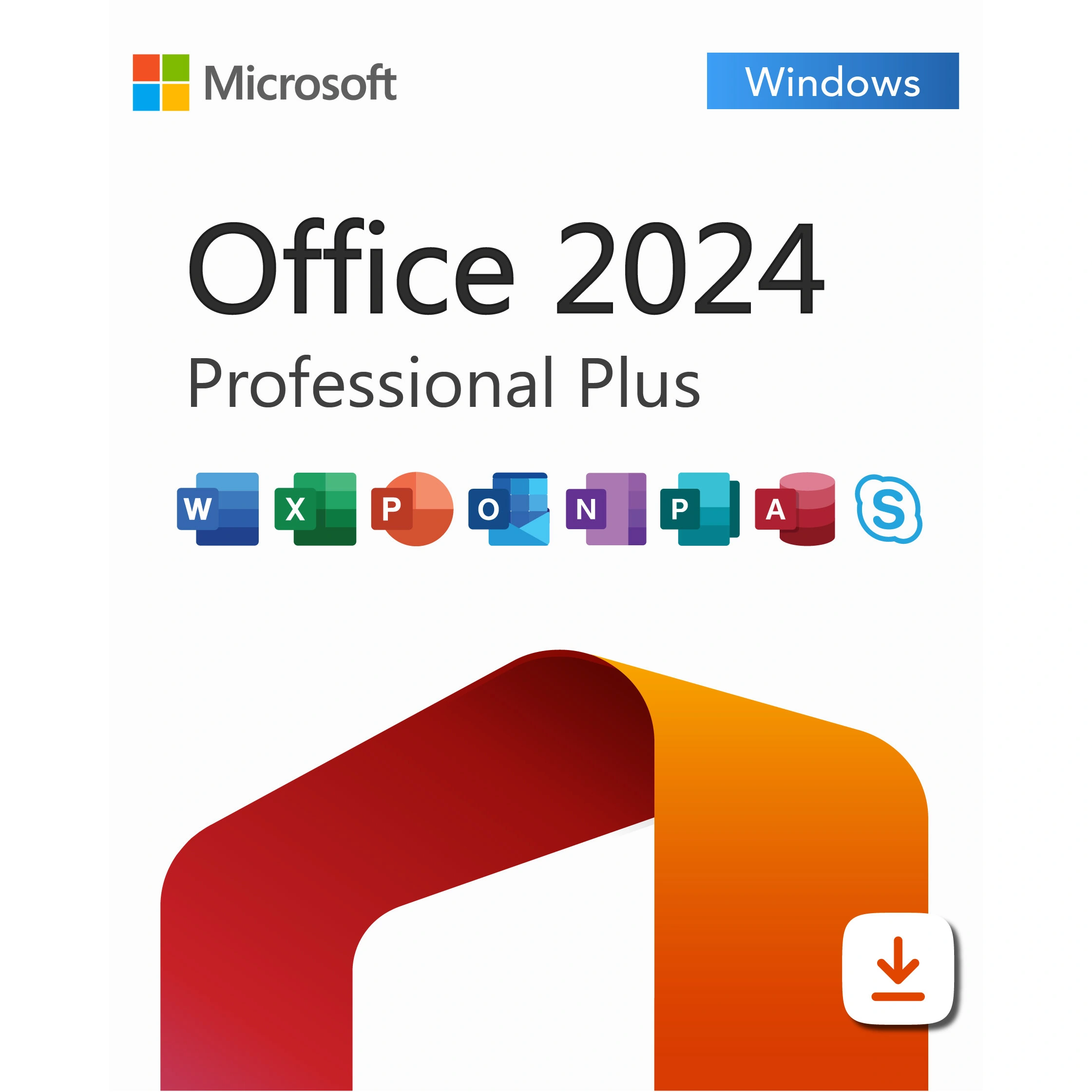
Microsoft Office 2024 Professional Plus – Lifetime License Key for 1 PC
$58.00Original price was: $58.00.$22.49Current price is: $22.49.
-61%
Genuine Microsoft Office 2024 Professional Plus license key for 1 Windows PC with Word, Excel, PowerPoint, Outlook, OneNote and Access. One-time purchase. Key and official Microsoft download link by email within minutes, 30-day money-back guarantee.
This listing is a genuine Microsoft Office 2024 Professional Plus license key for one Windows PC, the fullest perpetual edition of Office that Microsoft currently publishes. It is made for professionals, small business owners, accountants, analysts and power users who want the complete desktop suite, including Access for databases, without paying for a Microsoft 365 subscription year after year.
License details
Edition and version: Office LTSC Professional Plus 2024 with Word, Excel, PowerPoint, Outlook, OneNote and Access (Publisher is not part of the 2024 release)
Platform: Windows 11 or Windows 10, 32-bit or 64-bit installer, Windows only; digital key, nothing shipped
Covers 1 PC; one activation per key
License term: perpetual, one-time purchase, no subscription; security updates from Microsoft until October 9, 2029
Activation: online with the 25-character key from File, Account, Change Product Key; phone activation help from our team if Microsoft asks for it
Delivered: product key, official Microsoft download link and a step-by-step installation guide, also stored under My Account
Language: multilanguage, choose your display language during installation
Support by a person 7 days a week and a 30-day money-back guarantee
Pay once, receive the email within minutes, and install the same afternoon. There is no shipping, no waiting for a box and no recurring charge. If the key cannot be activated and our support team cannot fix it, our 30-day money-back guarantee gives you a replacement key or a full refund. The license type is shown in the Product Overview table on this page.
Product overview
Product
Microsoft Office 2024 Professional Plus – Lifetime License Key for 1 PC
Brand
Microsoft
Category
Microsoft Office, Office 2024
Platform
Windows PC
Covers
1 PC
License term
One-time purchase, no subscription
Delivery
Digital, product key by email within minutes
You receive
Product key, official Microsoft download link, installation guide
Support
Free installation and activation help by email, 7 days a week
Guarantee
30-day money-back guarantee
SKU
SIS-O24PP-1PC
Microsoft Office 2024 Professional Plus license key for one Windows PC
Microsoft Office 2024 Professional Plus is the top perpetual edition of the Office desktop suite. It gives one Windows PC the six applications most offices rely on, Word, Excel, PowerPoint, Outlook, OneNote and Access, for a single payment. There is no monthly or yearly fee, no account that lapses if a card expires, and no forced move to a new version. You install it, activate it and use it for as long as the PC lasts. Microsoft has committed to security updates for this release until October 9, 2029, which gives buyers a clear planning horizon of several years.
Who buys it? Freelancers and consultants who bill by the hour and want their tools to stay put. Bookkeepers and analysts who live in Excel and need the full desktop feature set, not the browser version. Small companies that prefer a one-time software cost they can expense once. Anyone who maintains an Access database, because Access is only in the Professional Plus edition, not in Standard, Home and Business or Home and Student. And many home users who simply want the whole suite on one PC without being nudged toward a subscription.
When you order this Microsoft Office 2024 Professional Plus key from Software in Store you receive the genuine 25-character key, the official Microsoft download link and a short guide by email, usually within minutes of payment. The license type for this product is shown in the Product Overview table on this page.
What is included in Office 2024 Professional Plus
Word 2024: long-document tools, tracked changes, Focus mode, modern comments and improved accessibility checker.
Excel 2024: dynamic array functions, XLOOKUP, LET and LAMBDA, IMAGE and TEXTSPLIT functions, Power Query and PivotTable improvements.
PowerPoint 2024: Cameo, Recording Studio, subtitles, Designer suggestions and better video export.
Outlook 2024 (classic desktop client): local PST support, shared calendars, rules and search folders, connected to Exchange, Outlook.com, Gmail and IMAP accounts.
OneNote: free-form notebooks that sync across your devices with a Microsoft account.
Access 2024: desktop relational database with forms, reports, queries and VBA, the reason many businesses choose Pro Plus.
Dark mode across the suite, updated default theme, larger default font and spacing in Word, and a refreshed ribbon.
Works with OneDrive and SharePoint for file storage, but does not require them; files can stay entirely on the PC.
Two facts are worth knowing before you buy. First, Publisher is not included in any Office 2024 edition; Microsoft retired it with the 2024 release, so anyone who depends on Publisher should look at Office 2021 Professional Plus instead. Second, Teams is not bundled with the perpetual 2024 suite; the free Teams app can be installed separately if you need it. Everything else in the list above is present and identical to the perpetual build large organizations deploy.
Office 2024 Professional Plus compared with the other 2024 editions
Microsoft sells the 2024 desktop suite in three perpetual flavors. The table shows where Professional Plus sits and helps you decide whether the full suite is what you need or whether a smaller edition covers your work.
Feature
Professional Plus 2024 (this product)
Standard LTSC 2024
Home and Business 2024
Word, Excel, PowerPoint, OneNote
Yes
Yes
Yes
Outlook (classic desktop)
Yes
Yes
Yes
Access database
Yes
No
No
Platform
Windows 10 and 11
Windows 10 and 11
Windows or macOS
Activation method
Product key in File, Account
Product key in File, Account
Redeem key with a Microsoft account
Devices per license
1 PC
1 PC
1 PC or 1 Mac
Support end
October 9, 2029
October 9, 2029
October 9, 2029
Best for
Power users, databases, small business
Offices that never use Access
Home and Mac users
If you never open Access and want a slightly leaner install, the Office 2024 Standard LTSC key covers the five core applications. If you or someone in the household works on a Mac, the Office 2024 Home and Business for PC or Mac license is the one to choose. For a Windows PC where you want every application Microsoft still ships in the perpetual suite, Microsoft Office 2024 Professional Plus is the answer.
System requirements
Office 2024 is a modern 64-bit application suite, but its hardware needs are modest. Any PC sold in the last several years will run it comfortably. Microsoft lists the following minimums:
Operating system: Windows 11 or Windows 10 (64-bit recommended)
Processor: 1.6 GHz dual-core or faster, x64
Memory: 4 GB RAM
Storage: 4 GB of free disk space
Display: 1280 x 768 resolution or higher
Internet connection for download, activation and updates
Windows 10 must be a version that still receives updates; Windows 11 is recommended because Windows 10 support ended on October 14, 2025
A Microsoft account is optional for this edition; it is only needed if you want OneDrive sync or OneNote roaming
Office 2024 Professional Plus installs alongside standalone Visio 2024 and Project 2024 without conflict, but it cannot coexist on the same PC with a Microsoft 365 installation from a different update channel. If a trial of Microsoft 365 came with your PC, remove it first and the installer will run cleanly.
Licensing explained: perpetual, one PC, no subscription
A Microsoft Office 2024 Professional Plus key is a perpetual license. You pay once and the right to use the software does not expire. That is the fundamental difference from Microsoft 365, where the applications stop working in read-only mode once a subscription lapses. Perpetual Office does not receive new feature drops, but it does receive monthly security and quality fixes through Microsoft Update until October 9, 2029, and it keeps running after that date. Many buyers plan to use the suite for six or seven years, which makes the one-time price very hard to beat.
One key covers one Windows PC. It is not a five-device or household license, and it does not cover a Mac. Whether the key can later move to a replacement PC depends on the license type. Retail keys can be uninstalled from the old computer and activated on a new one. OEM keys stay with the first PC they activate. Volume keys carry a limited number of activations and are intended for organizations. The type for this listing is stated in the Product Overview table above the description, so you know exactly what you are buying before checkout. If you expect to replace the PC within a couple of years, check the type first or ask us and we will confirm it.
Activation is done inside any Office application: open File, then Account, then Change Product Key, and type the 25 characters. The suite activates online in a few seconds. If Microsoft's servers ask for phone activation instead, our team handles the Installation ID and Confirmation ID exchange with you by email.
Why buy your Office 2024 Professional Plus key from Software in Store
Software in Store is an independent US reseller operated by MAKERS UNITY LLC in Sheridan, Wyoming. We sell genuine Microsoft product keys and nothing else, so our process is built around one thing: getting a working key to you quickly and standing behind it. We are not affiliated with or endorsed by Microsoft, and we say so plainly.
Genuine keys that activate against Microsoft's servers and receive updates through Microsoft Update.
Delivery by email within minutes of payment, seven days a week; the key is also saved under My Account.
The official Microsoft download link, so you install clean media straight from Microsoft, never a modified installer.
A person answers support@softwareinstore.com every day of the week and walks you through phone activation if needed.
30-day money-back guarantee: if a key cannot be activated and we cannot fix it, you get a replacement or a full refund.
Card, Apple Pay and Google Pay through an encrypted, PCI-compliant checkout; we never see your card number.
Key marketplaces often mix sellers of unknown origin with no support after the sale. The Microsoft Store sells the same edition at list price with no one to email when activation stalls. We sit between the two: a real company, a real support inbox, and the same genuine key. Read more on our Why Trust Us page.
Order your Microsoft Office 2024 Professional Plus key today
Add the key to your cart, pay securely, and watch your inbox. Within minutes you will have the genuine key, the official download link and a short guide, and you can be writing, calculating and emailing in Office 2024 the same day. Our How It Works page walks through the full process from checkout to activation, and the FAQs answer the common questions about transfer, reinstalling and updates. One payment, one PC, six applications, supported until 2029.
Download and install
Within minutes of payment you receive an email with your 25-character Microsoft Office 2024 Professional Plus product key, the official Microsoft download link and a short guide. The same details are saved under My Account.
Uninstall any trial or Microsoft 365 version of Office from Settings, Apps, Installed apps, then restart the PC.
Open the download link from your email and save the Office 2024 Professional Plus installer. Choose 64-bit unless you have a specific reason to run 32-bit.
Run the installer, sign in is not required, and wait for Word, Excel, PowerPoint, Outlook, OneNote and Access to finish installing.
Open Word or any other Office app, click File, then Account, then Change Product Key.
Type the 25-character key from your email and click Activate Office. Activation completes online in a few seconds.
Confirm the Account page shows Product Activated, then run Microsoft Update once to pull the latest security fixes.
Set your preferred display language under File, Options, Language if you want something other than the installer default.
If Office reports that online activation is unavailable and offers phone activation, email us the Installation ID shown on screen and we reply with the Confirmation ID. A person answers support@softwareinstore.com seven days a week.
Frequently asked questions
Is Microsoft Office 2024 Professional Plus a subscription like Microsoft 365?
No. This is a perpetual license: you pay once and the six applications keep working with no renewal. Microsoft 365 is the subscription product that stops editing files when the payment lapses. Office 2024 Professional Plus does not receive new features over time, but it does receive security and quality updates from Microsoft until October 9, 2029, and it continues to open and edit files after that date. It is the right pick for buyers who want a predictable one-time cost.
Which applications are in Office 2024 Professional Plus, and is Publisher included?
The edition includes Word, Excel, PowerPoint, Outlook (the classic desktop client), OneNote and Access. Publisher is not included, because Microsoft discontinued Publisher with the 2024 release. If you rely on Publisher for flyers or newsletters, choose Office 2021 Professional Plus instead, which still ships it. Teams is also not bundled with the perpetual suite, though the free Teams app can be installed separately alongside it.
Can I install this key on a Mac or on two computers?
No. Microsoft Office 2024 Professional Plus is a Windows-only edition and one key covers one PC. For a Mac, choose Office 2024 Home and Business for PC or Mac, which redeems through a Microsoft account. If you need to cover several Windows PCs, order one key per machine or look at our five-PC Office listings. Installing on a second PC with the same key will fail activation, so plan the right number of licenses before you buy.
How is Professional Plus different from Office 2024 Standard LTSC?
Standard LTSC 2024 contains Word, Excel, PowerPoint, Outlook and OneNote. Professional Plus adds Access, the desktop database used for inventory systems, membership lists and custom line-of-business applications. If nobody at your desk opens .accdb files, Standard is a sensible lighter option and costs less. If you maintain an Access database or think you may build one, Professional Plus is the only 2024 edition that includes it.
What happens if the key does not activate?
First, check that you typed all 25 characters correctly and that any older Office or Microsoft 365 install was removed. If activation still fails, email us with a screenshot of the error and, if Office offers phone activation, the Installation ID. Our team answers seven days a week and usually resolves it the same day. If a key cannot be activated and we cannot fix it, our 30-day money-back guarantee gives you a replacement key or a full refund.
Can I move Office 2024 Professional Plus to a new PC later?
It depends on the license type, which is listed in the Product Overview table on this page. A retail key can be uninstalled from the old computer and activated on the new one. An OEM key is tied to the first PC it activates. A volume key has a set number of activations and is meant for organizations. If transfer rights matter to you, check the table before ordering or email us and we will confirm which type this listing is.
21 reviews for Microsoft Office 2024 Professional Plus – Lifetime License Key for 1 PC
Rated 5 out of 5
Nicole White –
Office 2024 Professional Plus is amazing, very fast, and easy to use.
Rated 5 out of 5
Joshua Moore –
Quick activation, no problems.
Rated 5 out of 5
Brittany Lee –
Purchased Office 2024 Professional Plus from softwareinstore and setup was easy.
Rated 4 out of 5
Kevin Green –
Setup was easy and works fine.
Rated 4 out of 5
Joshua Edwards –
Installed without problems. Activation was fast, and all features are working perfectly. Great deal for a lifetime license.
Rated 4 out of 5
Scott Parker –
Got the new Office 2024 Pro Plus—installation was simple, and all apps work flawlessly. Lifetime license is a big plus. Excellent value!
Rated 5 out of 5
Mason Bryant –
Excellent product, installed and activated without issues. All apps are working perfectly. Great value for a lifetime license
Rated 5 out of 5
Sophia Hughes –
The product key worked immediately, and the support team guided me through activation efficiently.
Rated 5 out of 5
Owen Bennett –
Office 2024 installed and activated without any issues.
Rated 5 out of 5
Gavin Brooks –
Installed smoothly and activated right away. Love having the latest Office with all the updated features. Great support team as well!
Rated 4 out of 5
Bella Howard –
Excellent! The latest Office version works flawlessly.
Rated 5 out of 5
Isabella Gray –
Fast delivery and easy installation. Everything worked as expected, and the lifetime activation gives peace of mind. Definitely recommend for anyone needing the latest Office.
Rated 5 out of 5
Katherine Jenkins –
Excellent software — Office 2024 Pro Plus gives me what I need on my PC with no recurring fees. Very fast and clean install. Would like to see some more cloud features, but for offline & reliable usage, it’s great.
Rated 5 out of 5
Harper Gray –
All apps included and fast activation — excellent value for a one‑time purchase. Word and Excel improvements are noticeable.
Rated 4 out of 5
Jasmine Gray –
All apps included and fast activation — excellent value for a one‑time purchase.
Rated 4 out of 5
Jennifer Brooks –
Fast delivery, easy install, and Windows 11 runs smoothly. Very happy with the purchase.
Rated 5 out of 5
Madison Brooks –
Installed and activated instantly. All apps working perfectly. Great value for a one-time purchase.
Rated 5 out of 5
Megan Brooks –
Both keys activated flawlessly. Full Office suite unlocked,
Rated 5 out of 5
Michael Bennett –
Thank you , very satisfied.
Rated 5 out of 5
Eleanor Rivera –
Outstanding product! Office 2024 installed quickly and works perfectly. The key activated instantly, and the download link was official and safe. Highly recommended seller — very trustworthy.
Rated 5 out of 5
Hannah Simmons –
Excellent product! Office 2024 Pro Plus installed easily and activated right away. All apps run super fast. Outstanding service and fast delivery!


Nicole White –
Office 2024 Professional Plus is amazing, very fast, and easy to use.
Joshua Moore –
Quick activation, no problems.
Brittany Lee –
Purchased Office 2024 Professional Plus from softwareinstore and setup was easy.
Kevin Green –
Setup was easy and works fine.
Joshua Edwards –
Installed without problems. Activation was fast, and all features are working perfectly. Great deal for a lifetime license.
Scott Parker –
Got the new Office 2024 Pro Plus—installation was simple, and all apps work flawlessly. Lifetime license is a big plus. Excellent value!
Mason Bryant –
Excellent product, installed and activated without issues. All apps are working perfectly. Great value for a lifetime license
Sophia Hughes –
The product key worked immediately, and the support team guided me through activation efficiently.
Owen Bennett –
Office 2024 installed and activated without any issues.
Gavin Brooks –
Installed smoothly and activated right away. Love having the latest Office with all the updated features. Great support team as well!
Bella Howard –
Excellent! The latest Office version works flawlessly.
Isabella Gray –
Fast delivery and easy installation. Everything worked as expected, and the lifetime activation gives peace of mind. Definitely recommend for anyone needing the latest Office.
Katherine Jenkins –
Excellent software — Office 2024 Pro Plus gives me what I need on my PC with no recurring fees. Very fast and clean install. Would like to see some more cloud features, but for offline & reliable usage, it’s great.
Harper Gray –
All apps included and fast activation — excellent value for a one‑time purchase. Word and Excel improvements are noticeable.
Jasmine Gray –
All apps included and fast activation — excellent value for a one‑time purchase.
Jennifer Brooks –
Fast delivery, easy install, and Windows 11 runs smoothly. Very happy with the purchase.
Madison Brooks –
Installed and activated instantly. All apps working perfectly. Great value for a one-time purchase.
Megan Brooks –
Both keys activated flawlessly. Full Office suite unlocked,
Michael Bennett –
Thank you , very satisfied.
Eleanor Rivera –
Outstanding product! Office 2024 installed quickly and works perfectly. The key activated instantly, and the download link was official and safe. Highly recommended seller — very trustworthy.
Hannah Simmons –
Excellent product! Office 2024 Pro Plus installed easily and activated right away. All apps run super fast. Outstanding service and fast delivery!