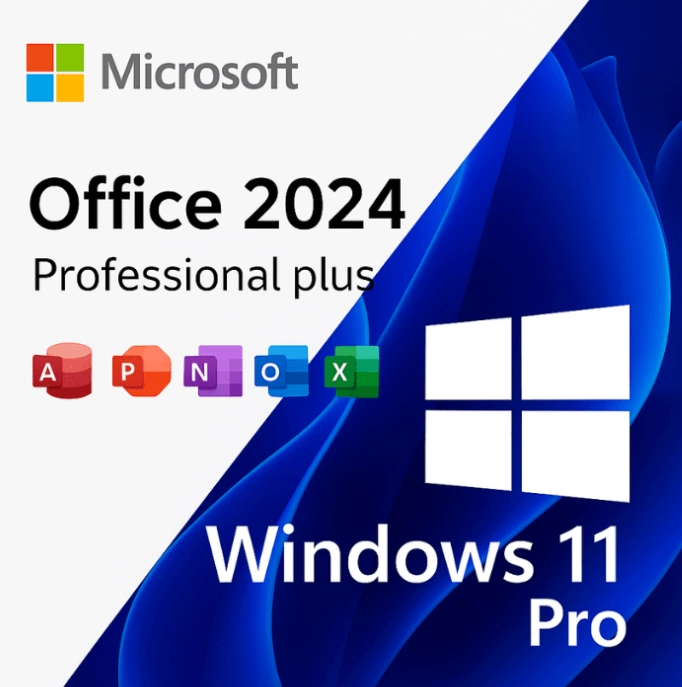
Microsoft Office 2024 Pro Plus + Windows 11 Pro – Bundle License Keys (1 PC)
$29.99
Genuine Office 2024 and Windows 11 Pro bundle for 1 PC: two separate product keys, Microsoft Office 2024 Professional Plus and Windows 11 Pro, delivered together in one email. Emailed within minutes, 30-day money-back guarantee.
This Office 2024 and Windows 11 Pro bundle gives one PC a genuine license for both the operating system and the full Office suite in a single order: Microsoft Office 2024 Professional Plus (Word, Excel, PowerPoint, Outlook, OneNote and Access) plus Windows 11 Pro. It is the natural choice for anyone building or rebuilding a PC, buying a machine without an operating system, or replacing an aging Windows 10 computer and wanting everything licensed properly from the first boot.
License details
Contents: two separate 25-character keys, one for Office LTSC Professional Plus 2024 and one for Windows 11 Pro, delivered in the same email
Platform: Windows 11 Pro is 64-bit only; Office 2024 Professional Plus installs on that Windows 11 PC in 32-bit or 64-bit form
Covers 1 PC; each key activates once, on the same computer
License term: both perpetual, one-time purchase, no subscription; Office 2024 is supported by Microsoft until October 9, 2029
Activation: Windows 11 Pro through Settings, System, Activation, Change product key; Office through File, Account, Change Product Key; phone activation help from our team if Microsoft asks
Delivered: both keys, the official Microsoft download links for Windows 11 and Office 2024, and a short guide, also saved under My Account
Language: both products are multilanguage; choose your language during setup
Support by a person 7 days a week; 30-day money-back guarantee on both keys
Order once, receive both keys within minutes, and set up the whole PC in one sitting. Nothing ships and nothing renews. If either key cannot be activated and our support team cannot fix it, our 30-day money-back guarantee provides a replacement key or a refund. The license type of each key is shown in the Product Overview table on this page.
Product overview
Product
Microsoft Office 2024 Pro Plus + Windows 11 Pro – Bundle License Keys (1 PC)
Brand
Microsoft
Category
Microsoft Office, Office 2024, Windows 11
Platform
Windows PC
Covers
See product title
License term
One-time purchase, no subscription
Delivery
Digital, product key by email within minutes
You receive
Product key, official Microsoft download link, installation guide
Support
Free installation and activation help by email, 7 days a week
Guarantee
30-day money-back guarantee
SKU
SIS-B24-OW11
Office 2024 and Windows 11 Pro bundle: license a whole PC in one order
Setting up a computer properly means licensing two things: the operating system and the productivity suite. Our Office 2024 and Windows 11 Pro bundle covers both for a single Windows PC with two genuine, perpetual product keys delivered in the same email. You get Windows 11 Pro, the business edition of Microsoft's current operating system with BitLocker, Remote Desktop and Hyper-V, and Microsoft Office 2024 Professional Plus, the complete desktop suite with Word, Excel, PowerPoint, Outlook, OneNote and Access. One checkout, two keys, no subscription for either.
This bundle is most popular with people who are building a PC from parts, buying a barebones or refurbished machine that ships without Windows, replacing a Windows 10 computer now that Windows 10 support ended on October 14, 2025, or doing a clean reinstall to start fresh. Small business owners like it because one order produces a fully licensed workstation. Parents setting up a college PC like it because there is no renewal to forget. IT consultants like it because both keys sit in one email and one My Account entry, which makes record keeping simple.
From Software in Store you receive both 25-character keys, the official Microsoft download links for Windows 11 and Office 2024, and a short guide, usually within minutes of payment. The license type of each key is shown in the Product Overview table on this page.
What is in the bundle
Windows 11 Pro: the full 64-bit operating system with BitLocker drive encryption, Remote Desktop host, Hyper-V virtualization, Windows Sandbox, Group Policy, domain and Microsoft Entra ID join, and support for up to 2 TB of RAM.
Office 2024 Professional Plus: Word, Excel, PowerPoint, Outlook (classic desktop client), OneNote and Access, the perpetual LTSC build supported until October 9, 2029.
Excel 2024 features such as dynamic arrays, XLOOKUP, LET, LAMBDA and TEXTSPLIT; PowerPoint Cameo and Recording Studio; Word Focus mode and modern comments.
Access 2024 for desktop databases, which is only available in the Professional Plus edition.
Two separate keys, so you can activate Windows first and Office afterwards at your own pace.
Official Microsoft installation media for both products through the links in your email.
Both products receive security updates through Windows Update and Microsoft Update at no extra cost.
Publisher is not included, because Microsoft discontinued it with the Office 2024 release. If Publisher is essential, the Office 2021 Pro Plus and Windows 11 Pro bundle pairs the same Windows edition with the last Office release that still ships Publisher.
Bundle versus buying the pieces separately, and Pro versus Home
The table compares this bundle with the alternatives buyers usually weigh: the individual keys, the 2021 bundle, and a Windows 11 Home based setup.
Option
Operating system
Office edition
Access included
Keys in email
Best for
This bundle
Windows 11 Pro
Office 2024 Professional Plus
Yes
2
New builds, rebuilds, replacing Windows 10 PCs
Office 2021 Pro Plus + Windows 11 Pro bundle
Windows 11 Pro
Office 2021 Professional Plus
Yes (plus Publisher)
2
Buyers who need Publisher
Windows 11 Pro key alone
Windows 11 Pro
None
No
1
PCs that already have Office
Office 2024 Professional Plus key alone
Existing Windows
Office 2024 Professional Plus
Yes
1
PCs already running licensed Windows
Windows 11 Home + Office 2024 Home and Business
Windows 11 Home
Home and Business
No
2
Personal PCs that do not need BitLocker or Access
Why Pro rather than Home for the operating system? Windows 11 Pro adds BitLocker, so a stolen laptop does not give away your files; Remote Desktop hosting, so you can reach the PC from elsewhere; Hyper-V for virtual machines; and the management features a business network expects. If you are certain you need none of that, a Windows 11 Home key plus a separate Office key is an option, but most buyers of a full Office Professional Plus suite also want the Pro operating system underneath it.
System requirements for both products
Windows 11 sets the hardware bar; Office 2024 will run on anything that runs Windows 11. Check the PC against the Windows 11 list before ordering:
Processor: 1 GHz or faster, 2 or more cores, 64-bit, on the Microsoft supported list
Memory: 4 GB RAM
Storage: 64 GB or larger drive
Firmware: UEFI with Secure Boot capable
Security: TPM version 2.0
Graphics: DirectX 12 compatible with WDDM 2.0 driver; 720p display 9 inches or larger
Office 2024 on top of that: 4 GB of free disk space and a 1280 x 768 display; no additional hardware needed
Internet connection for downloading media, activation and updates
Most PCs built or sold since 2018 have TPM 2.0 and UEFI, though the TPM may need to be switched on in the firmware. Microsoft's PC Health Check app confirms compatibility in a minute. If the machine fails the check, a Windows 10 Pro key with an Office key is the alternative, keeping in mind Windows 10 no longer receives security updates.
A sensible setup order for a new PC
Because the bundle arrives as two keys, you can work in the order that suits the machine. For a bare PC, install Windows 11 Pro first from the official media, activate it in Settings, and let Windows Update finish so drivers and firmware fixes are in place. Then install Office 2024 Professional Plus from the second link and activate it inside Word. Doing Windows first means Office lands on a patched, activated system and its own activation succeeds on the first try.
For a PC that already runs Windows 11 Home, use the Pro key to upgrade in place through Change product key; the process keeps your files and takes about ten minutes. Then add Office. For a Windows 10 machine that passes the Windows 11 hardware check, you can upgrade to Windows 11 with the Pro key rather than reinstalling, and again add Office afterwards. In every case, keep the delivery email: both keys and both download links are what you will need if you ever reinstall. Plan on roughly an hour for the full process on a typical broadband connection, most of it waiting for downloads and updates rather than typing.
Licensing explained
Both keys in the Office 2024 and Windows 11 Pro bundle are perpetual licenses. Windows 11 Pro is licensed for one PC and, once activated, its digital license attaches to that hardware, so reinstalling Windows on the same machine reactivates automatically. Office 2024 Professional Plus is licensed for one PC and activates with its own key. Neither product expires, neither needs a Microsoft 365 or other subscription, and both continue to receive security updates: Windows 11 through its normal lifecycle and Office 2024 until October 9, 2029.
Transfer rights depend on the license type of each key, which is listed in the Product Overview table. Retail keys can be moved to a new PC after removal from the old one. OEM keys stay with the first PC. Volume keys have a set number of activations and are intended for organizations. Because the two keys are separate products, their types are listed separately; check both if you expect to move the licenses later. Our FAQ page covers the transfer rules for each type.
Why buy the bundle from Software in Store
Software in Store is an independent US reseller of genuine Microsoft product keys, operated by MAKERS UNITY LLC in Sheridan, Wyoming, and not affiliated with or endorsed by Microsoft. Bundles are where a reliable seller matters most, because a problem with either key can hold up the whole PC setup.
Both keys genuine and activating against Microsoft's servers.
Delivery by email within minutes of payment, seven days a week; both keys also saved under My Account.
Official Microsoft download links for Windows 11 and Office 2024, never modified installers.
One support contact for both products: a person answers support@softwareinstore.com every day, including phone activation with Installation and Confirmation IDs.
30-day money-back guarantee on each key: if one cannot be activated and we cannot fix it, it is replaced or refunded.
Encrypted, PCI-compliant checkout with card, Apple Pay or Google Pay.
You are dealing with one company for the entire PC, which is simpler than juggling two marketplace sellers with two return policies. Read Why Trust Us for details on sourcing and the guarantee.
Order the Office 2024 and Windows 11 Pro bundle today
Add the bundle to your cart, pay securely, and both keys arrive by email within minutes with the official download links. Install Windows 11 Pro, activate it, install Office 2024 Professional Plus, activate that, and the PC is fully licensed in one session. Our How It Works page describes the process from checkout to activation, and the FAQs answer questions about reinstalling, moving to new hardware and updates. One order, two perpetual keys, one properly licensed PC.
Download and install
Your delivery email, sent within minutes of payment, contains two separate 25-character keys, one for Windows 11 Pro and one for Office 2024 Professional Plus, together with the official Microsoft download links and a short guide. Both keys are also saved under My Account.
Download the Windows 11 media from the link in your email and create a bootable USB drive (8 GB or larger) with Microsoft's Media Creation Tool or Rufus.
Boot the PC from the USB drive, choose Windows 11 Pro when asked for the edition, and complete a Custom installation.
After the first sign-in, open Settings, System, Activation, click Change product key and enter the Windows 11 Pro key. Windows activates online.
Run Windows Update until no further updates are offered, then install any missing drivers.
Download the Office 2024 Professional Plus installer from the second link and run it (64-bit recommended).
Open Word, go to File, Account, Change Product Key, enter the Office key and click Activate Office.
Confirm both products show as activated, then set your language preferences and add your mail account in Outlook.
If either product asks for telephone activation, email us the Installation ID shown on screen and we send back the Confirmation ID. A person answers support@softwareinstore.com seven days a week for both keys.
Frequently asked questions
Do I get one combined key or two separate keys in the Office 2024 and Windows 11 Pro bundle?
Two separate keys. Windows 11 Pro and Office 2024 Professional Plus are different Microsoft products with different activation systems, so the email contains one 25-character key for each, clearly labeled, along with the download link for each product. You activate Windows in Settings and Office inside any Office application. The keys are independent, which means you can install Windows today and Office next week if you prefer, and both are recorded under My Account.
Can I use the two keys on two different computers?
The bundle is priced and sold for one PC, and that is how we recommend using it. Technically each key activates one machine, so nothing physically prevents installing Windows 11 Pro on one computer and Office on another, but the license terms and our guarantee cover one PC per bundle. If you need Office and Windows on two computers, order two bundles or add a separate key, and everything stays cleanly licensed.
My PC already runs Windows 11 Home. Can I use the Windows key to upgrade it?
Yes. Open Settings, System, Activation and choose Change product key, then enter the Windows 11 Pro key from your email. Windows upgrades from Home to Pro in place, keeping your files and programs, and reboots once. You then install Office 2024 Professional Plus with the second key. If you only need the upgrade and not Office, our separate Windows 11 Home to Pro upgrade listing is the more targeted option.
Is Publisher included with the Office part of this bundle?
No. Microsoft retired Publisher with the Office 2024 release, so Office 2024 Professional Plus contains Word, Excel, PowerPoint, Outlook, OneNote and Access, but not Publisher. If you rely on Publisher for newsletters or print layouts, choose our Office 2021 Pro Plus and Windows 11 Pro bundle instead; Office 2021 Professional Plus is the last version that includes Publisher. Everything else, including Access, is present in both bundles.
Are these subscriptions? Will anything expire?
Neither key is a subscription. Windows 11 Pro is a perpetual license that stays with the PC, and Office 2024 Professional Plus is a perpetual license with security updates from Microsoft until October 9, 2029 and normal use after that date. There is no annual fee, no Microsoft 365 account requirement and no renewal date. The Office 2024 and Windows 11 Pro bundle is a one-time purchase for buyers who want a fixed cost for the life of the machine.
What happens if one of the two keys does not activate?
Email support@softwareinstore.com with a screenshot of the error and, if Windows or Office offers phone activation, the Installation ID. A person answers seven days a week and usually resolves activation the same day. If a key cannot be activated and we cannot fix it, our 30-day money-back guarantee replaces that key or refunds it. The other key is unaffected, so a problem with one product never holds the other hostage.
Reviews
There are no reviews yet.
Be the first to review “Microsoft Office 2024 Pro Plus + Windows 11 Pro – Bundle License Keys (1 PC)” Cancel reply


Reviews
There are no reviews yet.