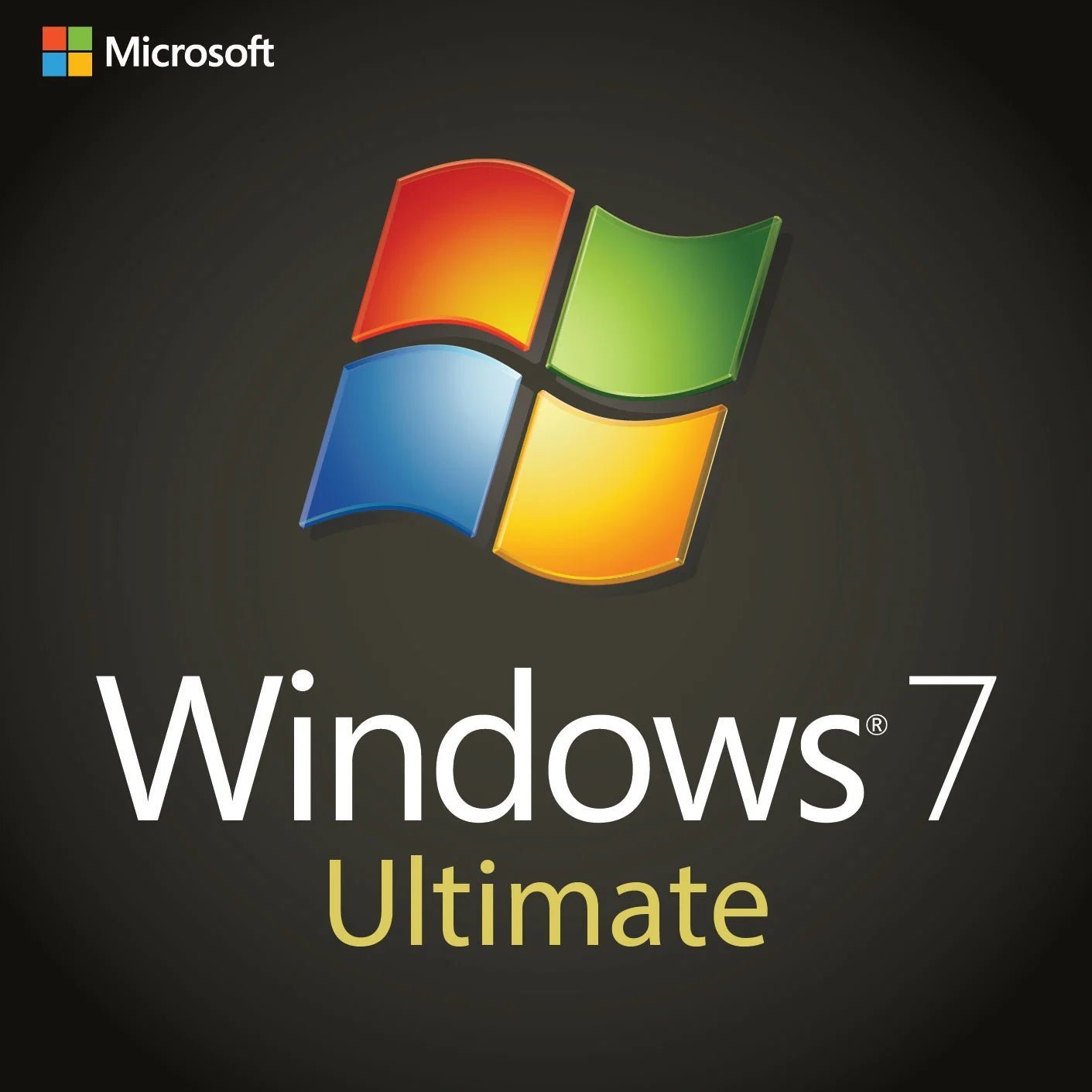
Microsoft Windows 7 Ultimate – License Key (Full Version)
$28.99Original price was: $28.99.$10.49Current price is: $10.49.
-64%
Genuine Windows 7 Ultimate product key for 1 PC, full version, 32-bit and 64-bit: every Windows 7 feature including BitLocker, AppLocker and language packs. Emailed within minutes, 30-day money-back guarantee.
This Windows 7 Ultimate product key activates one PC with Microsoft Windows 7 Ultimate, full version, in 32-bit or 64-bit. Ultimate was the edition with nothing left out: the consumer features of Home Premium, the business features of Professional, and on top of them BitLocker drive encryption, AppLocker and the ability to switch the interface between 35 languages. It is for the enthusiast rebuilding a flagship machine of the era, the bilingual household keeping an old PC, and anyone with a legacy workstation who wants encryption. we recommend Windows 10 or 11 for connected everyday computing.
License details
Edition and version: Microsoft Windows 7 Ultimate with Service Pack 1, full version
Platform: 32-bit (x86) and 64-bit (x64); the same key activates either
Coverage: 1 PC, one activation
License term: perpetual, one-time purchase, no subscription
Activation: online via Control Panel > System > Change product key, or by phone with the Confirmation ID supplied by our team over email
Delivered: 25-character key, official Microsoft download link for Windows 7 Ultimate SP1 media and an installation guide by email, also saved under My Account
Language: multilanguage; Ultimate installs Microsoft’s language packs and switches the display language in Control Panel
Support and guarantee: a person answers email 7 days a week; 30-day money-back guarantee
Order now and your key is usually in your inbox within minutes, seven days a week, with nothing to ship. Windows 7 keys often require phone activation, which we complete with you by email. If the key cannot be activated and our team cannot resolve it, we replace it or refund the order in full within 30 days. The license type is shown in the Product Overview table on this page.
Product overview
Product
Microsoft Windows 7 Ultimate – License Key (Full Version)
Brand
Microsoft
Category
Operating Systems, Windows 7
Platform
Windows PC
Covers
See product title
License term
One-time purchase, no subscription
Delivery
Digital, product key by email within minutes
You receive
Product key, official Microsoft download link, installation guide
Support
Free installation and activation help by email, 7 days a week
Guarantee
30-day money-back guarantee
SKU
SIS-W7ULT
Windows 7 Ultimate product key: the complete edition for legacy power users
Windows 7 Ultimate was Microsoft's everything edition. Where Home Premium served families and Professional served offices, Ultimate combined both and added the features that had previously been reserved for large organizations: BitLocker and BitLocker To Go drive encryption, AppLocker application control, DirectAccess and BranchCache for corporate networks, a Subsystem for UNIX-based Applications, boot from a virtual hard disk, and the multilingual user interface that lets one installation switch between 35 display languages. It was the edition enthusiasts chose for a flagship build and the one bilingual households picked so each person could sign in to Windows in their own language.
This listing supplies one genuine Windows 7 Ultimate product key for one PC, full version, as a perpetual, one-time purchase. We are plain about the context. Microsoft ended support for Windows 7 on January 14, 2020. It no longer receives security updates, and Microsoft's paid Extended Security Updates for it ended in January 2023. We sell Ultimate for legacy, offline and enthusiast machines, and we recommend Windows 10 Pro or Windows 11 Pro for any computer that lives on the internet. A Windows 7 key cannot activate Windows 10 or 11.
Who buys Windows 7 Ultimate today
Enthusiasts rebuilding a high-end 2009 to 2013 PC and wanting the top edition it deserved
Bilingual and multilingual households who need the display language switched per user account
Owners of legacy workstations with sensitive data who want BitLocker on the drive
Users of professional software that was last certified on Windows 7 and benefits from the 192 GB RAM ceiling
Collectors restoring a machine to the exact edition on its certificate of authenticity
Anyone consolidating a Windows 7 install who wants every feature available without choosing between editions
BitLocker, AppLocker and language packs: the Ultimate extras
Three features explain most Ultimate purchases. BitLocker encrypts the entire system drive, and BitLocker To Go encrypts USB sticks and external drives, so a stolen laptop or lost thumb drive gives up nothing; on Windows 7 it works with a TPM or with a startup key on USB. AppLocker lets an administrator define which programs may run, by publisher, path or hash, which is a simple way to lock down a machine that only needs to run a few applications. The multilingual user interface installs Microsoft's official language packs through Windows Update or standalone files, after which each user account can choose its own display language. Home Premium and Professional have none of these; they are what you pay for with Ultimate.
Key features
Everything in Home Premium: Aero Glass, Windows Media Center, HomeGroup, Backup and Restore
Everything in Professional: domain join, Group Policy, Remote Desktop host, Encrypting File System, Windows XP Mode
BitLocker and BitLocker To Go drive encryption
AppLocker application control
Multilingual user interface with 35 language packs
DirectAccess, BranchCache and Subsystem for UNIX-based Applications
Boot from VHD for multi-boot and test configurations
Support for up to 192 GB RAM (64-bit) and two physical processors
Full version key: clean install without a previous Windows installation
Ultimate vs Professional vs Home Premium vs Enterprise
Ultimate and Enterprise were functionally the same operating system; the difference was how they were sold. Enterprise went to volume licensing customers, Ultimate to individuals through retail. The table places all four side by side.
Feature
Home Premium
Professional
Ultimate
Enterprise
Aero, Media Center, HomeGroup
Yes
Yes
Yes
Yes (Media Center included)
Domain join, Remote Desktop host, EFS
No
Yes
Yes
Yes
Windows XP Mode
No
Yes
Yes
Yes
BitLocker and BitLocker To Go
No
No
Yes
Yes
AppLocker
No
No
Yes
Yes
Multilingual user interface (35 languages)
No
No
Yes
Yes
DirectAccess and BranchCache
No
No
Yes
Yes
Maximum RAM (64-bit)
16 GB
192 GB
192 GB
192 GB
Sold through
Retail and OEM
Retail, OEM, volume
Retail and OEM
Volume licensing
If you need none of the Ultimate extras, Windows 7 Professional covers work and workshop machines, and Windows 7 Home Premium covers a family PC. If you want the whole feature set on one legacy machine, Ultimate is the edition, and it is the only retail Windows 7 edition that offers BitLocker.
System requirements
Processor: 1 GHz or faster, 32-bit or 64-bit
Memory: 1 GB for 32-bit, 2 GB for 64-bit; up to 192 GB supported on 64-bit
Storage: 16 GB (32-bit) or 20 GB (64-bit) free space; extra space for language packs
Graphics: DirectX 9 device with a WDDM 1.0 or later driver
BitLocker: a TPM 1.2 module or a USB flash drive for the startup key
Internet connection or telephone for activation; the PC runs offline afterwards
Windows 7 has no Secure Boot or TPM 2.0 requirement and installs on BIOS and early UEFI hardware alike. Current chipsets, NVMe drives and USB 3.x controllers may need drivers added to the SP1 media, so check with the board maker before installing on recent hardware.
Running Windows 7 responsibly in 2026
An unsupported system is manageable when its exposure is controlled. Use the Windows 7 Ultimate machine for the specific jobs you kept it for, and do your browsing, email and banking elsewhere. If it needs a network, restrict it with firewall rules to the traffic its applications require. Install the final cumulative update from the Microsoft Update Catalog after activation, enable BitLocker so the data on the drive is protected if the hardware is lost, use a standard account for daily work, and keep an image backup. Many enthusiasts and small workshops run Windows 7 exactly this way, and a genuine Windows 7 Ultimate product key is the legitimate foundation for it.
Setting up BitLocker on Windows 7 Ultimate
BitLocker on Windows 7 encrypts the operating system drive with AES and unlocks it at boot with a TPM 1.2 chip, a TPM plus PIN, or a startup key on a USB stick for machines without a TPM. Open Control Panel, BitLocker Drive Encryption, choose Turn On BitLocker for the system drive, save the recovery key somewhere other than the encrypted drive, and let encryption run in the background. BitLocker To Go does the same for removable drives, and the encrypted stick can still be read on Windows 7 Home Premium or Professional with the password. For a legacy workstation that holds client files, tax records or engineering data, this is the single most valuable Ultimate feature and it works fully offline.
Building a period-correct enthusiast machine
Ultimate was the edition on the box of nearly every high-end build guide between 2009 and 2012, and enthusiasts rebuilding a Sandy Bridge or Phenom II machine want it back for that reason. The 64-bit version addresses far more RAM than any board of the era can hold, Aero runs on any card from the period, and SSDs are supported with TRIM from SP1 onward. Pair it with the last Windows 7 graphics driver for your card, install the final cumulative update from the Microsoft Update Catalog by USB, and the result is a fast, quiet machine that runs the games and software of its time exactly as intended, with a genuine key behind it.
Licensing and activation explained
A Windows 7 Ultimate product key from this page is a perpetual license for one PC. You pay once, and there is no subscription. It is a full version key for 32-bit or 64-bit media and does not require a prior Windows installation. Transfer rights depend on the license type stated in the Product Overview table:
Retail keys can be moved to another PC after Windows is removed from the old one
OEM keys stay with the first PC they activate
Volume (MAK) keys have a fixed activation count and are intended for organizations
Windows 7 keys are frequently routed by Microsoft to phone activation. You do not need to call. Windows shows an Installation ID; you email it to us, our team obtains the Confirmation ID from Microsoft, and you enter it. The exchange usually completes the same day, seven days a week, and the PC can remain offline.
Why buy this key from Software in Store
Software in Store is an independent US reseller operated by MAKERS UNITY LLC in Sheridan, Wyoming. We sell genuine Microsoft keys, deliver them by email within minutes of payment seven days a week, and keep them under My Account. For legacy Windows the difference between us and a marketplace is the person on the other end of the email who completes phone activation with you and does not disappear afterwards. Every order carries a 30-day money-back guarantee with a replacement key or full refund if the key cannot be activated and we cannot fix it. We state the license type on the page and do not invent partner claims or statistics.
Related products
A period-correct build usually wants a matching suite: Office 2010 Professional Plus or Office 2013 Professional Plus both run on Windows 7. If you only need the business features, Windows 7 Professional is the leaner choice, and when the hardware is ready to leave Windows 7 behind, Windows 10 Pro carries BitLocker and Remote Desktop forward. Every legacy edition is in our Windows 7 category.
Order your Windows 7 Ultimate product key
Add the key to your cart and pay by card, Apple Pay or Google Pay. Within minutes the key, download link and guide are in your inbox. Our how it works page explains delivery and phone activation, and the FAQs cover transfers, refunds and legacy activation.
Download and install
Your email contains the 25-character Windows 7 Ultimate product key, the official Microsoft download link for Windows 7 Ultimate SP1 (32-bit and 64-bit) and a short guide. The key is also saved under My Account.
Download the Windows 7 Ultimate SP1 ISO from the link in the email and burn it to DVD or write it to a USB stick.
Boot the PC from the media, choose language and keyboard, then click Install now.
Choose Custom (advanced), select the target partition and let setup complete. You may skip the key prompt and activate afterwards.
Open Control Panel > System and Security > System and click Change product key, or press Start, type slui 3 and press Enter.
Enter the 25-character key and click Next. If online activation succeeds, the System window shows Windows is activated.
If Windows asks for phone activation, run slui 4, choose your country and email us the Installation ID shown on screen.
Enter the Confirmation ID we return, then add language packs through Windows Update, enable BitLocker if wanted, and install the final update from the Microsoft Update Catalog.
Phone activation is routine for Windows 7 keys and takes one email exchange. Our support team answers seven days a week and stays with you until the PC reports genuine.
Frequently asked questions
Is Windows 7 Ultimate still supported, and who should buy it now
Microsoft ended support for Windows 7 on January 14, 2020, and the paid Extended Security Updates ended in January 2023. No new patches are published. A Windows 7 Ultimate product key is right for an enthusiast rebuild, a multilingual household PC, a legacy workstation that needs BitLocker, or any offline machine that should be genuine. For a connected computer used for email, browsing and banking, we recommend Windows 10 Pro or Windows 11 Pro.
Can this key activate Windows 10 or Windows 11
No. Microsoft accepted Windows 7 keys for Windows 10 activation for several years but ended that in 2023. A Windows 7 Ultimate product key activates Windows 7 Ultimate only, in 32-bit or 64-bit. If you want a modern system with BitLocker and Remote Desktop, Windows 10 Pro and Windows 11 Pro carry those features forward, activate online without the phone step, and are listed in our store alongside this product.
What does Ultimate include that Professional lacks
Ultimate adds BitLocker and BitLocker To Go drive encryption, AppLocker application control, the multilingual user interface with 35 language packs, DirectAccess, BranchCache, Subsystem for UNIX-based Applications and boot from VHD. Everything in Professional, including domain join, Remote Desktop host, Encrypting File System and Windows XP Mode, is also present. If you do not need encryption or a non-English interface, Professional is the leaner choice; if you want every feature, Ultimate is the edition.
How do I change the display language on Windows 7 Ultimate
After activation, open Windows Update and look under optional updates for the language packs you want, or install standalone language pack files. Then open Control Panel, Region and Language, Keyboards and Languages, and choose the display language. Each user account can select its own language, and the change takes effect at the next sign-in. This multilingual capability is unique to Ultimate and Enterprise; Home Premium and Professional install in a single language.
Why does activation sometimes require the phone method, and what do I do
Microsoft's servers frequently route Windows 7 keys to phone activation. It does not indicate a faulty key. Windows displays an Installation ID; you email it to our support team, we obtain the Confirmation ID from Microsoft and send it back, and you type it into the wizard. No phone call is needed on your side and the PC can stay offline. We handle this seven days a week and stay with you until Windows shows activated and genuine.
Can I move the license, and what happens if it will not activate
Transfer rights depend on the license type shown in the Product Overview table: retail keys can move to a new PC after Windows is removed from the old one, OEM keys stay with the original PC, and volume keys carry a fixed activation count. If the key will not activate, reply to your order email; we complete phone activation with you, and if it still fails we replace the key or refund the order in full under our 30-day money-back guarantee.
2 reviews for Microsoft Windows 7 Ultimate – License Key (Full Version)
Rated 5 out of 5
Sydney Gray –
Ultimate edition is exactly what I needed. Full functionality, easy installation, and the key worked perfectly on my system.
Rated 5 out of 5
Caroline Gray –
Activated quickly and runs smoothly. Perfect for my legacy applications. Only drawback is that updates are limited due to age.


Sydney Gray –
Ultimate edition is exactly what I needed. Full functionality, easy installation, and the key worked perfectly on my system.
Caroline Gray –
Activated quickly and runs smoothly. Perfect for my legacy applications. Only drawback is that updates are limited due to age.